
7 Powerful YouTube About Section Tips for Beginners in 2026!
What Is a YouTube About Section?
The YouTube About Section is the part of your channel profile that helps visitors understand who you are, what your channel offers, and why they should follow you.
Think of it as your channel’s short introduction or digital business card.
A good About section can answer three simple questions:
- Who are you?
- What will viewers learn or get from your channel?
- Why should they subscribe or take the next step?
YouTube currently allows creators to edit their channel description, handle, name, links, and other profile information through YouTube Studio. The description is accessible from the channel header.
The About section should therefore be treated as an important part of your YouTube channel branding, not as a place to randomly add keywords.
Why Is the YouTube About Section Important?
Your About section works like a strategic backbone for your channel entity.
Here, “entity” means the recognizable identity of your channel: its name, niche, topics, audience, brand, and online presence.
For example, if your channel is about YouTube growth, your profile should consistently communicate:
Channel identity → YouTube growth → SEO → content strategy → target audience → website/resources
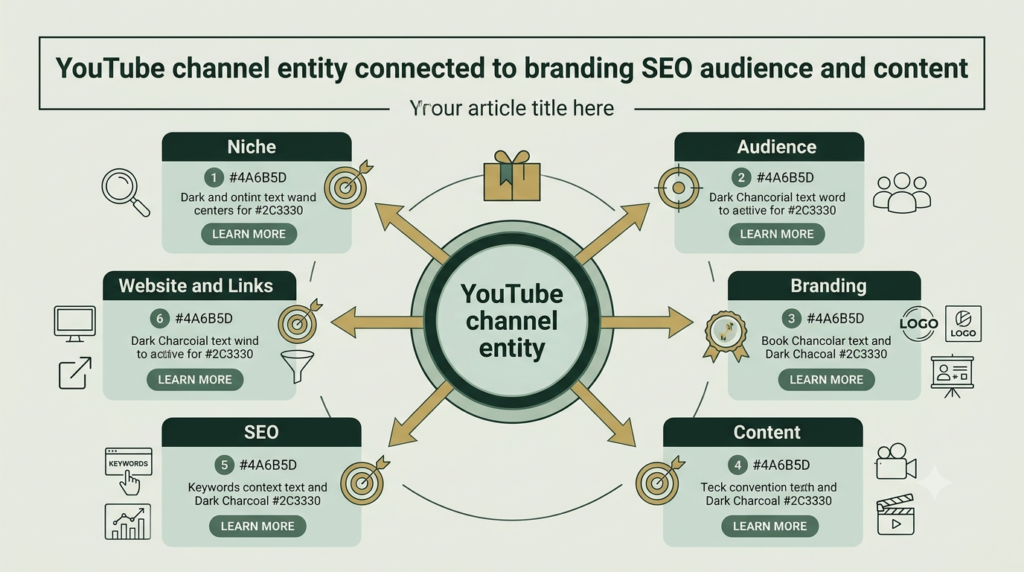
This consistency helps people quickly understand what your channel represents.
However, an optimized About section does not guarantee higher rankings or subscribers. YouTube discovery depends on many signals, including viewer satisfaction and content performance. The purpose of your About section is primarily to clarify your identity, build trust, and give visitors useful next steps.
7 Essential Elements of a YouTube About Section
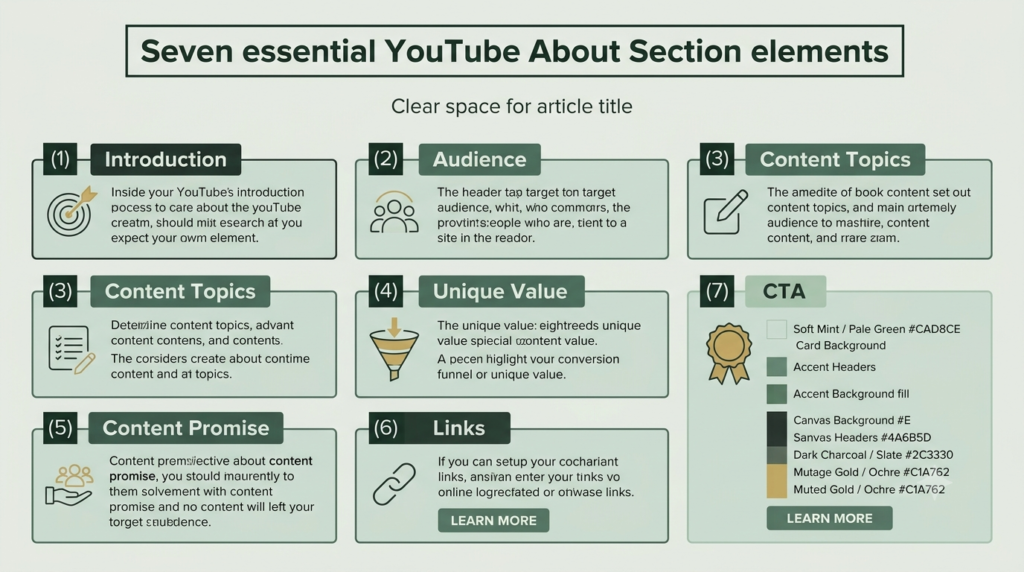
1. Clear Channel Introduction
Start with one or two sentences explaining exactly what your channel is about.
Instead of: Welcome to my channel. I post videos regularly.
Try: Learn practical YouTube SEO strategies, keyword research, channel optimization, and content growth tips for beginners.
The second version immediately communicates the channel’s subject.
2. Target Audience
Tell visitors who your content is designed for.
Examples:
- Beginners starting their first YouTube channel
- Small creators trying to increase visibility
- Entrepreneurs using YouTube for business
- Bloggers turning content into videos
This makes your YouTube channel description more relevant and human.
3. Main Content Topics
Briefly explain what viewers can expect.
For example:
- YouTube SEO
- Keyword research
- Video titles
- Thumbnails
- Channel optimization
- Analytics
- Monetization basics
Do not create a long keyword list. Write naturally so a real visitor can understand the value.
4. Your Unique Value
Give people a reason to remember your channel.
Ask:
What makes my content useful?
Perhaps you simplify technical SEO, provide beginner-friendly tutorials, share practical experiments, or explain complicated YouTube concepts without jargon.
Your About section should communicate this difference.
5. Publishing or Content Promise
If appropriate, explain what viewers can expect from your content.
For example: New practical YouTube growth tutorials, SEO guides, and creator resources designed for beginners.
You do not need to promise a specific posting frequency unless you can maintain it consistently.
6. YouTube Channel Links
Links turn your profile from a simple introduction into a useful navigation point.
YouTube currently allows creators to showcase up to 14 profile links on the channel Home tab. The first link receives prominent placement near the subscribe button.
Useful destinations can include:
- Your website
- Important resource
- Newsletter
- Social profile
- Digital product
- Business contact page
Only add links that genuinely help your audience.
7. Clear Call to Action
Finish with one simple next step.
Examples: Subscribe for practical YouTube SEO tutorials.
Or: Explore our free YouTube growth resources below.
One clear CTA is usually better than asking visitors to do five different things.
YouTube About Section vs YouTube Channel Description
These terms are often used interchangeably, but it helps to understand the practical difference.
| Element | Purpose |
|---|---|
| About Section | Overall profile information |
| Channel Description | Main written introduction |
| Channel Links | Direct visitors to useful resources |
| Handle | Identifies your channel uniquely |
| Branding | Creates visual and verbal identity |
| CTA | Encourages the next action |
Your YouTube channel description is therefore one of the most important written components within your channel profile.
How to Create Your YouTube About Section
You can edit your profile through YouTube Studio.
Desktop method
- Sign in to YouTube Studio.
- Select Customization.
- Open the Profile tab.
- Edit your channel description.
- Add relevant links.
- Review your channel information.
- Click Publish.
YouTube’s current help documentation confirms that channel description and profile links are managed from the channel customization/profile area.
You can also manage your profile from the YouTube or YouTube Studio mobile apps.
How to Optimize Your YouTube About Section to 100/100
There is no official YouTube score of “100/100” for an About section. A score shown by an SEO plugin is an optimization checklist, not a YouTube ranking guarantee.
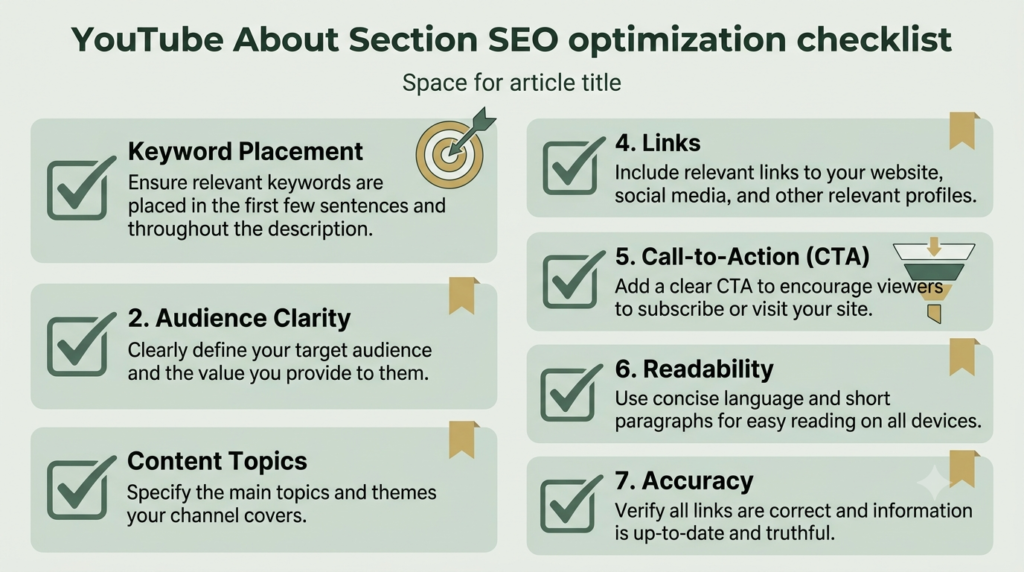
For the strongest practical optimization:
Use this checklist
- Put your main topic near the beginning.
- Include your primary keyword naturally.
- Explain your audience.
- Mention your major content categories.
- Use related terms naturally.
- Keep sentences easy to scan.
- Establish a clear value proposition.
- Add useful channel links.
- Include one strong CTA.
- Keep your information accurate.
- Match your description with your actual videos.
- Avoid keyword stuffing.
- Avoid misleading claims.
- Check every link before publishing.
Your YouTube channel SEO should be consistent across your channel name, description, videos, playlists, titles, thumbnails, and overall content strategy.
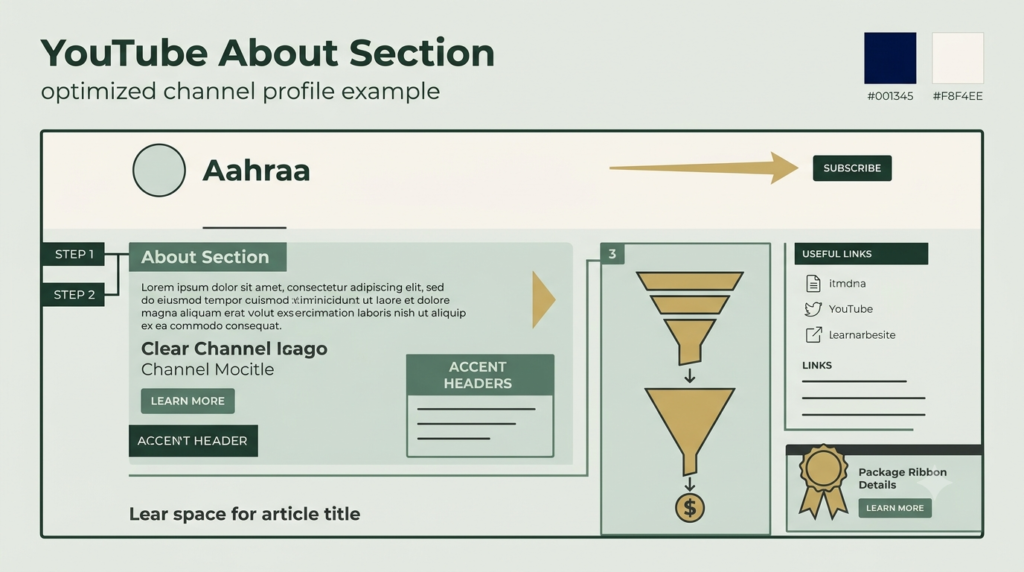
Example of an Optimized YouTube About Section
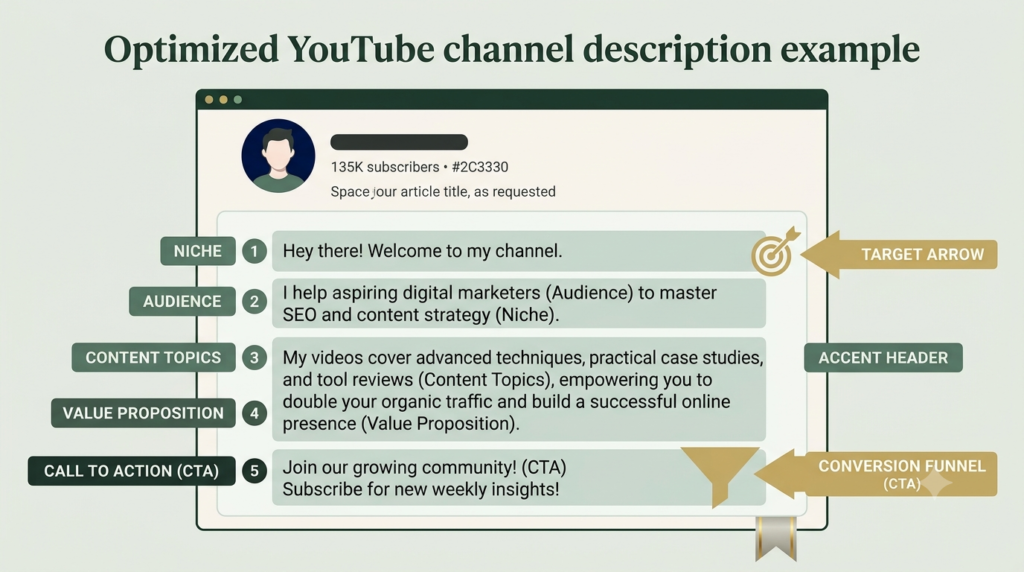
Welcome to Aahraa, where beginners can learn practical YouTube SEO and channel growth strategies without complicated jargon.
Discover beginner-friendly guides on YouTube keyword research, video SEO, titles, thumbnails, channel optimization, analytics, and content strategy.
Whether you are starting a new channel or trying to improve an existing one, our goal is to help you understand YouTube and build a stronger content strategy step by step.
Explore our website and free resources below, and subscribe for practical YouTube growth tips.
This example combines a clear introduction, audience, topics, value proposition, and CTA without turning the description into a keyword list.
Common YouTube About Section Mistakes
Avoid these mistakes:
- Writing only “Welcome to my channel.”
- Copying another creator’s description.
- Adding unrelated keywords.
- Using excessive hashtags.
- Making unrealistic income promises.
- Adding broken links.
- Writing one huge paragraph.
- Forgetting the target audience.
- Making the description completely generic.
- Using keywords that do not match your videos.
A useful About section should sound like a real person explaining their channel, not a search engine trying to rank a webpage.
The Connection Between About Section, Branding and SEO
Your YouTube channel branding becomes stronger when your written identity matches your visual identity.
For example:
Channel name: Aahraa
Topic: YouTube SEO
Description: Practical YouTube growth education
Visual identity: Consistent logo, colors and thumbnails
Content: YouTube SEO tutorials
Links: Relevant resources and website
That creates a recognizable channel entity.
Your About section is therefore not an isolated SEO field. It connects your brand, niche, audience, content and resources into one understandable identity.
Final YouTube About Section Checklist
Before clicking Publish, ask:
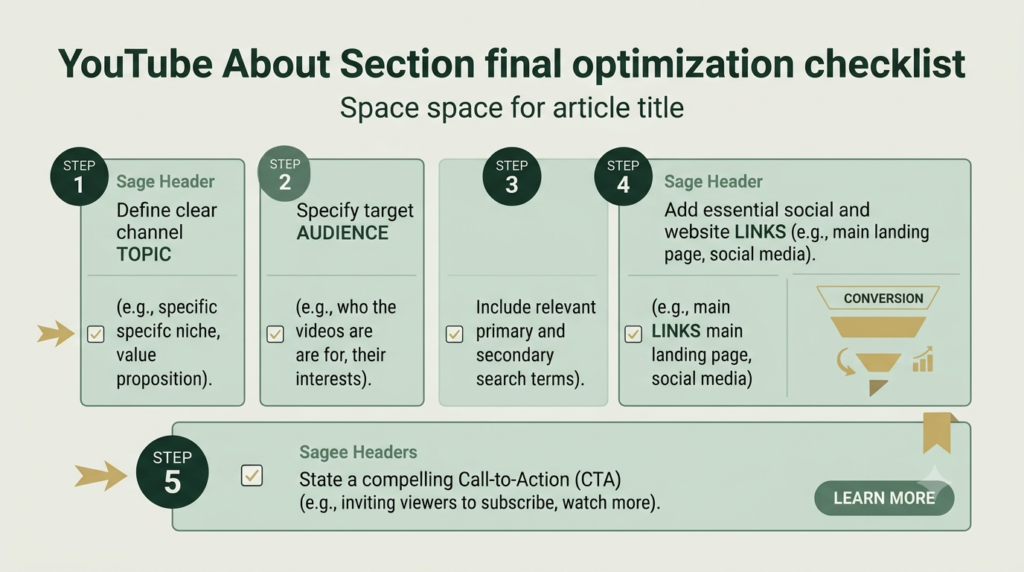
☐ Is my channel topic immediately clear?
☐ Did I explain who my audience is?
☐ Did I naturally use my primary keyword?
☐ Did I explain what viewers will learn?
☐ Did I include useful YouTube channel links?
☐ Does my description sound human?
☐ Are my links working?
☐ Is there one clear CTA?
☐ Does the description match my actual content?
☐ Did I remove unnecessary keyword repetition?
If you can answer yes to these questions, your About section is in a strong position.
Start Improving Your Channel Today
Your About section may be small, but it helps establish the identity visitors see when they discover your channel. Make it clear, useful, trustworthy, and aligned with your actual content.
CTA: Review your YouTube About section today and rewrite the first three lines so a new visitor immediately understands who you help and what your channel teaches.
FAQ: YouTube About Section
What is a YouTube About Section?
The YouTube About Section is the profile area where creators introduce their channel, explain their content, provide relevant information, and share useful links.
How do I edit my YouTube About Section?
Open YouTube Studio, go to Customization → Profile, edit your channel description and links, then select Publish.
How long should a YouTube channel description be?
There is no need to make it unnecessarily long. Prioritize clarity, audience relevance, important topics, useful links, and a clear CTA.
Does the YouTube About Section help SEO?
It can support channel clarity and topical relevance, but it should not be treated as a guaranteed ranking factor. Strong YouTube SEO requires a broader content and audience strategy.
Should I put keywords in my YouTube About Section?
Yes, but use relevant keywords naturally. Your primary keyword and related terms should describe what your channel genuinely covers rather than being repeated artificially.
Can I add website links to my YouTube channel?
Yes. YouTube currently allows creators to showcase up to 14 profile links, subject to YouTube’s policies.
Can I translate my YouTube channel description?
Yes. YouTube provides an option to add translations for your channel name and description.
What is the biggest About Section mistake?
The biggest practical mistake is making the description vague. A visitor should understand your niche, audience, content and value within a few seconds.