
YouTube Channel Trailer: 7 Powerful Beginner Steps for 2026
Starting a YouTube channel can feel exciting, but a new visitor may still ask one simple question: “What will I get if I subscribe?” A well-planned YouTube channel trailer answers that question quickly.
Your trailer is a short introduction designed primarily for people who have not subscribed to your channel. It gives them a preview of your content, explains what your channel is about, and encourages them to subscribe. YouTube currently lets creators select a channel trailer through YouTube Studio → Customization → Home tab → Channel trailer. Once a viewer watches the trailer, YouTube does not show that same trailer to that viewer again.
In this complete beginner’s guide, you will learn what a YouTube channel trailer is, what elements it needs, how to create one, how to upload and set it up, and how to optimize it for a professional first impression.
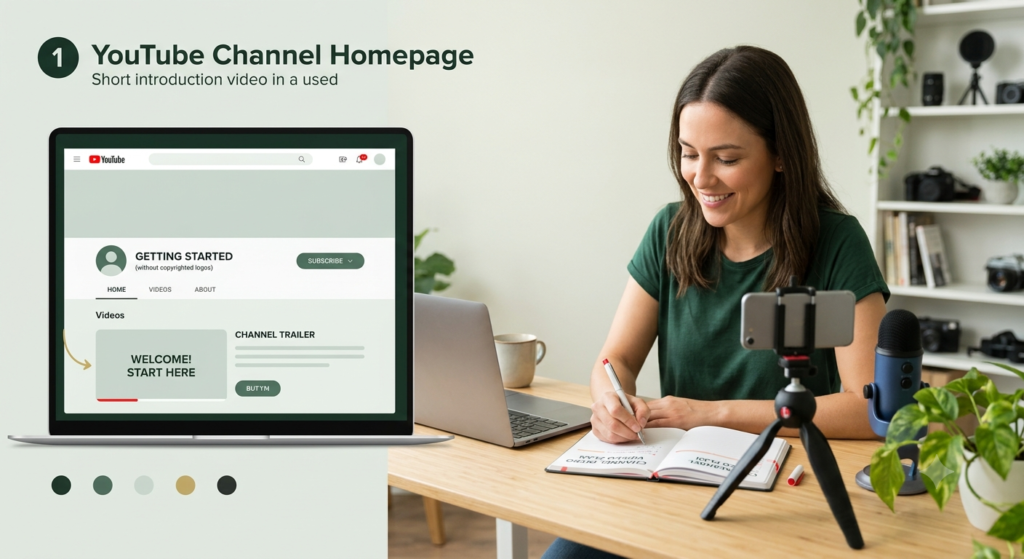
what Is a YouTube channel introduction video?
A YouTube channel trailer is a video introduction displayed on your channel’s Home tab for viewers who have not subscribed.
Think of it as the front door of your YouTube channel.
Instead of asking a new visitor to browse through dozens of videos to understand your content, the trailer gives them a quick introduction.
A useful trailer should answer four questions:
- Who are you?
- What is your channel about?
- Who is your content for?
- Why should someone subscribe?
Your trailer does not need to explain everything. Its purpose is to create enough clarity and interest for the viewer to take the next step.
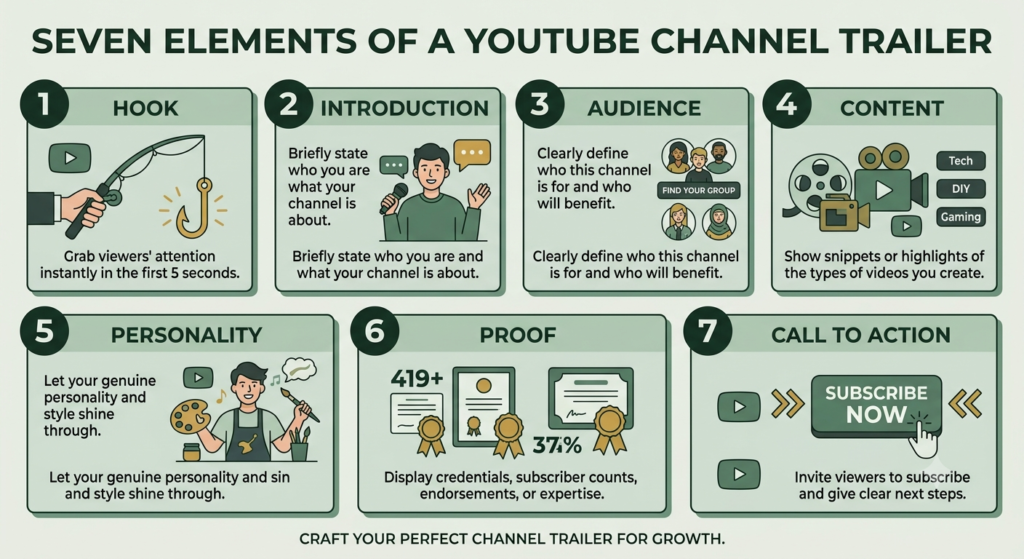
7 Essential Elements of a YouTube Trailer ideas
| Element | Purpose | What to Include |
|---|---|---|
| 1. Hook | Capture attention | A clear problem, promise or question |
| 2. Introduction | Establish identity | Name, brand or channel |
| 3. Audience | Identify viewer | Who the channel helps |
| 4. Content | Explain value | Topics, tutorials or entertainment |
| 5. Personality | Build connection | Natural voice and human touch |
| 6. Proof | Build confidence | Experience, results or useful content |
| 7. CTA | Guide action | Subscribe, watch or explore |
1. Start With a Strong Hook
The first few seconds should immediately communicate why the viewer should continue watching.
Instead of:
“Hello everyone, welcome to my channel.”
Try something more specific:
“Want to learn practical digital marketing without complicated jargon?”
A good hook is clear rather than dramatic.
2. Introduce Your Channel
Briefly tell viewers who you are and what your channel represents.
For example:
“Welcome to Aahraa, where startup owners can learn practical digital marketing, SEO and social media strategies.”
Keep the introduction short. The viewer should understand your channel without waiting for a long personal story.
3. Define Your Audience
Tell viewers whether your channel is designed for:
- Beginners
- Startup founders
- Small-business owners
- Creators
- Students
- Professionals
- Hobbyists
Specificity helps the right viewer recognize that your content is relevant to them.
4. Explain Your Content
Show the main topics viewers can expect.
For example:
“Here you’ll find beginner-friendly SEO tutorials, social media tips, website guidance and digital marketing strategies.”
Your content should match what you actually intend to publish. Do not promise topics simply because they sound popular.
5. Add Your Personality
A channel trailer should feel human.
You do not need expensive equipment or a complicated production. Speak naturally, use simple language and let viewers understand the person or brand behind the channel.
If you are uncomfortable appearing on camera, you can create a trailer using screen recordings, Canva graphics, text animation, voice-over and examples of your content.
6. Give a Reason to Trust You
You can briefly mention relevant experience, knowledge, projects or the type of practical help you provide.
Avoid exaggerated claims.
Instead of:
“I am the world’s best marketing expert.”
Say:
“I share practical strategies that beginners can follow step by step.”
7. Finish With One Clear CTA
Do not give viewers five different actions.
Choose one primary action.
For a channel trailer, that might be:
“Subscribe for practical beginner-friendly digital marketing tutorials.”
A focused CTA makes the next step obvious.
How to make a YouTube Channel Trailer?
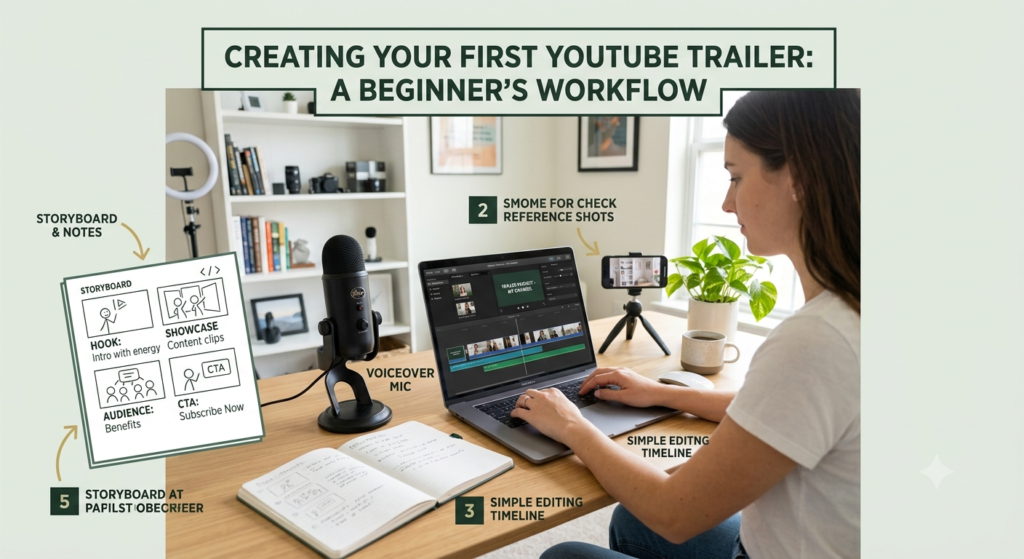
You can create your trailer using Canva, a smartphone, screen-recording software or a video editor.
Step 1: Write a Short Script
Use this simple structure:
Hook → Introduction → Audience → Content → Benefit → CTA
Example:
“Are you trying to grow your startup online but don’t know where to begin? Welcome to Aahraa. This channel is for beginners who want practical digital marketing guidance. You’ll learn SEO, social media, websites and content strategies through simple tutorials. Subscribe and let’s build your digital presence step by step.”
Step 2: Collect Your Visuals
Prepare:
- Logo
- Brand colors
- Channel name
- Screenshots
- Short video clips
- Relevant graphics
- Website or social-media visuals
Keep the visual style consistent with your channel branding.
Step 3: Edit the Video
Use readable text, clean transitions and clear audio.
Avoid filling every second with animation. A calm, understandable presentation is usually easier for beginners to follow.
Step 4: Add Captions
Captions improve accessibility and help viewers understand the message when audio is unavailable.
Check spelling carefully before publishing.
Step 5: Upload the Video
Upload your completed trailer to YouTube like a normal video.
Then open:
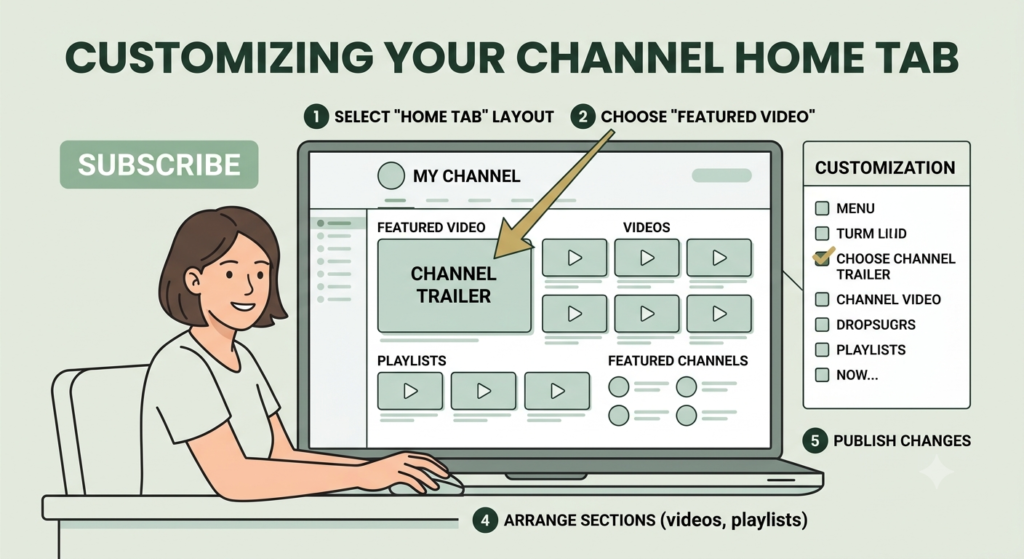
YouTube Studio → Customization → Home tab → Layout → Add section → Channel trailer
Select your video and click Publish. YouTube’s current Help documentation confirms this workflow.
How to Optimize Your YouTube Channel Trailer
A trailer is not simply about adding keywords. Optimization should improve clarity, relevance and viewer experience.
Use this checklist:
- Put your channel’s main topic in the opening.
- Use a clear video title.
- Write a useful description.
- Use relevant keywords naturally.
- Keep the introduction concise.
- Make the CTA obvious.
- Use clear audio.
- Add captions.
- Use consistent branding.
- Check the video on mobile.
- Avoid excessive animation.
- Make sure the trailer matches your actual content.
- Review the video before publishing.
YouTube also allows creators to customize channel branding and basic information such as the channel name, handle, description and links.
Common Mistakes to Avoid
Avoid these beginner mistakes:
- Making the trailer too long
- Starting with a lengthy personal introduction
- Using unclear language
- Having poor audio
- Adding too many effects
- Making promises your channel cannot deliver
- Using unrelated keywords
- Having several competing CTAs
- Forgetting mobile testing
- Never updating the trailer when the channel direction changes
Why a YouTube Channel Trailer Is the Backbone of Your Channel Identity
Your channel introduction video, can work as a central introduction connecting several parts of your YouTube presence.
It can establish your:
- Brand identity – your name, visual style and personality.
- Content promise – what viewers can expect.
- Target audience – who you create for.
- Content pillars – the main subjects you regularly cover.
- Value proposition – the practical benefit viewers receive.
- Call to action – usually subscribing or watching another video.
In this sense, the trailer acts as a backbone for your channel identity. It connects your branding, content strategy and viewer journey into one short introduction.
YouTube’s current channel customization system also allows creators to organize the Home tab with a trailer, featured video and other sections.
Your Simple YouTube Channel Trailer Formula
If you are completely new, remember this formula:
Hook → Who you are → Who you help → What you teach → Why it matters → Subscribe
You do not need a Hollywood production.
You need clarity, useful content, authentic communication and a clear next step.
A good channel trailer gives a new visitor enough information to decide whether your channel is worth exploring.
Frequently Asked Questions
What is a YouTube channel trailer?
A YouTube channel trailer is a video selected to introduce your channel to viewers who have not subscribed. It appears on the channel Home tab when the trailer is configured.
How long should a YouTube channel trailer be?
There is no single mandatory length that makes every trailer successful. Keep it long enough to explain your value clearly without unnecessary introduction or repetition.
Can beginners create a YouTube channel trailer?
Yes. Beginners can create one with a smartphone, Canva, screen recordings, voice-over or simple video-editing software.
Where do I add a YouTube channel trailer?
In YouTube Studio, go to Customization → Home tab → Layout → Add section → Channel trailer, select the video and publish the changes.
Should my trailer ask viewers to subscribe?
Yes, a clear subscription CTA can make the intended next step obvious. Keep it natural rather than repeatedly asking viewers to subscribe.
Can I change my YouTube channel trailer for beginners, later?
Yes. You can return to your channel’s Home-tab customization settings and select a different trailer when you want to update your introduction.
What should I avoid in a channel trailer?
Avoid long introductions, confusing messaging, poor audio, excessive effects, unrelated keywords and promises that do not match your actual content.
Final Takeaway
Your YouTube channel trailer is a small video with an important job: helping a new viewer understand your channel quickly.
Focus on one audience, one clear promise and one strong CTA. Make the trailer useful, human and easy to understand. Then connect it with your channel banner, description, playlists and main content so the entire channel communicates the same message.
Ready to build your YouTube presence? Create your trailer, publish it, add it to your Home tab, and then review the complete channel experience from a new viewer’s perspective.