
7 Powerful YouTube Content Calendar Tips for Growth in 2026!
What Is a YouTube Content Calendar?
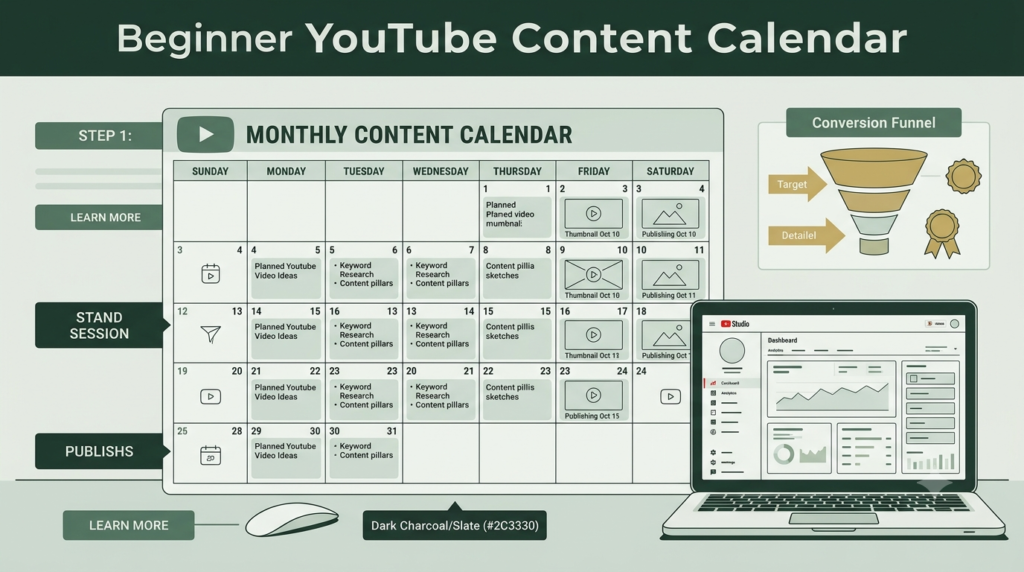
A YouTube content calendar is a simple planning system that helps you decide what videos to publish, when to publish them, and why each video matters to your channel.
Instead of opening YouTube and wondering, “What should I make today?”, you have your topics, keywords, formats, publishing dates, and content goals organized in advance.
Think of it as your channel’s roadmap.
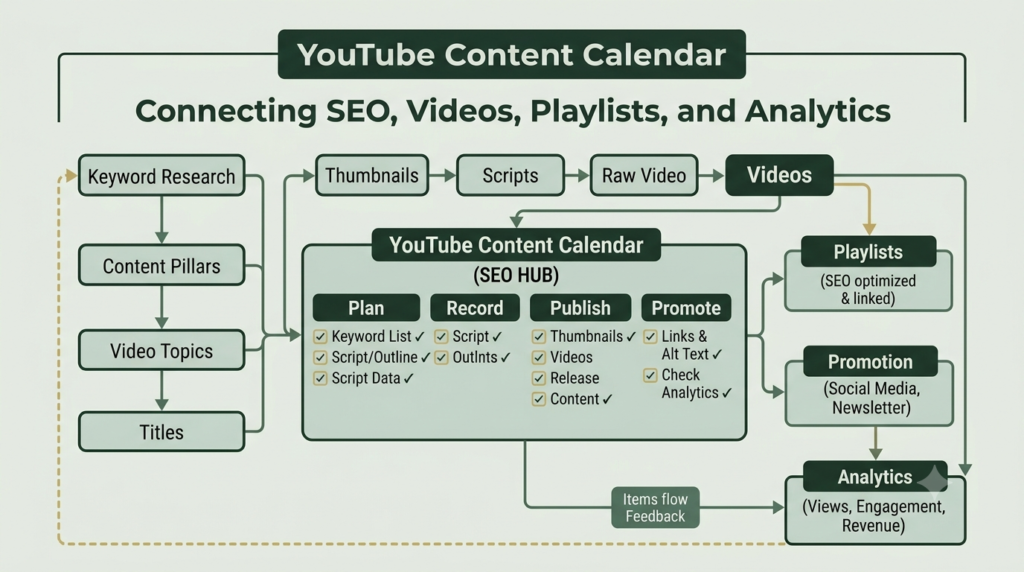
A good calendar connects your YouTube content planning, keyword research, content pillars, video production, publishing schedule, playlists, and analytics into one system.
Most importantly, a content calendar is not just a list of dates. It is the backbone of your entire YouTube content ecosystem.
YouTube itself recommends using audience and content-performance data to understand what viewers watch and use those insights to develop future content.
Why Is a YouTube Content Calendar Important?
Without a calendar, creators often jump between unrelated subjects. One week they publish a tutorial, the next week a random Short, and then disappear for two weeks.
That makes content creation harder to manage.
A structured calendar helps you:
- Maintain a realistic publishing rhythm
- Organize your YouTube content strategy
- Plan videos around audience problems
- Connect videos into related topic clusters
- Schedule Shorts and long-form videos
- Prepare titles and thumbnails earlier
- Build relevant playlists
- Track completed and upcoming videos
- Reduce last-minute content stress
- Learn from previous performance
Consistency does not mean uploading every day. Your schedule should match your available time and production capacity.
The 10 Essential Elements of a YouTube Content Calendar
| Element | What it means | Why it matters |
|---|---|---|
| Content pillar | Main subject area | Keeps your channel focused |
| Video topic | Specific subject | Gives each video a clear purpose |
| Primary keyword | Main search phrase | Supports discoverability |
| Search intent | What viewers want | Helps match content to the query |
| Video format | Tutorial, list, review, Short, etc. | Makes production clearer |
| Title idea | Working video headline | Helps plan the content promise |
| Publishing date | Planned release date | Creates consistency |
| CTA | Desired viewer action | Gives the video a purpose |
| Playlist | Related video group | Builds content connections |
| Performance result | Views, retention, engagement, etc. | Improves future planning |
These elements turn a basic calendar into a useful YouTube video schedule.
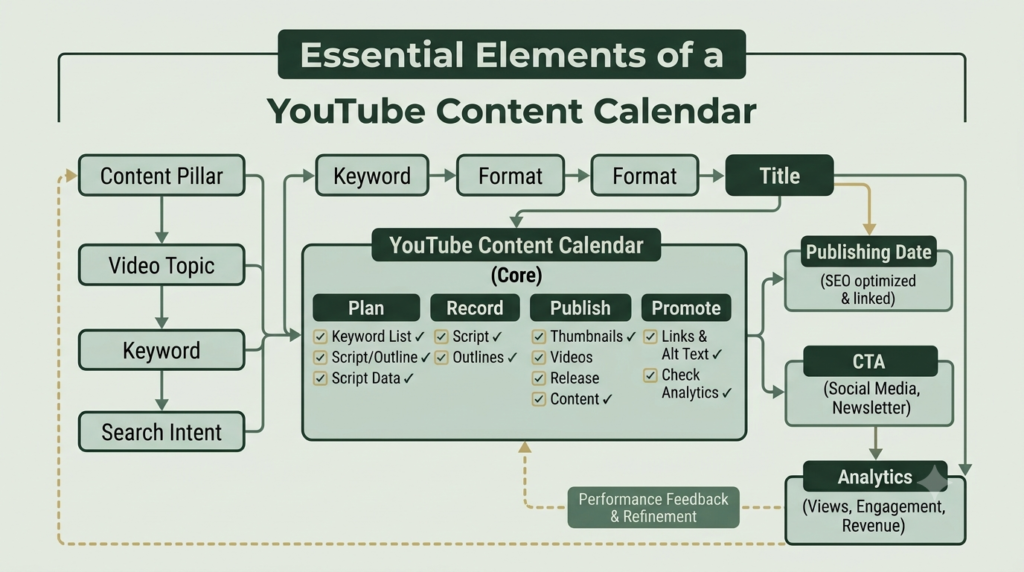
How a Content Calendar Becomes the Backbone of Your YouTube Channel
Your content calendar sits in the middle of your entire content system.
For example:
Keyword research → Content pillar → Video topic → Title → Thumbnail → Script → Video → Playlist → Promotion → Analytics → Next video
This creates a continuous content cycle.
Your keyword research tells you what people may be searching for. Your content pillars organize those subjects. Your calendar decides when each topic should be published.
After publication, Analytics shows how viewers responded. You can then use those findings to improve your next videos.
YouTube explains that Search considers relevance, engagement, and quality, while its recommendation systems also use viewer behavior and personalization.
So your calendar should not exist separately from SEO and Analytics. It should connect them.
How to Create a YouTube Content Calendar Step by Step
1. Define Your Content Pillars
Start with 3–5 major subjects related to your channel.
For example, a YouTube SEO channel could use:
- YouTube SEO
- Keyword research
- Video optimization
- YouTube analytics
- Channel growth
These pillars prevent your calendar from becoming a collection of unrelated ideas.
2. Collect Video Ideas
Create a list of problems your target viewers want to solve.
Use:
- YouTube search suggestions
- Your existing Analytics
- Competitor topic research
- Comments and questions
- Keyword research
- Related searches
- Your audience’s recurring problems
YouTube’s Audience reports can also show what your viewers watch outside your channel, which can reveal useful topic and format opportunities.
3. Assign a Primary Keyword
Give every important video one main keyword.
For example:
Topic: How to organize YouTube videos
Primary keyword: YouTube content calendar
Related keywords: YouTube content planning, YouTube video schedule, YouTube content strategy
Don’t force keywords into every sentence. The goal is relevance and clarity, not repetition.
4. Choose the Search Intent
Ask:
What does the viewer actually want?
Common intents include:
- Learn
- Compare
- Solve a problem
- Find a tool
- Follow a tutorial
- Make a decision
Your video should satisfy the intent behind the topic.
5. Choose the Format
Decide whether the idea works best as:
- Long-form video
- Short
- Tutorial
- List video
- Case study
- Review
- Q&A
- Live stream
YouTube notes that viewers consume different formats differently, so comparing similar formats is useful when evaluating performance.
6. Add the Video to Your Calendar
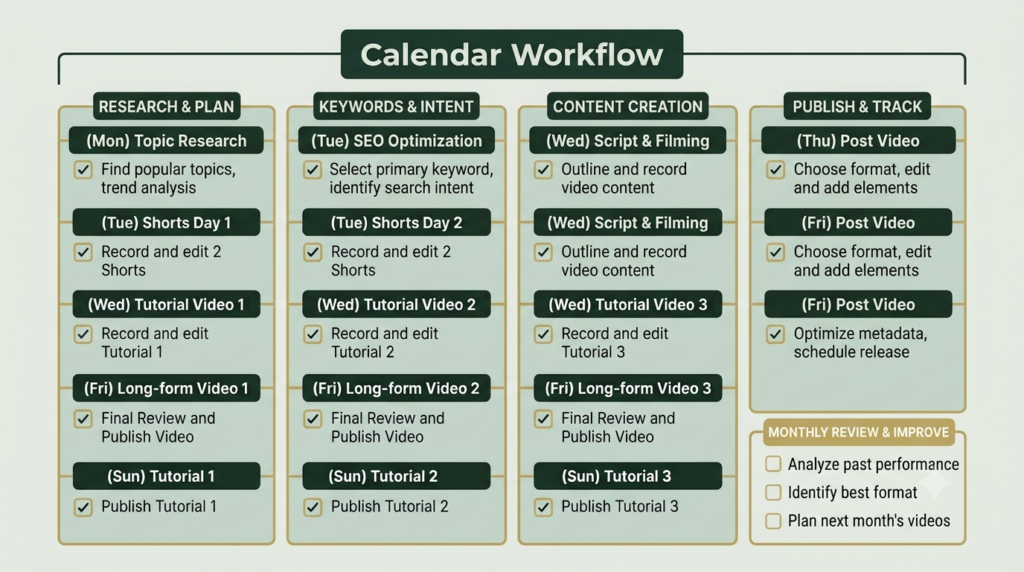
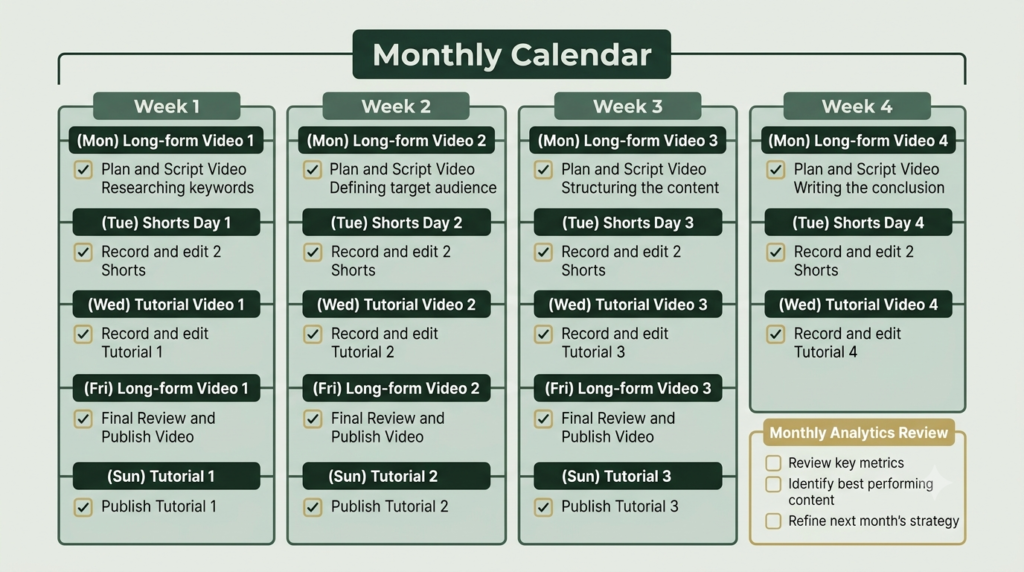
A simple weekly structure could look like this:
| Day | Content |
|---|---|
| Monday | Keyword research |
| Wednesday | Long-form tutorial |
| Friday | SEO tip or Short |
| Sunday | Analytics review |
You do not need to copy this schedule. Choose a frequency you can maintain.
7. Connect Videos Through Playlists
When related videos are published, place them into appropriate playlists.
For example:
YouTube SEO Beginner Series
- What Is YouTube SEO?
- YouTube Keyword Research
- YouTube Video SEO
- YouTube Titles
- YouTube Thumbnails
YouTube allows creators to create, organize, edit, and manage playlists in YouTube Studio.
8. Review Performance
After publishing, record important results in your calendar.
Consider tracking:
- Views
- Impressions
- Click-through rate
- Average view duration
- Audience retention
- Subscribers gained
- Traffic sources
- Returning viewers
YouTube Analytics provides reports for content performance, audience behavior, and engagement.
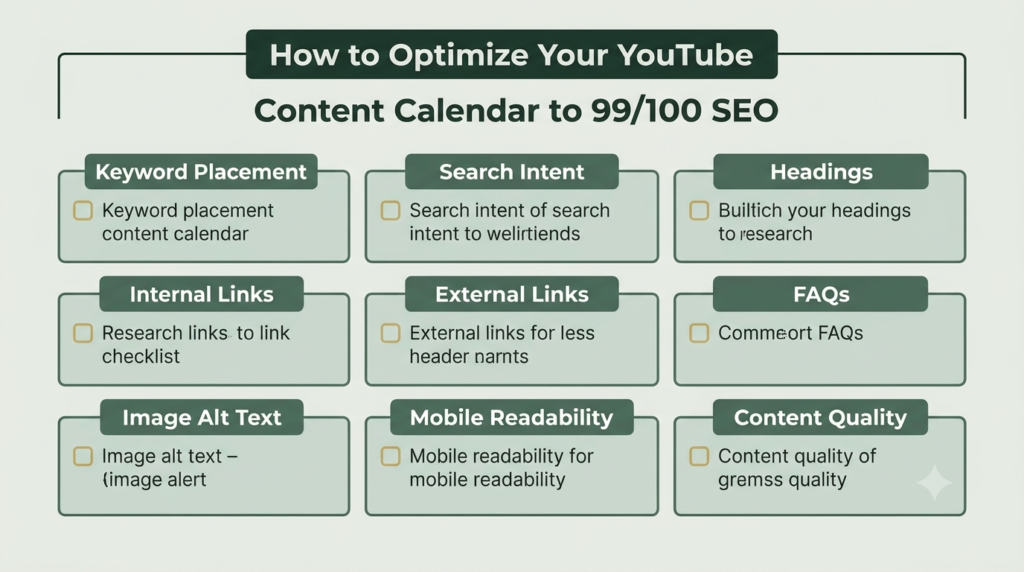
How to Optimize Your YouTube Content Calendar to 99/100 SEO
No SEO plugin or checklist can honestly guarantee a 99/100 score, and a high score does not automatically guarantee YouTube rankings.
However, you can make the article highly optimized by checking:
On-page SEO checklist
- Use the primary keyword in the SEO title.
- Include it naturally in the introduction.
- Use it in at least one H2 heading.
- Include it in the URL.
- Add it naturally to the meta description.
- Use related keywords throughout the article.
- Answer the search intent completely.
- Use short paragraphs.
- Add descriptive subheadings.
- Include a useful table.
- Add internal links.
- Add authoritative external references.
- Include FAQs.
- Add descriptive image alt text.
- Use one clear CTA.
- Avoid keyword stuffing.
- Check mobile readability.
- Proofread before publishing.
A Simple YouTube Content Calendar Template
You can create your calendar in Google Sheets, Excel, Notion, or even a notebook.
Use these columns:
Date | Content Pillar | Video Topic | Primary Keyword | Search Intent | Format | Title | Thumbnail Idea | CTA | Playlist | Status | Published URL | Results
Useful status labels include:
- Idea
- Researching
- Planned
- Scripted
- Recording
- Editing
- Scheduled
- Published
- Updating
This gives you a complete view of your content workflow.
Common YouTube Content Calendar Mistakes
Avoid these mistakes:
- Planning too much content
A huge calendar can become overwhelming. - Choosing topics randomly
Random topics make it harder to build topical authority. - Ignoring audience data
Your existing viewers can provide valuable clues about future topics. - Publishing without a purpose
Every video should have a reason for existing. - Never updating the calendar
Your calendar should change when your data changes. - Focusing only on publishing frequency
More videos do not automatically mean better results. - Forgetting playlists and internal connections
Related videos should work together rather than exist as isolated pieces.
Final Takeaway
A YouTube content calendar is much more than a publishing timetable.
It is the backbone connecting your YouTube content planning, keywords, content pillars, video production, SEO, playlists, publishing schedule, and Analytics.
Start small. Plan the next 2–4 weeks instead of trying to plan an entire year.
Choose useful topics, connect them to your content pillars, assign keywords and search intent, publish consistently, and then let your Analytics guide the next round of decisions.
The goal isn’t to create more content.
The goal is to create better-connected content with a clear purpose.
Ready to plan your next videos?
Create a simple 30-day calendar today and fill it with topics your audience genuinely wants to watch. Then turn your best-performing topics into related videos, Shorts, and playlists.
Frequently Asked Questions
What is a YouTube content calendar?
A YouTube content calendar is a planning document that organizes video topics, keywords, formats, publishing dates, CTAs, playlists, and performance results.
How often should I post on YouTube?
There is no universal number that works for every channel. Choose a schedule you can maintain consistently while producing useful content.
What should a YouTube content calendar include?
At minimum, include the video topic, content pillar, primary keyword, format, publishing date, working title, status, and results. Adding search intent, playlist, CTA, and thumbnail ideas makes it more useful.
Is a content calendar necessary for a small YouTube channel?
It is not technically required, but it can make a small channel much easier to manage. A simple calendar prevents random publishing and helps you build connected topic coverage.
Should YouTube Shorts be included in the calendar?
Yes. If Shorts are part of your strategy, include them in the same calendar and clearly identify them by format.
Can I change my YouTube content calendar?
Yes. Your calendar should be flexible. Use audience feedback, Analytics, emerging topics, and content performance to adjust future videos.