
7 Proven Ways to Find YouTube Video Ideas That Actually Grow
Introduction
Finding YouTube video ideas can feel difficult when you are starting a channel. You may know your niche, but the next question is simple: What should I make my next video about?
The good news is that you do not have to depend entirely on inspiration.
Successful video ideas can come from your audience, YouTube search behavior, competitor research, comments, Analytics, trends and unanswered questions.
In 2026, YouTube provides several tools that can help creators understand what viewers are searching for and watching. The Trends tab, for example, can show top searches, breakout videos and content gaps.
This makes finding video ideas less like guessing and more like solving a problem for a specific audience.
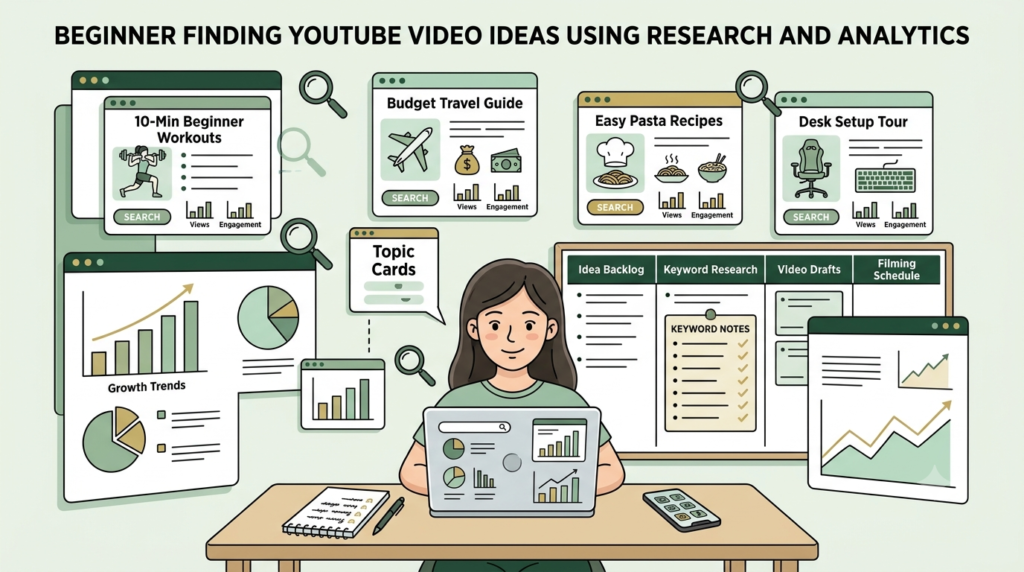
What Are YouTube Video Ideas?
YouTube video ideas are specific topics, questions, problems, stories or formats that you can turn into videos for your target audience.
A good idea normally has four elements:
- Audience – Who is the video for?
- Problem or desire – What does that viewer want to know or achieve?
- Angle – What makes your version useful or different?
- Format – Tutorial, list, comparison, review, case study, Shorts or another format.
For example, instead of choosing the broad topic YouTube SEO, you could create: “7 YouTube SEO Mistakes Beginners Should Avoid”
The second idea is easier to understand because it identifies a specific problem and promise.
Why Finding YouTube Video Ideas Is the Backbone of Your Channel
Your video idea is more than the starting point of a script. It connects several important content entities:
Audience → Problem → Search Topic → Video → Title → Thumbnail → Viewer Satisfaction → Next Video
If the initial idea is weak, improving the thumbnail or title may not completely solve the problem.
A strong idea gives you the foundation for:
- Keyword research
- Search intent
- Video title
- Thumbnail concept
- Script
- Content format
- Internal video links
- Playlists
- Follow-up videos
- Content clusters
- Audience growth
YouTube explains that its systems respond to viewer personalization and how viewers respond to content, rather than simply favoring one particular video format.
That is why video idea research should happen before production.
7 Powerful Ways to Find YouTube Video Ideas
1. Use YouTube Trends
One of the best places to start is YouTube Studio.
Go to:
YouTube Studio → Analytics → Trends
Depending on your account and rollout, the Trends area can show:
- Top searches
- Breakout videos
- Recent videos
- Content gaps for Shorts
- Audience interest
- Search behavior
YouTube says content gaps can occur when viewers cannot find enough relevant, exact-match or high-quality content for a search.
Turn one search into several possible videos.
For example:
Search: YouTube thumbnails
Possible ideas:
- How to Make YouTube Thumbnails
- 7 Thumbnail Mistakes Beginners Make
- YouTube Thumbnail Size Explained
- Best Thumbnail Layout for Beginners

2. Study Your YouTube Analytics
Your existing channel is one of your best sources of new ideas.
Look at:
- Top videos
- Watch time
- Audience retention
- Traffic sources
- YouTube Search terms
- Suggested videos
- Audience activity
YouTube specifically recommends using Analytics to identify patterns in the content your audience interacts with.
If one video performs well, don’t immediately move to a completely unrelated topic.
Instead ask:
“What other problems does this same viewer have?”
One successful video can become an entire content cluster.
3. Look for Content Gaps
A content gap exists when viewers want information but existing search results do not adequately satisfy them.
Look for:
- Outdated videos
- Incomplete tutorials
- Poor explanations
- Questions without good answers
- Topics dominated by very old content
- Searches with limited relevant results
The goal is not simply to copy an existing video.
Your goal is to identify what is missing and create something more useful.
This is an important part of modern video idea research because it connects audience demand with an opportunity to provide better content.

4. Study Audience Questions and Comments
Your audience can literally tell you what to create.
Check:
- Comments on your videos
- Questions under competitor videos
- Reddit discussions
- YouTube community conversations
- Frequently asked beginner questions
- Questions people repeatedly ask in your niche
Create a simple question bank.
| Viewer question | Possible video |
|---|---|
| How do I find keywords? | YouTube Keyword Research for Beginners |
| Why are my videos not getting views? | 7 Reasons Your YouTube Videos Get No Views |
| How often should I upload? | How Often Should Beginners Upload on YouTube? |
| How do I choose a niche? | How to Choose a YouTube Niche |
This approach makes your content more human because you are answering real problems rather than inventing topics randomly.
5. Research What Similar Channels Create
Competitor research does not mean copying.
Instead, examine:
- Repeated topics
- Popular formats
- Titles
- Thumbnail patterns
- Video length
- Series
- Viewer questions
- Topics that receive strong engagement
YouTube’s Audience reports can also show what your viewers watch outside your channel, including other channels and content patterns.
Then add your own:
Experience + explanation + examples + unique angle
That turns research into original content.
6. Use Ask Studio for Brainstorming
In 2026, YouTube is increasingly incorporating AI into creator workflows.
Ask Studio can help creators brainstorm ideas, understand channel insights and analyze performance.
You can ask a specific question such as:
“Give me 10 beginner video ideas based on my recent YouTube SEO videos and audience questions.”
But do not blindly publish whatever AI suggests.
Check every idea against:
- Your niche
- Your audience
- Search demand
- Your expertise
- Existing competition
- Your ability to create the video
AI should accelerate your research—not replace your judgment.

7. Build One Idea Into Multiple Videos
Never assume one topic equals one video.
Suppose your main topic is YouTube SEO.
You could create:
- What Is YouTube SEO?
- YouTube Keyword Research
- YouTube Titles
- YouTube Descriptions
- YouTube Tags
- YouTube Thumbnails
- YouTube Playlists
- YouTube Analytics
- YouTube SEO Mistakes
- YouTube SEO Strategy for Beginners
This creates a topic cluster.
It also gives viewers a reason to continue watching related videos.
Simple YouTube Video Idea Formula
Use this formula when you are stuck:
Audience + Problem + Desired Result + Specific Angle = Video Idea
Example:
Beginner creator + cannot find keywords + wants more search visibility + simple method
= “How to Find YouTube Keywords: A Simple Beginner Method”
This formula prevents vague topics.
How to Choose the Best Idea
Before creating a video, score each idea from 1–5.
| Factor | Question |
|---|---|
| Audience need | Does my audience need this? |
| Search potential | Are people likely to search for it? |
| Competition | Can I provide a better angle? |
| Expertise | Can I explain it accurately? |
| Content potential | Can it lead to related videos? |
Choose ideas with the highest combined score.
Do not choose a topic only because it is trending. A trend with no connection to your audience can produce short-term attention without building a useful channel.

How to Optimize Your Video Idea for SEO
Once you have the idea, optimize it naturally.
Step 1: Select one primary keyword
Choose one clear search phrase.
Step 2: Add related keywords
Use related terms naturally in:
- Title
- Introduction
- Description
- Spoken content
- Chapters
- Supporting blog content
Step 3: Match search intent
Ask:
What does the viewer actually want after typing this search?
If they search “how to find YouTube video ideas,” they probably want a practical process—not a dictionary definition.
Step 4: Create a clear title
The title should communicate:
Topic + benefit + curiosity
Step 5: Design the thumbnail separately
Do not simply repeat the entire title on the thumbnail.
Use a short visual message that complements the title.
Step 6: Connect related videos
Create playlists and link naturally between videos so viewers can continue learning.
Common Mistakes When Finding Video Ideas
Avoid these mistakes:
- Choosing topics only because they are trending
- Copying competitor videos
- Creating videos without knowing the audience
- Targeting extremely broad keywords
- Ignoring viewer questions
- Changing niches too frequently
- Creating unrelated videos
- Using AI ideas without validation
- Making the title attractive but failing to deliver the promise
The strongest strategy is simple:
Find a real problem → validate the demand → create a useful solution → connect it to your broader content strategy.
Frequently Asked Questions
What are YouTube video ideas?
YouTube video ideas are specific topics, questions, problems or concepts that can be developed into videos for a particular audience.
How do I find YouTube video ideas?
Start with YouTube Trends, Analytics, audience questions, content gaps, competitor research and keyword research. Then choose ideas that match your audience and expertise.
Is YouTube Trends useful for finding video ideas?
Yes. YouTube’s Trends tab can provide information about searches, breakout videos, recent videos, audience interest and content gaps, although available insights can vary by account, market and device.
Can AI help me find YouTube video ideas?
Yes. YouTube’s Ask Studio can help creators brainstorm ideas and analyze channel insights. However, AI suggestions should be validated against your audience, niche and actual data.
How many YouTube video ideas should I create at once?
Instead of trying to create hundreds, start with 10–20 relevant ideas. Group them into related topics and prioritize the ideas with the strongest audience need and content potential.
Should I copy successful competitor video ideas?
No. Study successful topics to understand audience demand, but create your own angle, examples, structure and value.
Conclusion
Finding YouTube video ideas does not have to become a daily struggle.
The best ideas are usually already hiding in your audience’s questions, YouTube search behavior, Analytics, content gaps and related videos.
Start with one problem your audience genuinely wants solved. Validate it with available YouTube data. Give the topic a specific angle, create a useful video and then use the result to discover your next idea.
Your goal is not to create more random videos.
Your goal is to build a connected library of useful content that helps the same audience solve the next problem.
Ready to find your next 10 video ideas?
Use the seven methods in this guide and create a simple list of 10 audience-focused YouTube video ideas. Then score each one for audience need, search potential, competition, expertise and content potential before choosing your next video.