
What Is a YouTube Handle? Complete Beginner’s Guide in 2026
If you are starting a YouTube channel, you may already know that your channel name matters. But there is another important identity that every creator should understand: your YouTube handle.
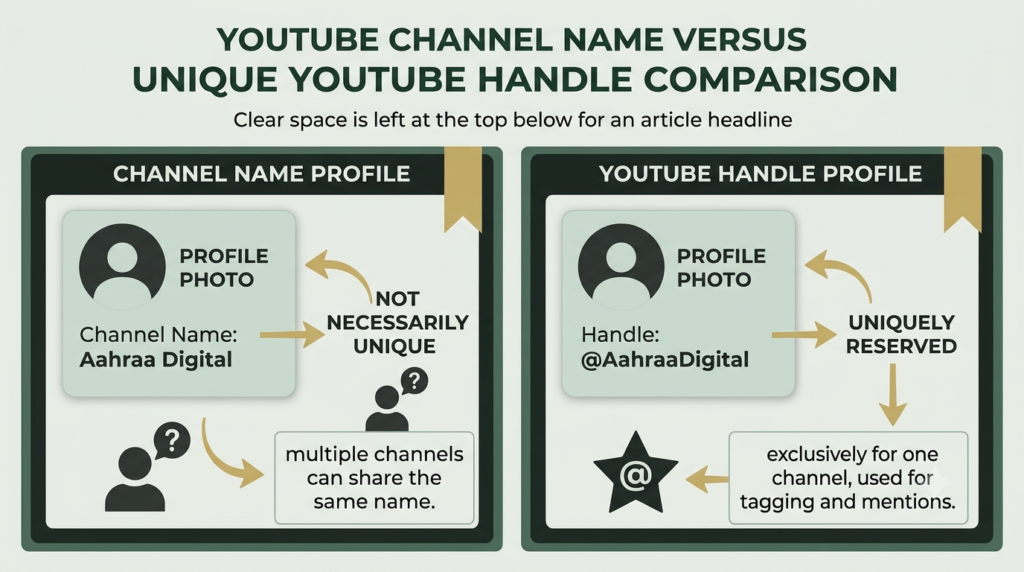
A YouTube handle is your unique identifier beginning with @, such as @YourChannel. Unlike a channel name, which can be shared by different channels, a handle is unique to one channel. It helps people find, mention and recognize your channel across YouTube.
Your handle also creates a personalized YouTube handle URL, such as youtube.com/@YourChannel.
So, although a handle is only a small part of your channel profile, it can become an important part of your creator identity and brand.
What Is a YouTube Handle?
A YouTube handle is a unique channel identifier that starts with the @ symbol.
For example:
Channel name: Aahraa Digital
YouTube handle: @AahraaDigital
Handle URL: youtube.com/@AahraaDigital
YouTube handles can appear in comments, mentions, Shorts, channel pages and other areas of YouTube. They can also be used outside YouTube when promoting your channel.
YouTube Handle vs Channel Name
| Element | Channel Name | YouTube Handle |
|---|---|---|
| Example | Aahraa Digital | @AahraaDigital |
| Unique? | Not necessarily | Yes |
| Starts with @? | No | Yes |
| Used for mentions? | No | Yes |
| Creates handle URL? | No | Yes |
| Can identify your channel directly? | Yes | Yes |
Think of your channel name as your public brand name and your handle as your unique digital identifier.
Why Is Your YouTube Handle Important?
A good handle makes your channel easier to identify and share.
It can help with:
- Brand recognition: People can associate your @handle with your content.
- Discoverability: Viewers can search for your channel using the @ symbol and handle.
- Mentions: Other users can mention your channel using your handle.
- Sharing: Your handle automatically creates a handle-based channel URL.
- Consistency: You can use the same or a similar identity across your online presence.
YouTube specifically describes handles as a way for viewers and creators to find and connect with channels.
How to Choose a YouTube Handle
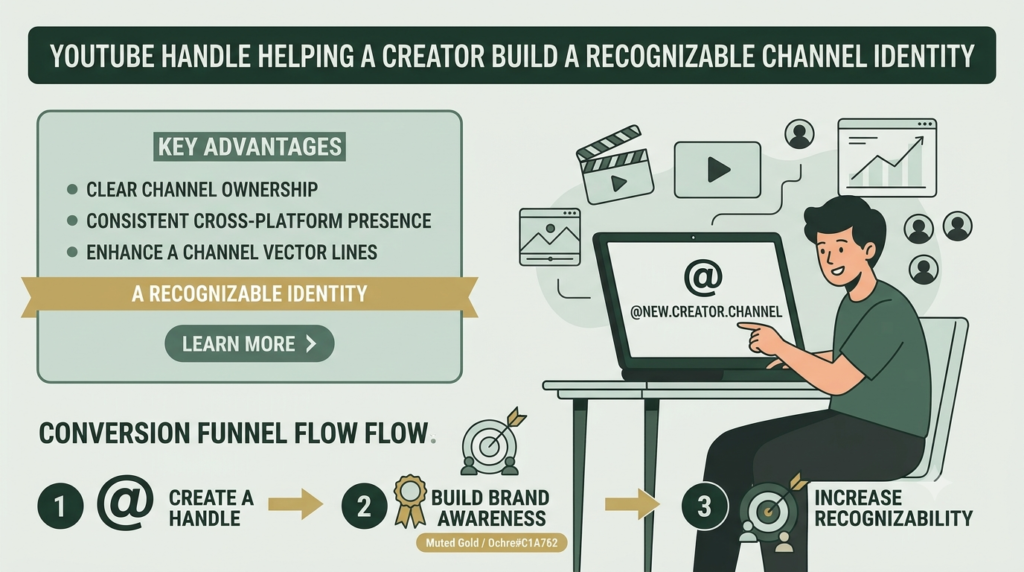
Choosing the right handle is easier when you think about your long-term channel identity, not just today’s video topic.
1. Keep It Close to Your Brand
If your channel is called Aahraa Digital, something like:
@AahraaDigital
is easier to remember than a random combination of numbers.
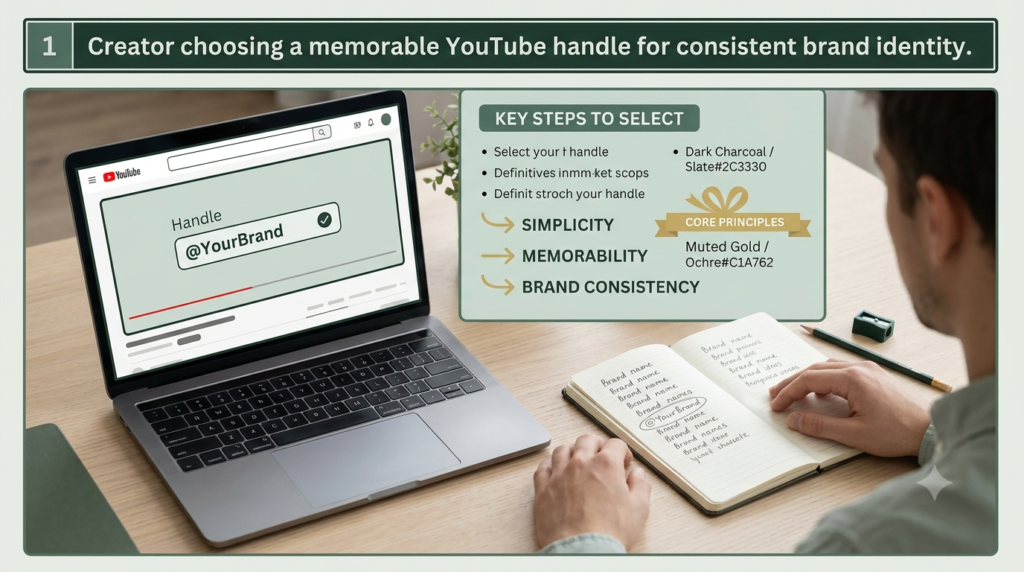
2. Make It Simple
Avoid unnecessarily complicated spellings, excessive numbers or confusing characters.
A viewer should be able to hear your handle and reasonably understand how to type it.
3. Match Your Content Direction
If your channel focuses on YouTube SEO, avoid choosing a handle that limits you to one temporary topic.
For example, a broader creator-brand handle can remain useful if you later expand from YouTube SEO into broader creator education.
4. Check Your Other Platforms
If possible, use a similar identity across your website and social platforms. Consistency makes your brand easier to recognize.
5. Think Long Term
Do not choose a handle simply because it sounds trendy today.
Ask:
“Will this still represent my channel two or three years from now?”
That simple question can prevent unnecessary rebranding.
YouTube Handle Rules You Should Know
YouTube currently states that handles generally need to be 3–30 characters, although character limits can vary for certain writing systems. Handles can use supported letters and numbers and may include periods, hyphens and underscores, subject to YouTube’s rules. Handles are not case-sensitive.
You also cannot select a handle that is already being used.
YouTube does not allow handles that violate its Community Guidelines or handles that are URL-like or phone-number-like. Handles also cannot be sold or transferred.
Quick Handle Checklist
Before publishing your handle, check:
- Is it easy to remember?
- Is it easy to spell?
- Does it represent your brand?
- Does it match your content direction?
- Is it available?
- Does it follow YouTube’s naming rules?
- Does it look professional when placed after
youtube.com/@?
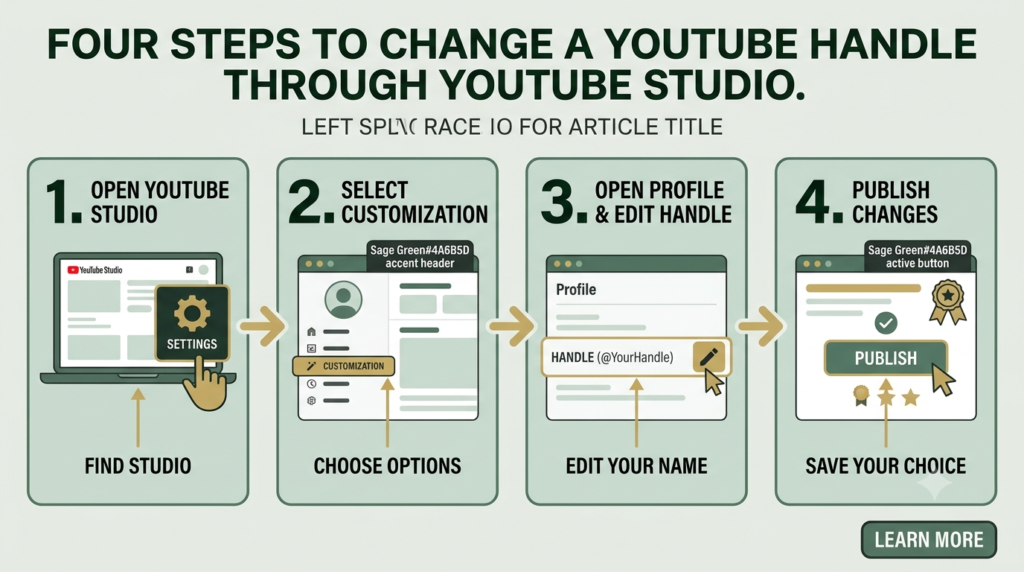
How to Change YouTube Handle
Changing your handle is straightforward.
On a Computer
- Sign in to YouTube Studio.
- Select Customization.
- Select Profile.
- Find the Handle section.
- Enter your preferred handle.
- Click Publish.
YouTube currently allows a channel to change its handle twice within a 14-day period. If you change it, YouTube holds your previous handle for 14 days, during which both the old and new handle URLs work.
YouTube Help: Change, view or hide your handle
What If Your Handle Is Not Available?
Do not panic.
You can try a variation using:
- A period
- An underscore
- Numbers
YouTube may also suggest an available alternative.
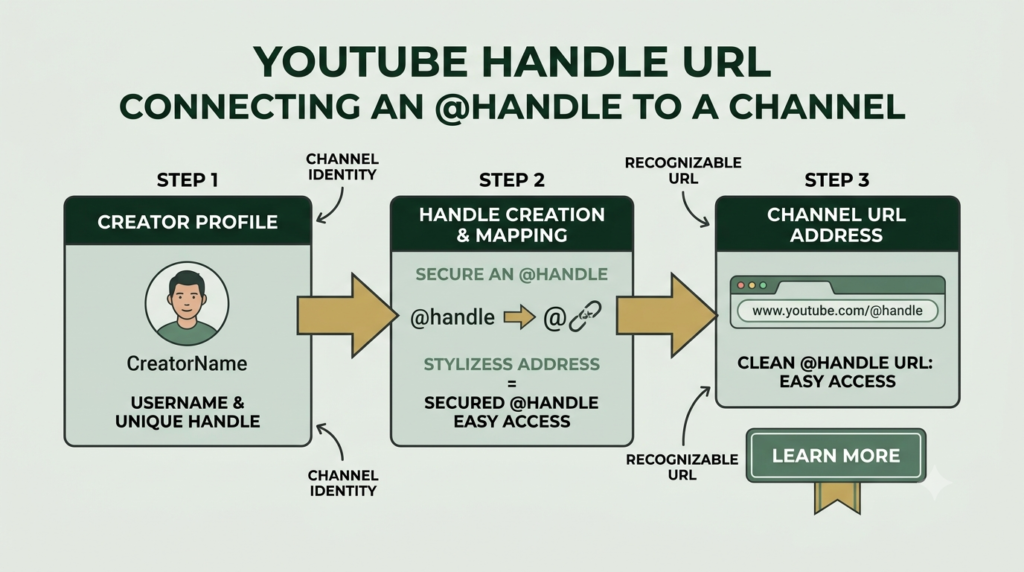
What Is a YouTube Handle URL?
Your YouTube handle URL is the channel address created from your handle.
For example:
youtube.com/@AahraaDigital
This is easier to share than a long channel-ID URL.
YouTube automatically creates the handle URL when you choose or change your handle. Existing custom URLs can continue to work, but YouTube no longer allows new custom URLs to be created.
YouTube Help: Understand your channel’s URLs
How to Optimize Your YouTube Handle for SEO
One important distinction: your handle is not a magic ranking keyword.
Do not expect changing @Example to @BestYouTubeSEO to automatically make videos rank.
Instead, optimize it as part of your overall YouTube entity and brand identity.
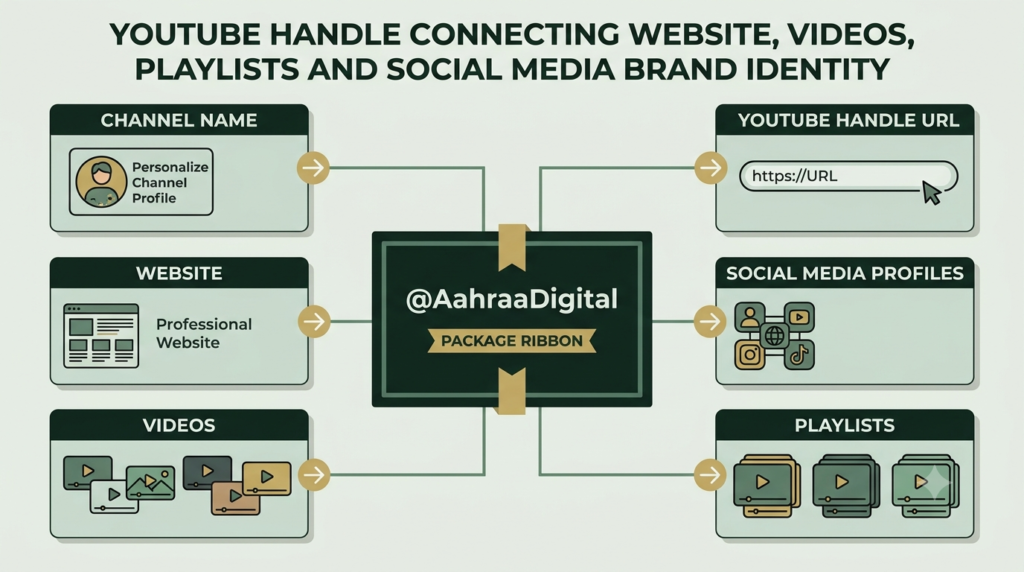
Think of your channel as an entity made up of connected signals:
Channel name → YouTube handle → handle URL → channel description → videos → playlists → website → social profiles
Your handle acts as a consistent identifier connecting these elements.
That is why I would call it a backbone of your channel identity, rather than claiming that the handle itself is the backbone of YouTube’s ranking algorithm.
5 Practical Optimization Rules
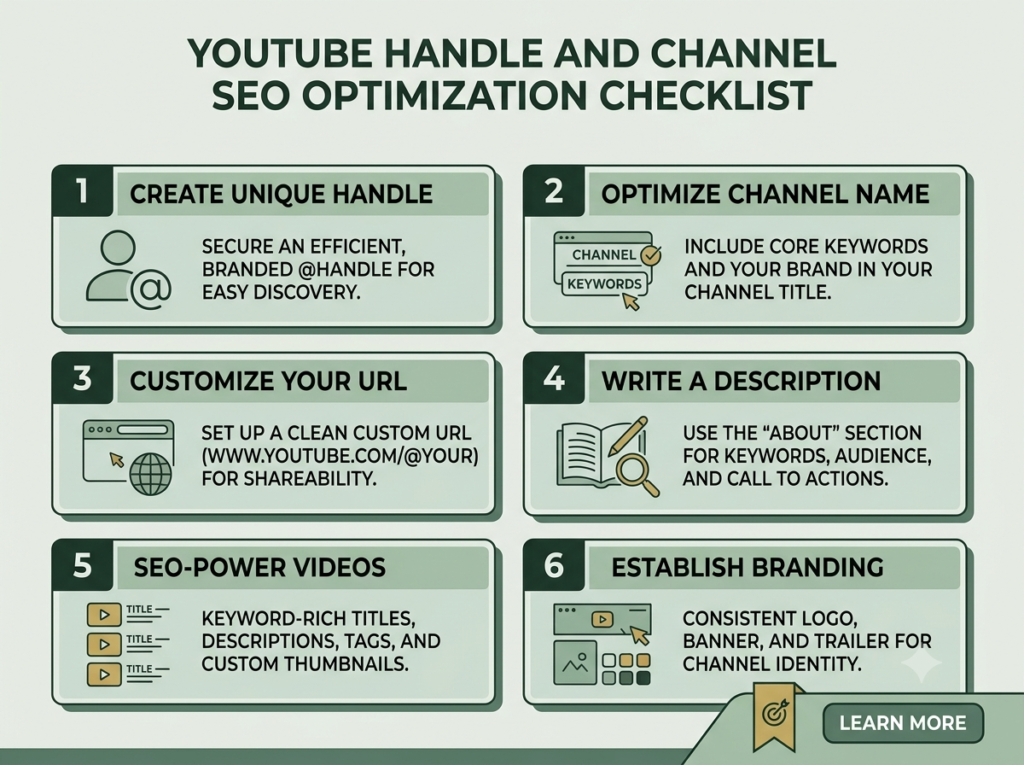
1. Use a recognizable brand name.
Make the handle immediately connected to your channel.
2. Keep it readable.
Avoid complicated strings that people cannot remember.
3. Maintain consistency.
Where appropriate, use the same identity on your website and other platforms.
4. Avoid constant changes.
Frequent rebranding can confuse your audience.
5. Optimize the entire channel.
Your handle should work together with your channel name, description, videos, titles, thumbnails and content strategy.
YouTube Handle Optimization Checklist
Use this checklist before you publish:
- Handle represents my brand
- Handle is easy to remember
- Handle is easy to spell
- Handle follows YouTube’s rules
- Handle matches my long-term niche
- Handle URL is working
- Channel name and handle are reasonably consistent
- Channel description explains what I offer
- Video titles target relevant search intent
- Thumbnails clearly communicate the topic
- Website links use the same brand identity
Common YouTube Handle Mistakes
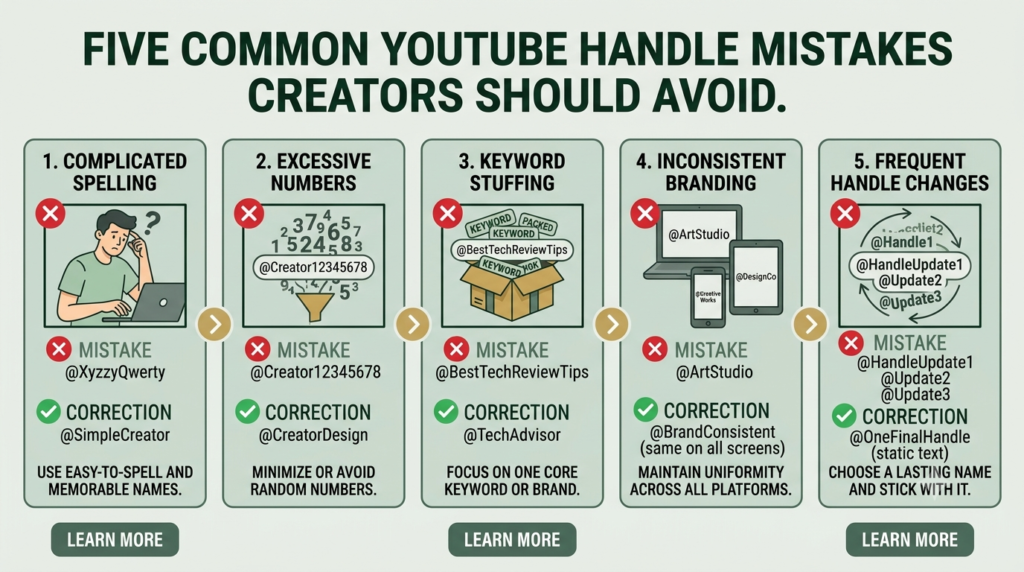
Avoid these common mistakes:
Choosing a Random Handle
A random combination of letters and numbers may be difficult to remember.
Keyword Stuffing
Do not turn your handle into a sentence packed with keywords.
Making It Too Complicated
Long or difficult spellings can make word-of-mouth sharing harder.
Changing It Too Often
YouTube limits handle changes to twice within 14 days.
Confusing the Handle With the Channel Name
They are related, but they are not the same thing.
YouTube Handle and Your Overall Channel SEO
Your handle should support the larger SEO structure of your channel.
For example:
Channel entity: Aahraa Digital
↓
Handle: @AahraaDigital
↓
Handle URL: youtube.com/@AahraaDigital
↓
Topic: YouTube SEO
↓
Videos: Keyword research, titles, thumbnails, descriptions, analytics
↓
Website: Supporting educational content
This creates a clearer relationship between your brand and your content.
For deeper learning, you can continue with Aahraa’s related guides:
- YouTube Basics: Beginner’s Guide
- YouTube Keyword Research
- YouTube Video SEO
- YouTube Titles
- YouTube Thumbnails
Important: Replace the last three homepage links with the exact published article URLs if those posts have different slugs.
For authoritative information, use YouTube’s own documentation:
YouTube Help — Learn about YouTube handles
YouTube Help — Manage your channel profile
Your 100-Point YouTube Handle SEO Checklist
To push the article toward a 99/100 Rank Math-style score, check these items:
| SEO Element | Status |
|---|---|
| Seed keyword in SEO title | ✅ |
| Power word | ✅ Powerful |
| Number | ✅ 7 |
| Title length | ✅ 60 characters |
| Seed keyword in introduction | ✅ |
| Seed keyword in heading | ✅ |
| Seed keyword in slug | ✅ |
| Meta description | ✅ 145 characters |
| Four focus keywords | ✅ |
| Natural keyword distribution | ✅ |
| H2/H3 hierarchy | ✅ |
| Short paragraphs | ✅ |
| Table | ✅ |
| Bullet lists | ✅ |
| FAQ | ✅ |
| Internal links | ✅ |
| External authoritative links | ✅ |
| Image prompts | ✅ |
| Image alt text | ✅ |
| CTA | ✅ |
| Mobile readability | ✅ |
| Keyword stuffing avoided | ✅ |
| Grammar checked | ✅ |
| Schema keywords | ✅ |
| Schema description | ✅ |
SEO note: A 99/100 score cannot be guaranteed because Rank Math’s score can vary depending on the exact settings, keyword configuration and link/readability checks in your WordPress installation.
Frequently Asked Questions
What is a YouTube handle?
A YouTube handle is a unique identifier beginning with @ that represents your YouTube channel. It helps people find and interact with your channel.
Is a YouTube handle the same as a channel name?
No. A channel name does not have to be unique, while a YouTube handle is unique to your channel.
How do I find my YouTube handle?
Open YouTube Studio, go to Customization → Profile, and look under the Handle section. You can also access YouTube’s handle management page.
Can I change my YouTube handle?
Yes. YouTube currently allows you to change your handle twice within a 14-day period.
Does changing my handle change my channel?
No. Changing the handle does not mean creating a new channel. Your handle and associated URL are updated according to YouTube’s handle system.
Does a YouTube handle help SEO?
A handle helps establish a consistent channel identity and makes your channel easier to find and share. However, it should not be treated as a standalone ranking factor.
Can two YouTube channels have the same handle?
No. Handles are unique identifiers, so the same handle cannot be used by two channels simultaneously.
What should my YouTube handle be?
Choose something short, recognizable, easy to spell and closely connected to your long-term brand or creator identity.
Conclusion
A YouTube handle may look like a small part of your channel, but it gives your channel a recognizable identity that can be searched, mentioned and shared.
The best handle is not necessarily the one containing the most keywords. It is the one that is clear, memorable, brandable and useful for the long term.
Before choosing yours, ask one simple question:
“Will this @handle still represent my channel when my audience grows?”
If the answer is yes, you have probably found a strong choice.
Your Next Step
Open YouTube Studio, check your current handle, and compare it against the optimization checklist above. Then make only the changes that genuinely improve your channel identity.