
10 Powerful YouTube Basics: Positive Beginner Guide in 2026!
YouTube basics are the foundation for anyone who wants to watch, create, publish, grow, or eventually earn from video content. You do not need expensive equipment or advanced technical knowledge to begin. You need a clear topic, a YouTube channel, useful content, and a willingness to learn from your audience.
This YouTube beginner guide explains the essential elements step by step, including channels, videos, thumbnails, titles, descriptions, playlists, Shorts, YouTube Studio, analytics, SEO, and monetization.
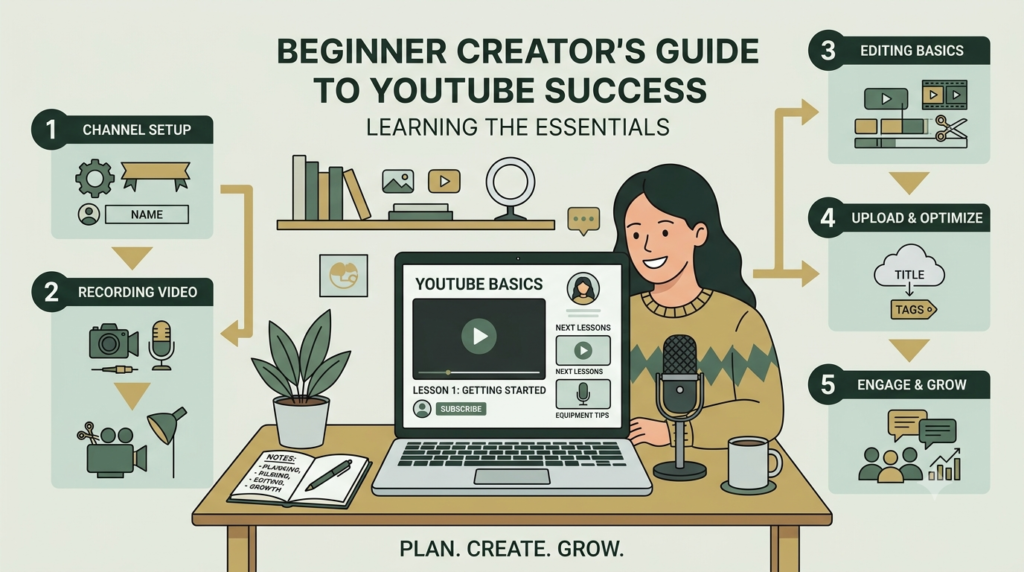
What Is YouTube?
YouTube Basics is a video-sharing platform where people can watch, upload, discover, and interact with video content. For creators, it can function as a publishing platform, search engine, educational resource, community-building platform, and marketing channel.
Understanding YouTube basics starts with understanding three simple relationships:
Audience → Content → Discovery
You create useful content for a particular audience. YouTube then uses search, recommendations, subscriptions, and other surfaces to help viewers discover content that may interest them.
YouTube Basics explains that search considers relevance, engagement, and quality, while recommendations are personalized according to viewer behavior and interests.
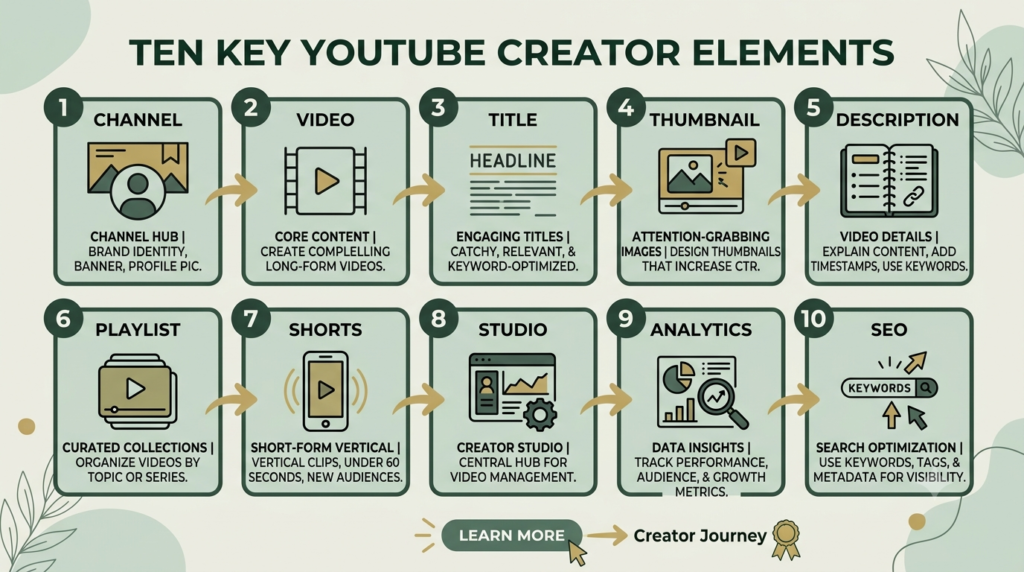
The 10 Essential YouTube Basics
| Element | What it means | What a beginner should do |
|---|---|---|
| Channel | Your creator identity | Choose a clear name and handle |
| Video | Your main content | Solve a specific viewer problem |
| Title | Main description of the video | Make it accurate and useful |
| Thumbnail | Visual preview | Make the topic immediately understandable |
| Description | Supporting information | Explain the video naturally |
| Playlist | Group of related videos | Organize content by topic |
| Shorts | Short-form vertical videos | Experiment with concise content |
| YouTube Studio | Creator management area | Upload, edit and analyze videos |
| Analytics | Performance information | Study views, retention and audience data |
| SEO | Discovery optimization | Match content with viewer searches |
1. YouTube Channel Basics
A channel is your public creator space. You need a channel to upload videos, create playlists, and build a public presence.
For how to start a YouTube channel, sign in with your Google Account, create a channel, choose a profile picture, select a name and handle, and complete the basic channel information.
Keep your channel focused. If you want to teach digital marketing, for example, your first videos could cover SEO, social media, websites, content creation, and related beginner topics.
2. YouTube Videos
A video is your primary content asset. Start with a specific purpose rather than trying to teach everything at once.
A simple structure is:
- Hook: Tell viewers what they will learn.
- Problem: Explain the issue.
- Solution: Teach the process.
- Example: Demonstrate it.
- Action: Give viewers one practical next step.
There is no universal ideal video length. YouTube recommends making videos as long as necessary to deliver the value without unnecessary filler.
3. Titles
Your title should tell viewers what they can expect. Put the most important words near the beginning and avoid misleading claims.
For example:
Weak: My New Video!
Better: YouTube Basics: How to Create Your First Channel
Good titles combine clarity with curiosity without promising something the video does not deliver.
4. Thumbnails
A thumbnail is the visual packaging of your video. It should be simple enough to understand quickly, even on a small screen.
Use:
- One clear subject
- Large readable text when necessary
- Strong visual contrast
- Consistent branding
- An image that accurately represents the video
YouTube specifically recommends accurate titles and thumbnails and advises creators to evaluate their performance using analytics.
5. Descriptions
Your description provides additional context. Write the first few lines for humans rather than filling the section with keywords.
A useful description can include:
- What the video teaches
- Important resources
- Relevant links
- Chapters when appropriate
- A natural call to action
This is an important part of YouTube SEO basics, but keywords should never replace useful information.
6. Playlists
Playlists organize related videos into a logical viewing journey.
For example:
YouTube Beginner Series
→ YouTube Basics
→ Create a YouTube Channel
→ YouTube SEO
→ Thumbnail Design
→ YouTube Analytics
This makes your content easier for viewers to explore and gives your channel a clearer structure.
7. Shorts
Shorts are vertical short-form videos designed for quick viewing. They can be used to introduce a topic, answer one question, demonstrate a quick tip, or direct viewers toward longer educational content.
Do not create Shorts simply because they are short. Give each one a clear purpose.
8. YouTube Studio
YouTube Studio is the creator workspace where you can upload videos, edit information, manage content, and examine performance.
When uploading a video, review the:
- Title
- Description
- Thumbnail
- Visibility
- Audience settings
- Playlist
- Subtitles or captions
- Other available video settings
YouTube’s official upload instructions explain that videos can be uploaded through YouTube Studio from a computer or mobile device.
9. YouTube Analytics
Analytics helps you understand what happens after publication.
Important areas include:
- Views
- Impressions
- Click-through rate
- Watch time
- Average view duration
- Audience retention
- Traffic sources
- Returning viewers
- Audience information
Do not judge a video only by views. Look for patterns. If viewers leave during the introduction, improve your opening. If impressions are high but people rarely click, review your title and thumbnail.
10. YouTube SEO Basics
YouTube SEO basics are about helping YouTube understand your content while making it attractive and useful to the right audience.
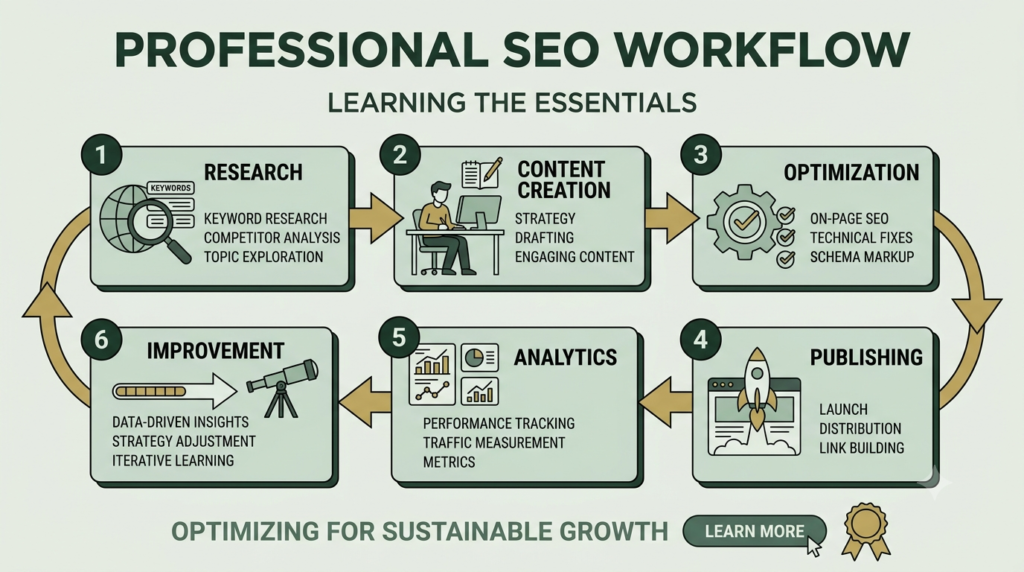
Start with a simple process:
Research → Create → Optimize → Publish → Analyze → Improve
Use your main topic naturally in the title, description, spoken content, and relevant supporting areas. YouTube states that tags are primarily useful for common spelling mistakes and are not essential for discovery.
Do not repeatedly insert the same keyword. Search optimization works best when the content genuinely satisfies the viewer.
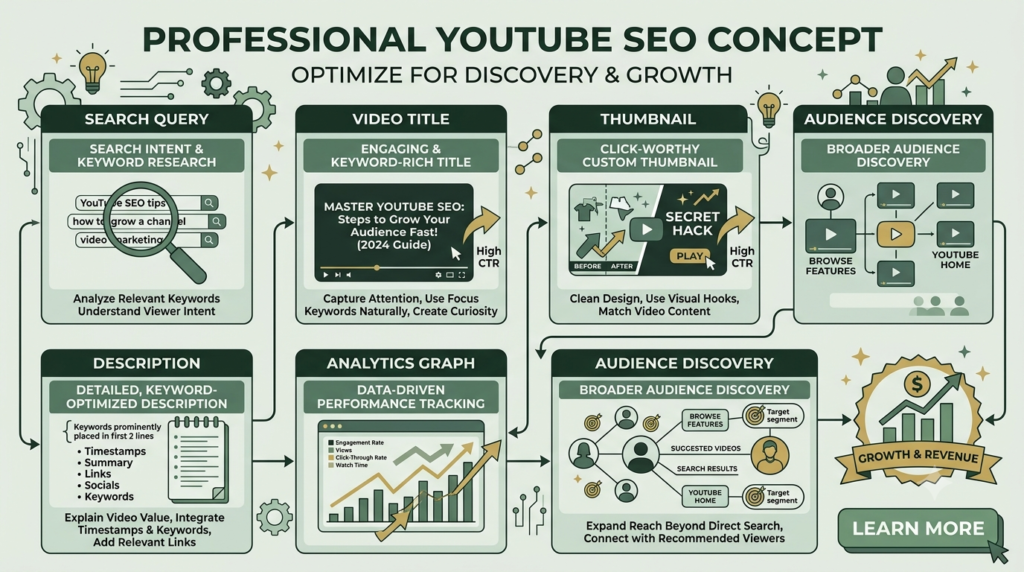
How YouTube Becomes the Backbone of Your Digital Presence
YouTube can become a central content asset because one useful video can support several other digital activities.
A single tutorial can become:
- A YouTube video
- A Short
- A blog article
- An Instagram post
- A Pinterest pin
- An email topic
- A social media carousel
- A website resource
This creates a content ecosystem rather than isolated posts.
For a business, YouTube can also support awareness, education, trust-building, website traffic, lead generation, product discovery, and customer education. The important principle is to create content around genuine audience needs rather than simply producing more content.
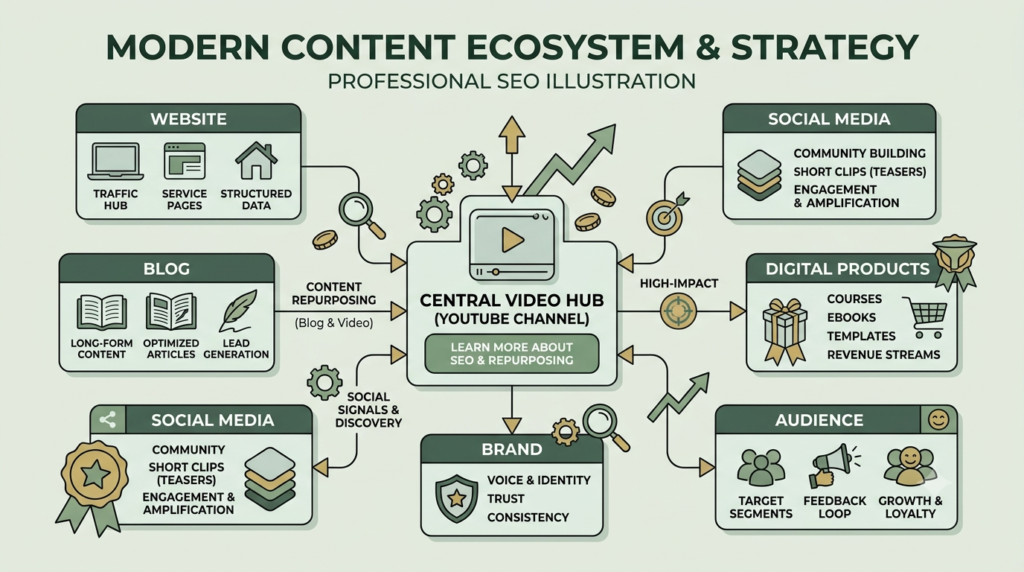
How to Optimize a YouTube Video to 100%
There is no universal YouTube setting that guarantees a 100/100 score or high rankings. Instead, use this practical checklist:
- Choose one clear search/topic intent.
- Write an accurate title.
- Create an understandable thumbnail.
- Explain the topic immediately.
- Deliver the promised value.
- Write a useful description.
- Add the video to a relevant playlist.
- Use relevant chapters where helpful.
- Add captions when appropriate.
- Use a natural call to action.
- Review analytics after publication.
- Improve weak titles or thumbnails when the data supports a change.
- Build related videos around the same audience problem.
The goal is not to manipulate the algorithm. The goal is to make it easier for the right viewer to understand, discover, watch, and enjoy your content.
Beginner Mistakes to Avoid
Avoid these common problems:
- Changing your niche constantly
- Copying another creator’s content
- Using misleading thumbnails
- Stuffing keywords into descriptions
- Making introductions unnecessarily long
- Buying views or subscribers
- Ignoring audience retention
- Publishing without checking the thumbnail
- Expecting immediate results from a new channel
Start small, publish consistently, study the results, and improve one element at a time.
Your Simple YouTube Action Plan
If you are completely new, do not try to master everything today.
Day 1: Choose your audience and topic.
Day 2: Create your channel.
Day 3: Research five useful video ideas.
Day 4: Create your first video.
Day 5: Design the title and thumbnail.
Day 6: Upload and optimize the video.
Day 7: Review the result and plan the next video.
The most important lesson from these YouTube basics is simple: useful content comes first. Optimization helps the right people discover that content, while analytics helps you improve it.
Ready to Start?
Choose one problem your audience wants solved and create one genuinely useful video around it. Your first video does not need to be perfect—it needs to be helpful, clear, and honest.
Start with one useful video today, then use what you learn to make the next one better.

Frequently Asked Questions
What are YouTube basics?
YouTube basics include understanding channels, videos, titles, thumbnails, descriptions, playlists, Shorts, YouTube Studio, analytics, and basic SEO.
How do I start a YouTube channel?
Sign in to YouTube with your Google Account, create a channel, choose your channel name and handle, add your profile information, and then begin preparing your first video.
What is YouTube SEO?
YouTube SEO is the process of making video content easier for YouTube and viewers to understand and discover. It includes topic research, accurate titles, descriptions, useful content, thumbnails, and performance analysis.
How long should a YouTube video be?
There is no universal ideal length. The appropriate length depends on the topic, audience, and purpose. Focus on delivering the complete answer without unnecessary filler.
Do YouTube tags help videos rank?
Tags can help with common spelling mistakes, but YouTube says they are not essential for discovery. Focus more attention on the actual content, title, thumbnail, description, and viewer experience.
Can beginners make money on YouTube?
Yes, YouTube provides monetization opportunities for eligible creators, but eligibility requirements apply and income is not guaranteed. Beginners should first focus on creating useful content and building an audience.
What should I learn first on YouTube?
Start with your audience, topic selection, channel setup, video creation, titles, thumbnails, descriptions, and basic analytics. These fundamentals give you a strong foundation before moving into advanced strategies.
Conclusion
Learning YouTube basics is the first step toward building a strong YouTube presence. Once you understand how channels, videos, titles, thumbnails, SEO, analytics, and content strategy work together, you can move confidently into more advanced topics. Continue learning with our guides on What Is YouTube?, YouTube Channel Setup, YouTube SEO Strategies, and YouTube Video Optimization. Together, these guides can help you move from understanding YouTube to creating, optimizing, and growing your channel step by step.