
11 Powerful YouTube Video Optimization Tips for 2026 Beginners
Creating a YouTube video is only the beginning. If viewers cannot understand what your video offers, find it through search, or stay interested after clicking, your content may struggle to reach its potential.
YouTube video optimization is the process of improving your video’s topic, packaging, metadata, viewer experience, and performance based on real audience data. It connects your content with the people who are most likely to find and enjoy it.
YouTube’s current guidance emphasizes three broad areas of content performance: appeal, engagement, and satisfaction. That means optimization is not simply about adding keywords. Your title and thumbnail need to earn attention, your video needs to deliver on its promise, and the viewing experience needs to satisfy the audience.
What Is YouTube Video Optimization?
YouTube video optimization means preparing a video so that both viewers and YouTube can clearly understand its subject and value.
It includes:
- Choosing a clear topic
- Understanding the intended audience
- Creating an accurate title
- Designing a relevant thumbnail
- Writing a useful description
- Adding chapters when appropriate
- Organizing videos into playlists
- Using relevant metadata
- Improving the opening of the video
- Studying Analytics after publication
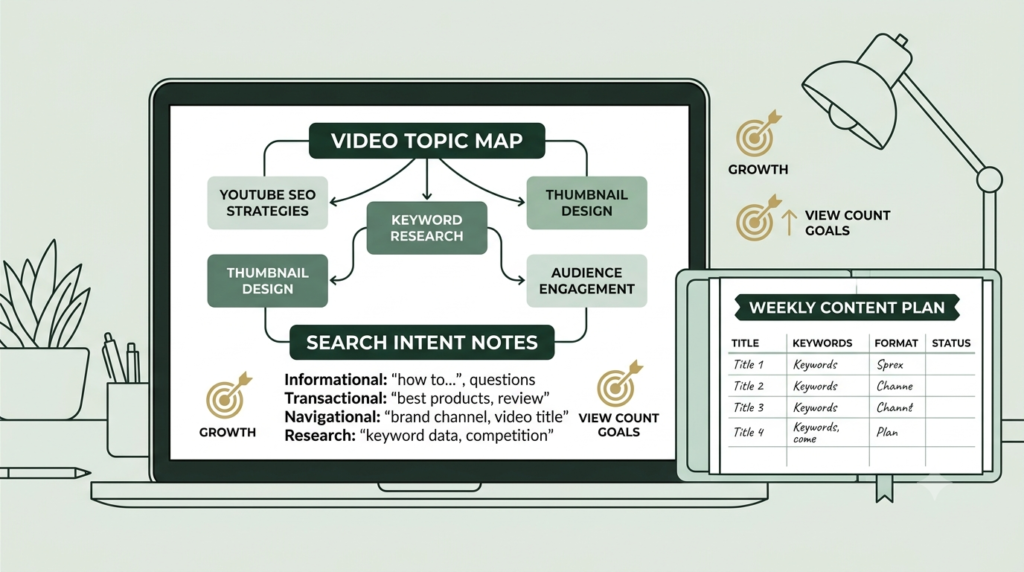
Think of optimization as the backbone connecting your video’s topic, search intent, metadata, viewer experience, and performance data.
11 Powerful YouTube Video Optimization Tips
1. Start With One Clear Search Intent
Before recording, identify the exact problem your video solves.
For example, instead of creating a broad video called “YouTube Tips,” create something more specific such as “How to Optimize a YouTube Video for Beginners.”
Ask:
- What does my audience want to learn?
- What problem does this video solve?
- What would someone type into YouTube?
- Does the entire video satisfy that search intent?
This gives your video a clear purpose.
How to correct it: If your video covers too many unrelated subjects, narrow the topic and rewrite the title around the main viewer need.
2. Create an Accurate, Compelling Title for YouTube video ranking
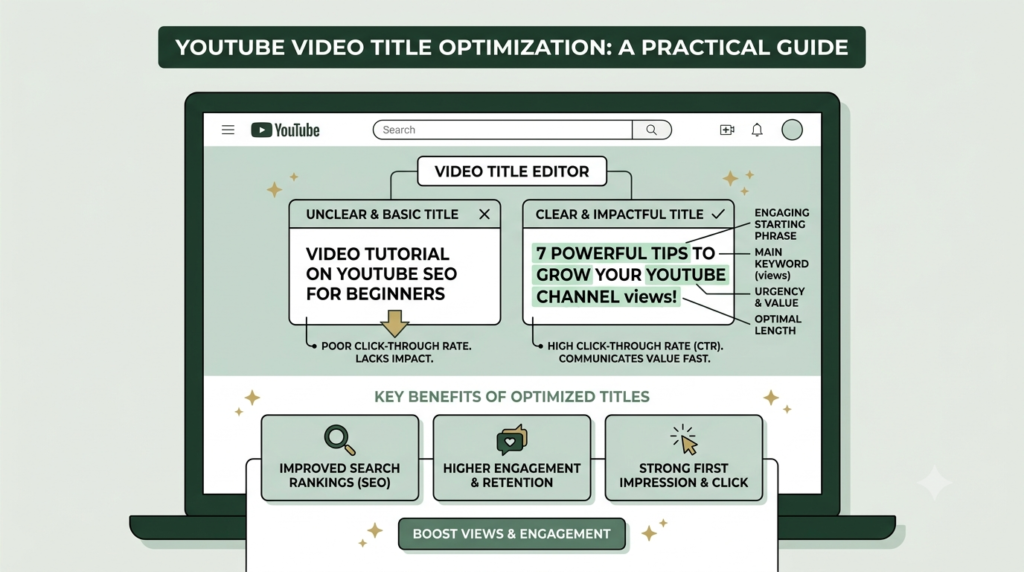
Your title should tell viewers what they will receive without misleading them.
Include the main topic naturally and make the benefit clear.
For example:
Weak: YouTube Video Tips
Better: 11 YouTube Video Optimization Tips for Beginners
YouTube recommends titles that accurately represent the content and warns against misleading or deceptive titles.
How to correct it: Remove unnecessary words, avoid excessive capitalization, and make sure the title matches the actual video.
3. Design a Relevant Thumbnail for YouTube Video Optimization
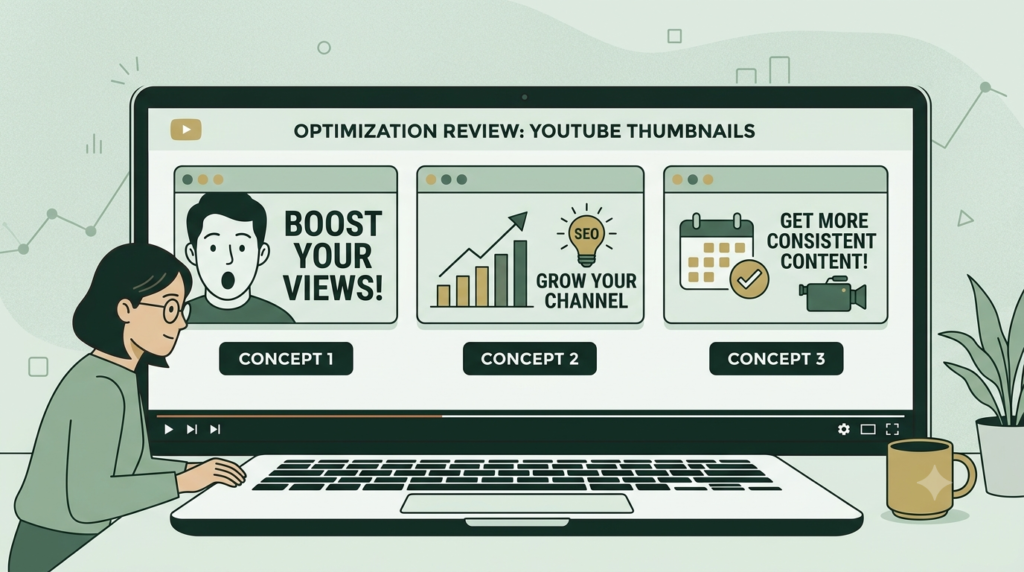
The thumbnail is part of your video’s first impression.
Use:
- One clear visual idea
- Short readable text
- Strong contrast
- Consistent branding
- A visual that matches the video’s promise
Do not create a thumbnail that promises something the video does not deliver.
YouTube identifies title and thumbnail as important elements of how viewers understand and choose content.
How to correct it: If the thumbnail is crowded, remove unnecessary text and keep one dominant message.
4. Write a Useful Video Description for YouTube video ranking
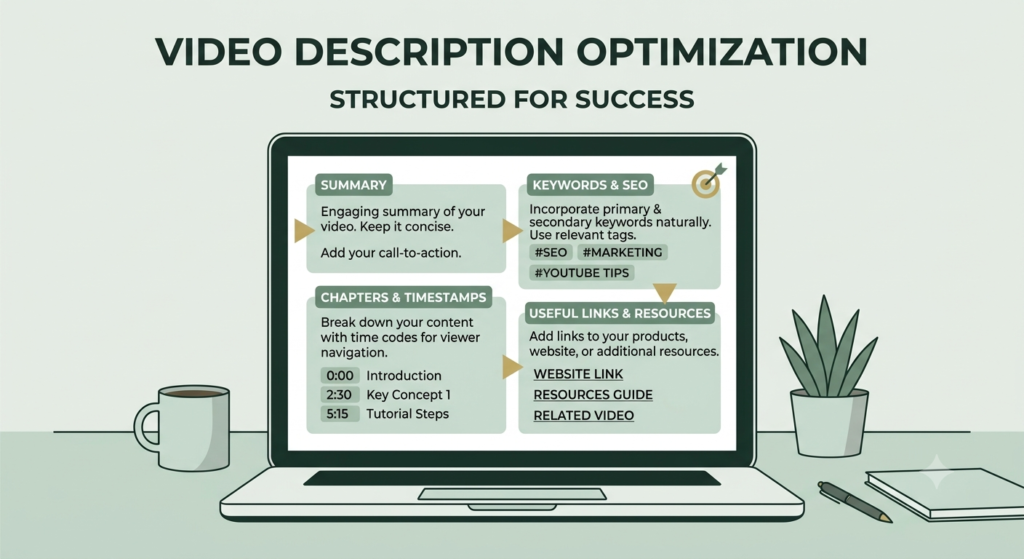
Your description should explain the video clearly.
Put the most important information near the beginning because viewers see the opening portion before expanding the description. YouTube recommends unique descriptions and suggests identifying one or two main words that describe the video and using them naturally in the title and description.
A useful description can include:
- A short summary
- Main topics covered
- Chapters
- Relevant links
- Related videos
- A simple call to action
How to correct it: Replace generic descriptions with a unique summary that explains exactly what the viewer will learn.
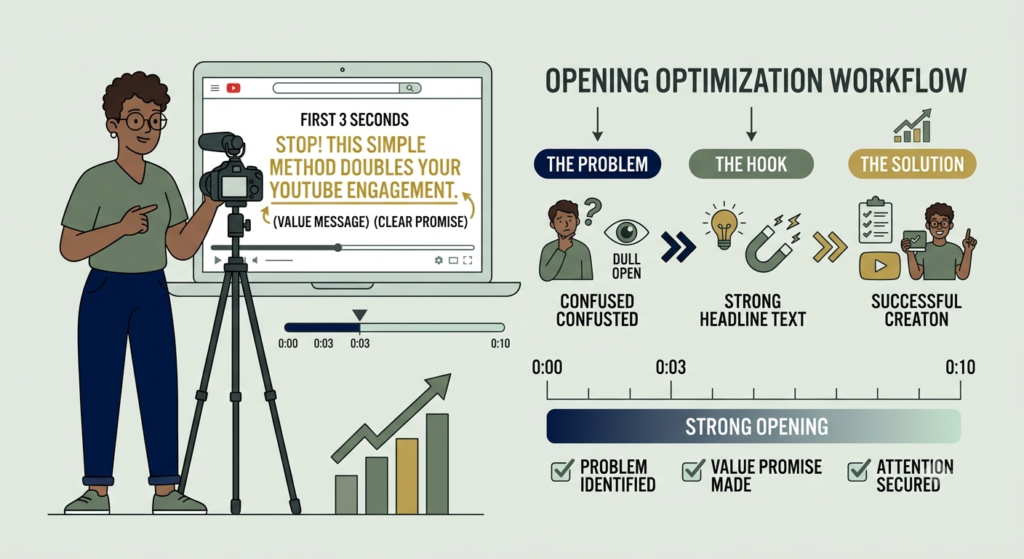
5. Deliver the Promise in the First Few Seconds
A viewer should quickly understand that they are watching the right video.
Avoid long introductions that delay the promised value.
YouTube’s current guidance highlights the importance of the opening because viewers decide whether to continue watching.
Try this structure:
Problem → Promise → Value
For example:“Struggling to get your videos discovered? In this guide, you’ll learn 11 practical ways to optimize your YouTube videos.”
How to correct it: Review your first 30 seconds in Analytics. If viewers leave early, test a shorter and clearer introduction.
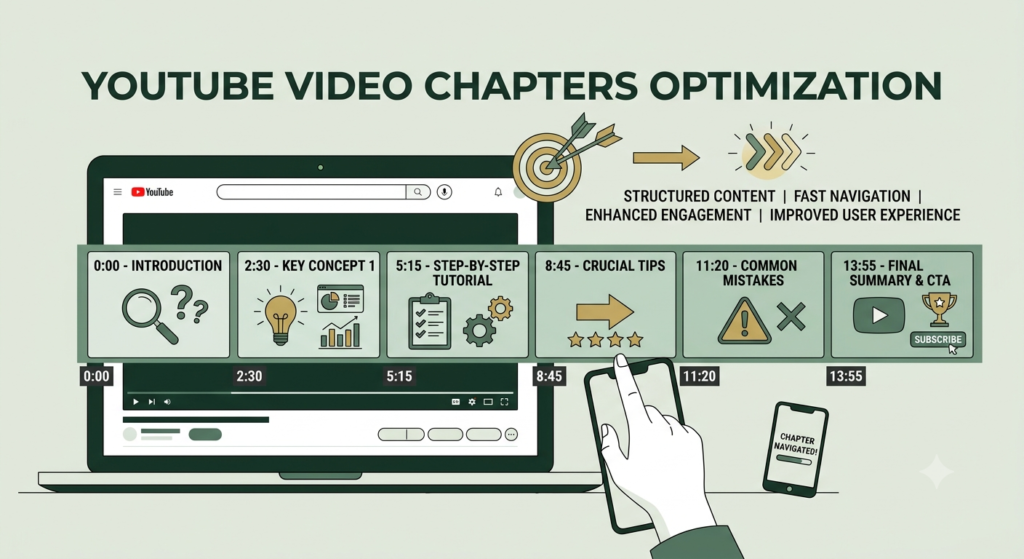
6. Organize Longer Videos With Chapters for YouTube video SEO
Chapters make longer YouTube video SEO easier to navigate.
A simple structure could be:
- 00:00 Introduction
- 00:35 Topic research
- 02:10 Title optimization
- 04:00 Thumbnail
- 06:15 Description
- 08:00 Analytics
YouTube allows creators to add their own chapters or use automatic chapters when available and eligible.
How to correct it: Add meaningful chapter names rather than generic labels such as “Part 1” or “Part 2.”
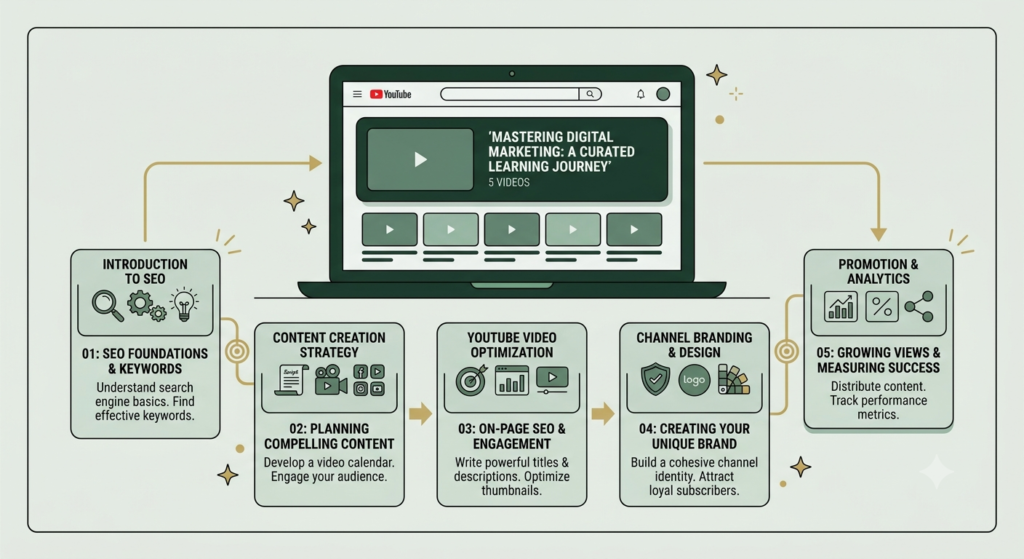
7. Connect Related Videos With Playlists
A playlist groups related videos into a useful learning path.
For example:
Aahraa YouTube Beginner Series
- What Is YouTube?
- YouTube Basics
- YouTube Channel Setup
- YouTube Keyword Research
- YouTube Video Optimization
This also creates opportunities for viewers to discover related content.
YouTube specifically recommends playlists as part of video optimization.
How to correct it: Do not create random playlists. Group videos according to a clear topic or viewer journey.
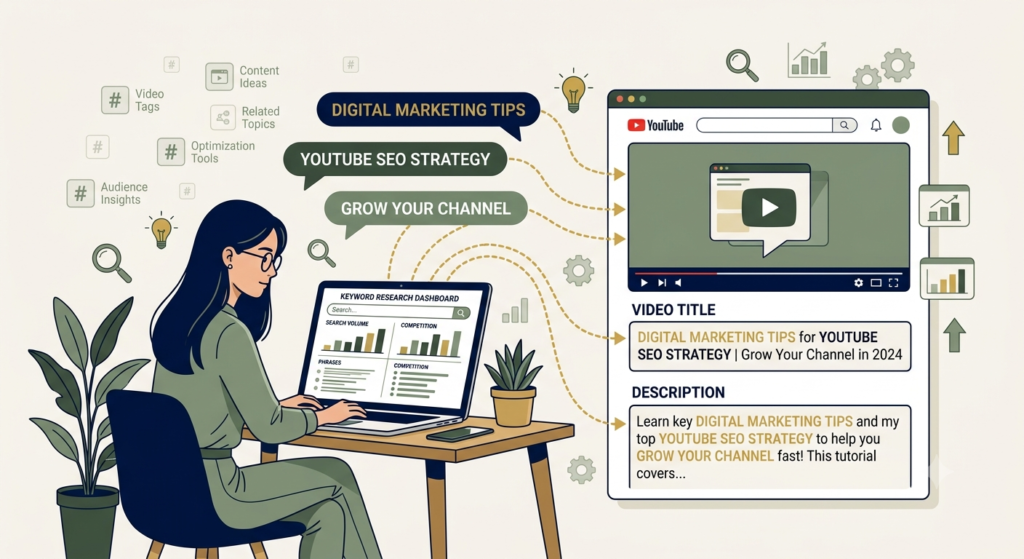
8. Use Keywords Naturally
Keywords help communicate the subject of your video, but optimization should never become keyword stuffing.
Use your primary topic naturally in:
- Title
- Opening description
- Spoken content where appropriate
- Relevant headings or chapters
- Related content
Your YouTube video SEO should focus on helping the viewer understand the content rather than repeating the same phrase.
How to correct it: If the same keyword appears unnaturally several times, replace some repetitions with natural variations.
9. Don’t Overfocus on Tags for sake of YouTube Video Optimization
Tags are often misunderstood.
YouTube currently states that tags play a minimal role in discovery and are primarily useful for correcting common spelling mistakes.
So your optimization priorities should not be:
Tags → tags → more tags.
Instead focus on:
Topic → title → thumbnail → content → viewer response → Analytics.
How to correct it: Use relevant tags where helpful, but spend your limited time improving the elements that have greater practical importance.
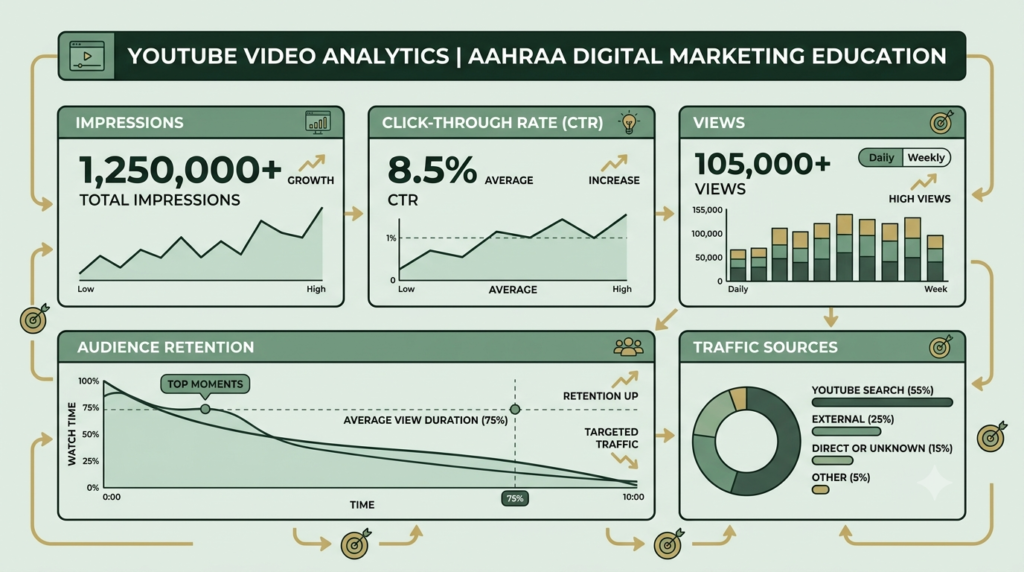
10. Use YouTube Analytics to Improve the Next Video
Optimization does not end when you click Publish.
Review:
- Impressions
- Click-through rate
- Views
- Average view duration
- Audience retention
- Traffic sources
- YouTube Search terms
YouTube’s Analytics guidance describes a viewer journey involving appeal, engagement, and satisfaction, with metrics such as CTR, views, and average view duration helping creators understand performance.
For example:
High impressions + low CTR → examine the title and thumbnail.
Good CTR + early viewer drop-off → examine the opening and content delivery.
Strong retention + low impressions → investigate topic demand, audience fit, and how the video is being discovered.
This is how you optimize YouTube Videos using evidence rather than guesswork.
11. Improve the Optimize YouTube Videos After Learning From Real Data
Your first version does not have to be perfect.
After publication, look for patterns.
If viewers consistently leave at a particular point, investigate what happens there. If a video receives impressions but relatively few viewers choose it, review its packaging. If viewers stay but the topic receives limited reach, examine whether the topic is serving a sufficiently clear audience.
YouTube notes that changing a title or thumbnail can change performance because viewers may interact differently with the new presentation—not simply because the metadata was changed.
How to correct it: Make one meaningful change at a time when possible, then monitor the results instead of changing everything simultaneously.

YouTube Video Optimization Checklist
| Optimization element | What to check |
|---|---|
| Topic | One clear viewer problem |
| Search intent | Matches what the audience wants |
| Title | Accurate, clear and compelling |
| Thumbnail | Relevant and easy to understand |
| Description | Unique and informative |
| Introduction | Delivers the promise quickly |
| Chapters | Added when useful |
| Playlist | Related videos grouped together |
| Keywords | Natural, not stuffed |
| Tags | Used mainly when helpful for misspellings |
| Analytics | Reviewed after publication |
How to Reach 100% Optimization
There is no official YouTube score that guarantees a video is “100% optimized.” Instead, use a practical checklist.
Before publishing, confirm:
- ✅ The topic solves one clear problem.
- ✅ The title accurately describes the video.
- ✅ The primary keyword appears naturally.
- ✅ The thumbnail matches the title and content.
- ✅ The description clearly explains the video.
- ✅ The introduction quickly delivers value.
- ✅ Chapters are used when appropriate.
- ✅ The video is placed in a relevant playlist.
- ✅ Metadata is accurate.
- ✅ The content provides genuine viewer value.
- ✅ Analytics will be reviewed after publication.
- ✅ No misleading claims or clickbait are used.
That is a much more useful definition of 100% optimization than simply achieving a green SEO score.
Why Video Optimization Is the Backbone of YouTube SEO
Think of your YouTube strategy as a connected system.
Keyword research identifies what people may want.
The topic defines what you will teach.
The title and thumbnail communicate the value.
The description and metadata provide additional context.
The video itself delivers the promise.
Retention and engagement show how viewers respond.
Analytics tells you what to improve next.
That is why video optimization acts as the backbone of a YouTube content strategy. It connects search visibility with the actual viewer experience.
YouTube’s recommendation system is personalized, and its current guidance emphasizes understanding what viewers want and whether they choose, watch, and enjoy the content.
FAQ
1. What is YouTube video optimization?
YouTube video optimization is the process of improving a video’s topic, title, thumbnail, description, viewer experience, organization, and performance based on audience data.
2. What is the most important part of YouTube video optimization?
There is no single universal optimization element. YouTube’s current guidance emphasizes viewer appeal, engagement, and satisfaction. Title and thumbnail help communicate the value, while the actual video experience determines whether viewers continue watching.
3. Do YouTube tags help videos rank?
Tags can help with common spelling mistakes, but YouTube says they play a minimal role in discovery. They should not be treated as the main YouTube SEO strategy.
4. How can beginners optimize a YouTube video?
Start with one clear topic, create an accurate title and thumbnail, write a useful description, deliver value quickly, organize the video appropriately, and review Analytics after publication.
5. How long should a YouTube video be?
There is no universal ideal length. YouTube recommends making the video as long as necessary to deliver the information or entertainment effectively without adding unnecessary filler.
6. Can changing a YouTube title improve performance?
Changing a title or thumbnail can affect performance because viewers may respond differently to the new presentation. It is not the act of changing metadata itself that guarantees better performance.
7. How do I know whether my video needs optimization?
Use YouTube Analytics. Look at impressions, CTR, views, average view duration, audience retention, and traffic sources to identify where viewers may be losing interest or where your packaging could improve.
Conclusion
Starting on YouTube can feel overwhelming, but you don’t need to get everything perfect from day one. Focus on one clear topic, create a helpful video, use an honest title and thumbnail, and make your description useful. Then check your YouTube Analytics to see what your viewers like and improve your next video. With these simple YouTube video optimization steps, you can gradually build better videos, reach the right audience, and grow your channel with confidence.
If you are starting a YouTube channel in 2026, don’t try to optimize everything at once. Start with the topic, title, thumbnail, description, viewer experience, and Analytics. Then improve one element at a time.
Ready to build a stronger YouTube strategy? Explore Aahraa’s beginner-friendly YouTube and digital marketing guides and keep improving one video at a time.