
In today’s competitive digital world, publishing a blog is not enough. Search engines must first discover, understand, and store your pages before they appear in search results. This process is called crawling and indexing.
Without proper website crawling and Google indexing, even high-quality blogs may remain invisible online. That is why modern SEO optimization focuses heavily on improving crawlability and indexing performance.
What Is Crawling?
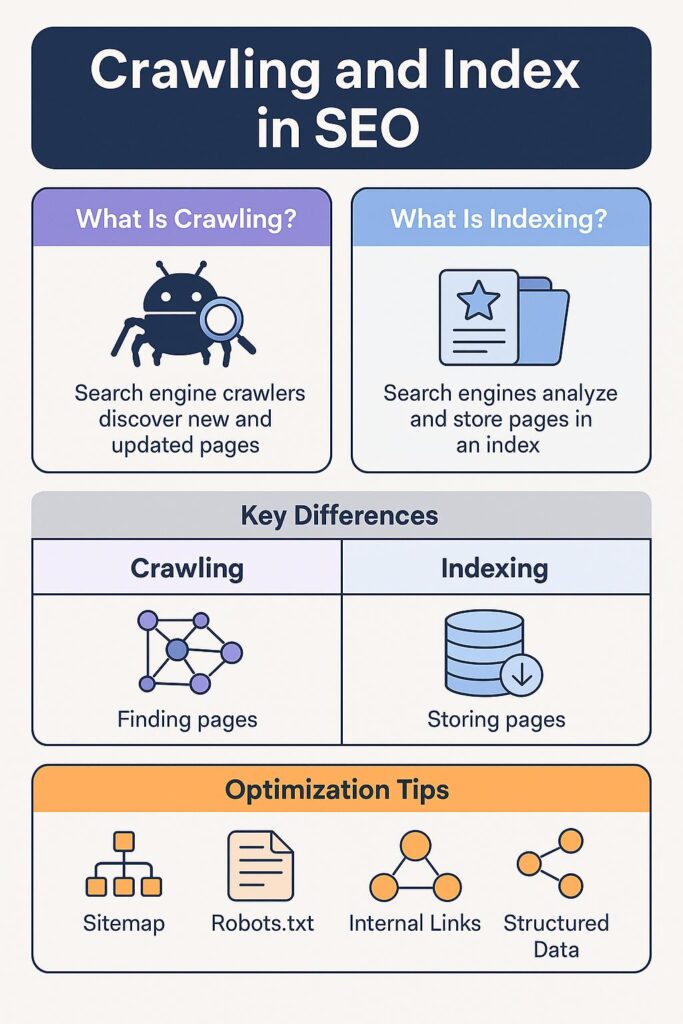
Crawling is the process where search engines like Google send automated bots, also known as spiders or crawlers, to discover web pages on the internet.
These bots visit pages, follow links, read content, and collect information about websites.
For example:
- A crawler visits your homepage.
- It follows internal links to blog pages.
- It reads text, images, titles, and metadata.
- It stores information for search engine databases.
Without proper website crawling, your content may remain invisible online.
What Is Indexing?
Indexing happens after crawling. Once a search engine understands your content, it stores the information in its database called an index.
When someone searches on Google Search Console, Google checks its index and displays the most relevant pages.
If your website is not indexed:
- Your pages will not appear in search results.
- Organic traffic remains low.
- SEO efforts become ineffective.
That is why Google indexing is one of the most critical parts of modern SEO.
Why Crawling and Indexing Matter for SEO
Strong crawling and indexing improve:
- Search engine rankings
- Website authority
- Organic traffic
- User trust
- Digital visibility
- Faster content discovery
For startups and modern businesses, indexed content creates long-term online growth without depending completely on paid advertisements.
This guide explains the 10 most important strategies every website owner should implement in 2026.
How Search Engines Crawl Websites
1. Internal Links Improve Website Crawling.
Internal links connect one page of your website to another. They help search engine bots move across your content efficiently.
For example:
- Homepage → Blog
- Blog → Service Page
- Service Page → Contact Page
Strong internal linking:
- improves website crawling,
- distributes page authority,
- and helps search engines understand site structure.
Best Practices
- Link relevant pages naturally.
- Use keyword-rich anchor text.
- Avoid broken internal links.
2. XML Sitemaps Help Search Engines Discover Pages
An XML sitemap acts like a roadmap for search engines. It lists important URLs that should be crawled and indexed.
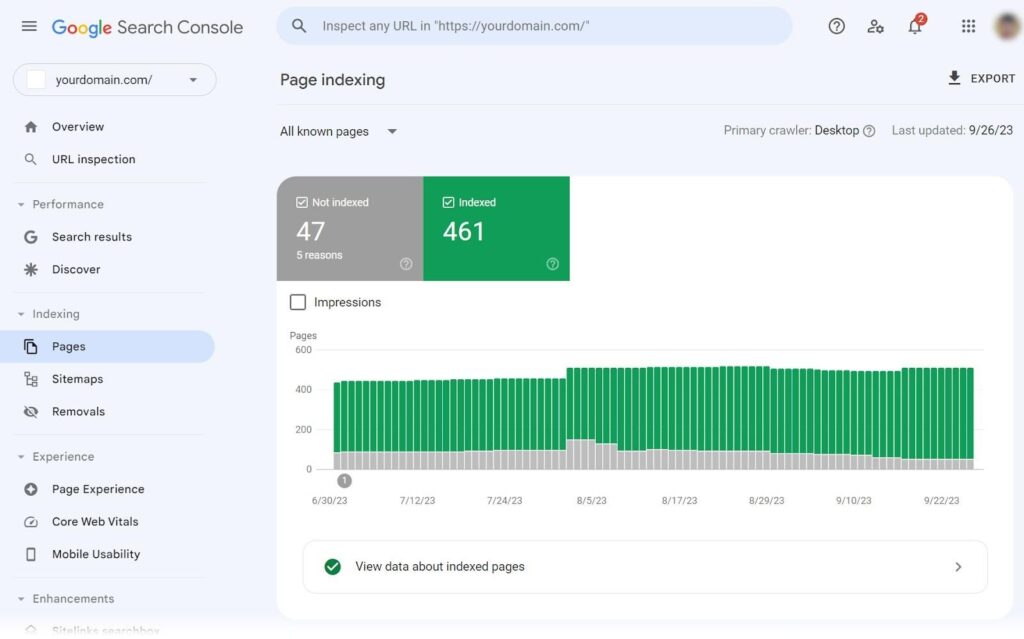
Submitting a sitemap to Google Search Console helps Google discover pages faster.
Benefits of XML Sitemaps
- Faster indexing
- Better crawl coverage
- Easier discovery of new blogs
- Improved technical SEO
Popular Sitemap Plugins
3. Backlinks Increase Crawl Frequency
Backlinks are links from other websites pointing to your content. Search engines treat backlinks as trust signals.
When authoritative websites link to your blog:
- crawlers visit your pages more often,
- indexing becomes faster,
- and rankings improve.
How to Build Quality Backlinks
- Guest posting
- Shareable blog content
- Directory submissions
- Social sharing
- PR mentions
Avoid spammy backlink practices because they can harm SEO performance.
4.Social Signals Support Faster Content Discovery
Although social media is not a direct ranking factor, it helps search engines discover content quickly.
Platforms like:
can increase visibility and encourage faster crawling.
Tips
- Share every new blog post.
- Use optimized captions.
- Add blog links in posts.
- Create visual content for engagement.
5. Submit Your Sitemap for Faster Google Indexing
One of the simplest SEO steps is submitting your sitemap manually.
Inside Google Search Console:
- Open Sitemaps section
- Add sitemap URL
- Submit sitemap
This tells Google exactly where your important pages are located.
Example Sitemap URL
https://yourwebsite.com/sitemap.xml
6. Improve Website Speed for Better Crawling
Search engines prefer fast-loading websites because they improve user experience.
Slow websites:
- waste crawl budget,
- reduce indexing efficiency,
- and increase bounce rates.
Ways to Improve Speed
- Compress images
- Use lightweight themes
- Enable caching
- Optimize CSS and JavaScript
- Use CDN services
Useful Speed Tools
7. Create High-Quality Content Consistently
Search engines prioritize valuable and original content.
High-quality blogs improve:
- user engagement,
- indexing frequency,
- and organic rankings.
Good SEO Content Includes
- Clear headings
- Human-focused writing
- Updated information
- Relevant keywords
- Helpful solutions
Avoid:
- copied content,
- keyword stuffing,
- and thin AI-generated articles.
8. Use Proper Internal Linking Structure
A strong website structure helps both users and search engines navigate pages efficiently.
Ideal Structure
Homepage
→ Categories
→ Blog Posts
→ Related Services
This structure improves:
- crawl depth,
- page authority distribution,
- and indexing accuracy.
Internal Linking Tips
- Link related articles together.
- Use descriptive anchor text.
- Avoid orphan pages.
9. Optimize Robots.txt File Carefully
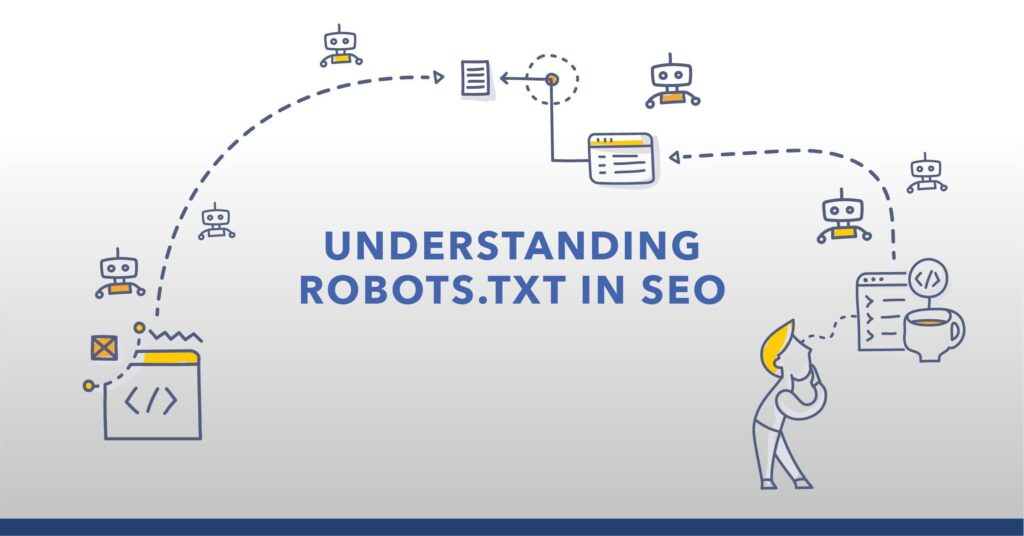
The robots.txt file tells search engine bots which pages they can or cannot crawl.
Example
- Allow blog pages
- Block admin pages
- Restrict duplicate sections
Incorrect robots.txt settings may accidentally block important pages from indexing.
Common Mistakes
- Blocking CSS or JS files
- Blocking entire website
- Using incorrect syntax
10. Technical SEO Optimization Improves Indexing
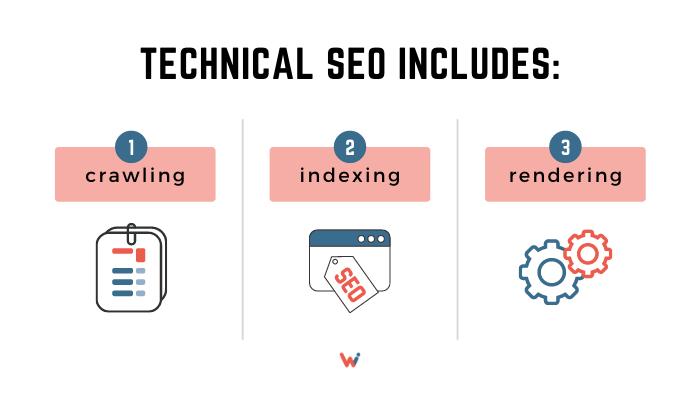
Technical SEO is the foundation of these process.
It ensures search engines can:
- access,
- understand,
- and rank your content properly.
Important Technical SEO Elements
- HTTPS security
- Mobile responsiveness
- Structured data
- Canonical tags
- Fast hosting
- Clean URL structure
Recommended SEO Tools
Best Practices for Faster Google Indexing
1. Submit Your Sitemap
Upload your XML sitemap inside:
This helps Google discover new pages quickly.
2. Improve Website Speed
Slow websites reduce crawl efficiency.
Use:
- Image compression
- Cache plugins
- CDN services
- Optimized themes
Useful tools:
3. Create High-Quality Content
Search engines prefer:
- Original blogs
- Humanized writing
- Informative content
- Updated articles
Avoid duplicate or AI-spam content.
4. Use Proper Internal Linking
Internal links help crawlers understand page relationships.
Example:
- Homepage → Services → Blog → Contact Page
This structure improves both user experience and SEO optimization.
5. Optimize Robots.txt File
The robots.txt file tells crawlers which pages to access or avoid.
Example:
- Allow blog pages
- Block admin pages
- Prevent duplicate crawling
Common Crawling and Indexing Problems
1. Noindex Tags
A noindex tag blocks pages from appearing in search engines.
2. Broken Links
Dead links waste crawl budget and hurt SEO.
3. Duplicate Content
Search engines may ignore copied or repeated pages.
4. Poor Mobile Optimization
Mobile-unfriendly websites face indexing problems.
5. Slow Hosting
Bad hosting reduces crawling efficiency.
Reliable hosting companies:
Role of Technical SEO in Crawling and Indexing
Technical SEO ensures search engines can access and understand your website properly.
Important technical SEO factors include:
- HTTPS security
- Clean URL structure
- Mobile responsiveness
- Structured data
- Canonical tags
- Fast loading speed
Plugins that help:
How Often Does Google Crawl a Website?
Google crawling frequency depends on:
- Website authority
- Publishing consistency
- Server performance
- Content freshness
- Backlink quality
Websites updated regularly usually get crawled faster.
For blogs, publishing consistent high-quality articles improves indexing speed significantly.
Image SEO for Better Crawling
Images also help improve digital visibility when optimized correctly.
Best Practices
- Use compressed images
- Add descriptive filenames
- Include keyword-rich alt text
- Use WebP format
Useful SEO Tools for these process.
| Tool | Purpose |
|---|---|
| Google Search Console | Monitor indexing |
| Screaming Frog SEO Spider | Crawl analysis |
| Ahrefs | Backlink and SEO audit |
| SEMrush | Technical SEO tracking |
| Ubersuggest | Keyword and indexing insights |
Final Thoughts
Understanding these is essential for anyone serious about website growth in 2026. Even the best blog content cannot rank if search engines fail to crawl or index it correctly.
A strong combination of:
- technical SEO,
- fast website performance,
- optimized internal linking,
- mobile responsiveness,
- and high-quality content
can improve your website’s search visibility significantly.
Businesses that focus on proper SEO optimization and consistent indexing strategies build stronger online authority and sustainable traffic over time.
Start monitoring your indexing health regularly, update content consistently, and make your website easy for both users and search engines to navigate.
Pingback: 21 Powerful Types of Site Submission for SEO Success -
Pingback: 15 Powerful Technical SEO Optimization Strategies in 2026
Pingback: 10 Powerful Google Search Console for SEO Success in 2026