
Introduction
Core Web Vitals in today’s digital world is more important than creating a beautiful website. Visitors expect pages to load quickly, respond instantly, and remain stable while browsing. This is where performance optimization metrics become essential. These metrics help website owners measure and improve page experience, website speed, SEO performance, and user experience.
Google introduced website performance metrics as part of its ranking signals because user satisfaction depends heavily on how a website performs. Whether you run an eCommerce store, a blog, a service website, or a business portal, understanding performance optimization metrics is crucial for long-term online success.
What Are Core Web Vitals?
website performance metrics are a set of performance metrics developed by Google to evaluate the quality of a user’s experience on a webpage. These metrics focus on loading speed, responsiveness, and visual stability.
The main goal of web performance indicators is to ensure visitors enjoy a smooth and frustration-free browsing experience.
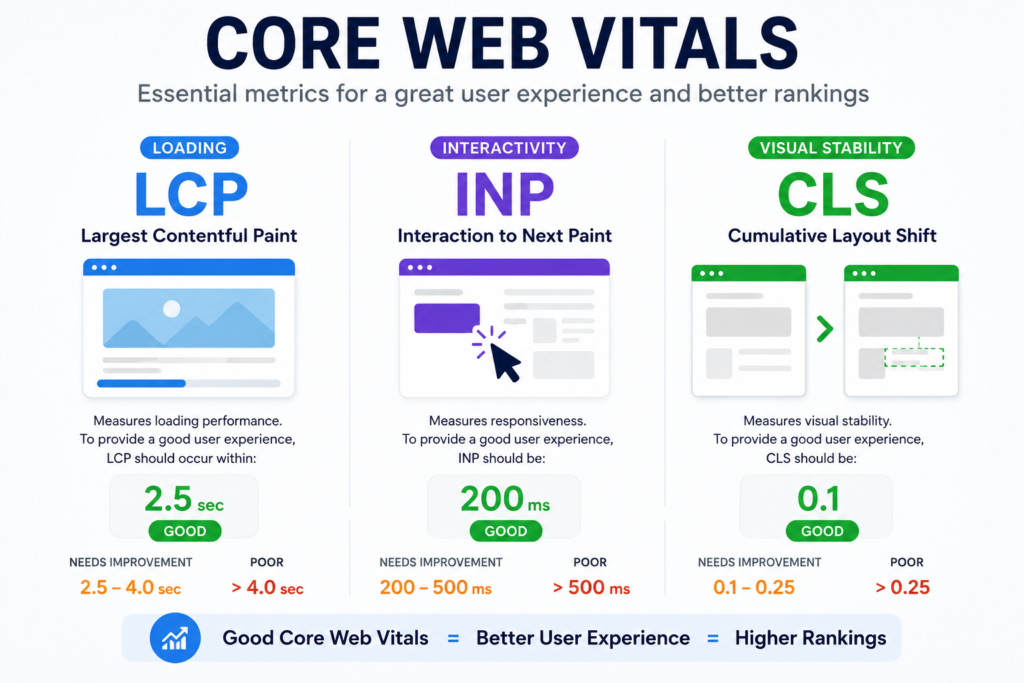
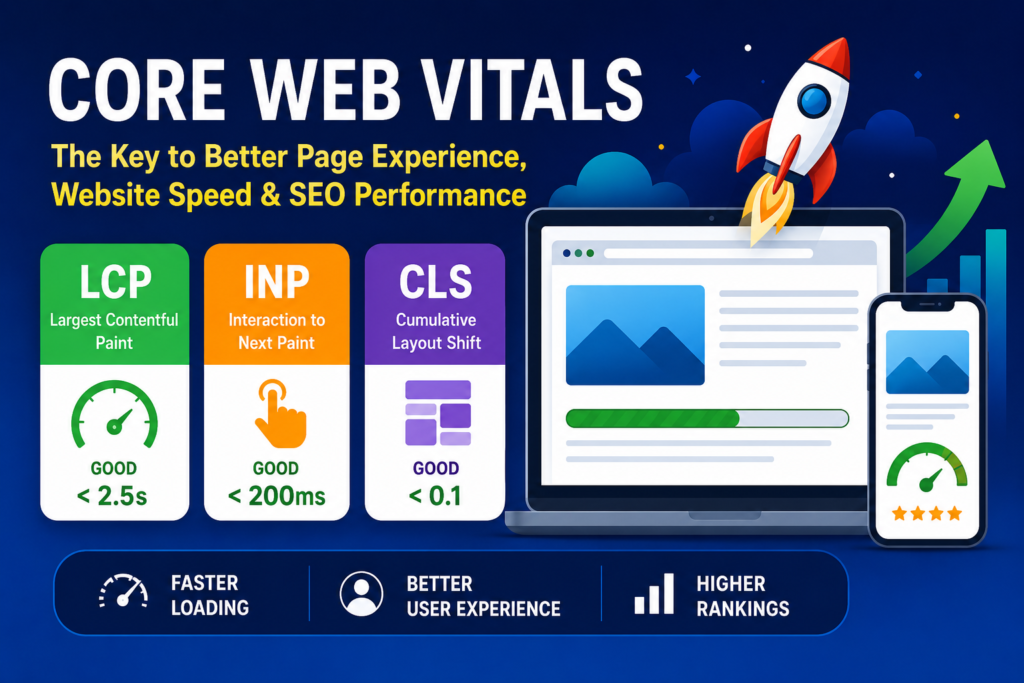
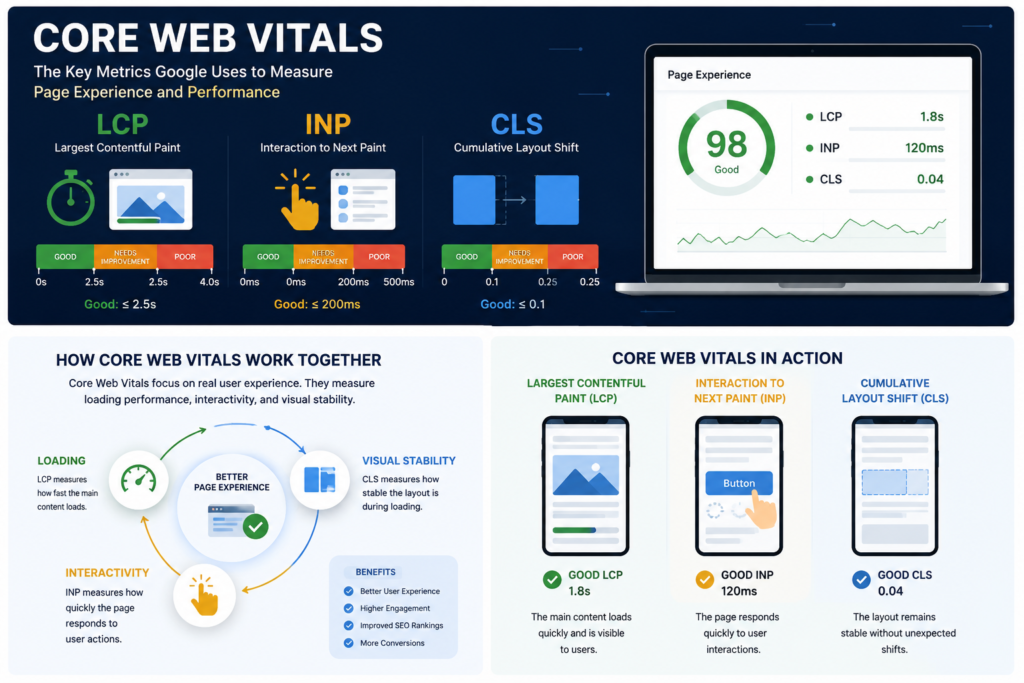
Google currently measures three primary web performance indicators
- Largest Contentful Paint (LCP)
- Interaction to Next Paint (INP)
- Cumulative Layout Shift (CLS)
Together, these metrics directly influence page experience and contribute to better SEO performance.
Why site speed metrics Matter
site speed metrics have become one of the most important technical SEO factors because they help search engines understand how users experience your website.
Benefits include:
- Improved search engine rankings
- Better page experience
- Increased website speed
- Higher user engagement
- Reduced bounce rates
- Better conversion rates
- Enhanced mobile performance
- Stronger customer satisfaction
When users enjoy fast and stable websites, they stay longer and interact more with your content.
1. Largest Contentful Paint (LCP)
What Is LCP?
Largest Contentful Paint measures how long it takes for the largest visible content element on a page to load.
This could be:
- A hero image
- Featured image
- Large heading
- Video thumbnail
- Main content block
Recommended Score
- Good: Under 2.5 seconds
- Needs Improvement: 2.5–4 seconds
- Poor: Over 4 seconds
Why LCP Matters
Visitors form opinions within seconds. Slow-loading pages create frustration and increase abandonment rates.
How to Improve LCP
- Optimize images
- Use modern image formats like WebP
- Upgrade hosting
- Enable caching
- Minimize render-blocking resources
- Use a Content Delivery Network (CDN)
Improving LCP significantly enhances website speed and page experience.
2. Interaction to Next Paint (INP)
What Is INP?
Interaction to Next Paint measures how quickly a webpage responds when a user interacts with it.
Examples include:
- Clicking buttons
- Opening menus
- Filling forms
- Selecting options
INP replaced First Input Delay (FID) as Google’s official responsiveness metric.
Recommended Score
- Good: Less than 200 milliseconds
- Needs Improvement: 200–500 milliseconds
- Poor: More than 500 milliseconds
Why INP Matters
Users expect immediate feedback. Delayed responses make websites feel broken or unprofessional.
How to Improve INP
- Reduce JavaScript execution
- Remove unnecessary plugins
- Optimize third-party scripts
- Break long tasks into smaller tasks
- Improve browser rendering efficiency
Fast interaction greatly improves user experience and SEO performance.
3. Cumulative Layout Shift (CLS)
What Is CLS?
Cumulative Layout Shift measures unexpected visual movement on a webpage while it loads.
Examples include:
- Buttons moving suddenly
- Text shifting position
- Images loading without reserved space
- Advertisements pushing content downward
Recommended Score
- Good: Less than 0.1
- Needs Improvement: 0.1–0.25
- Poor: Greater than 0.25
Why CLS Matters
Unexpected shifts frustrate users and can lead to accidental clicks.
How to Improve CLS
- Define image dimensions
- Reserve space for ads
- Avoid inserting content above existing content
- Use stable fonts
- Optimize dynamic elements
A stable layout creates trust and improves page experience.
| Core Web Vital | What It Measures | Good Score | Why It Matters |
|---|---|---|---|
| Largest Contentful Paint (LCP) | Loading performance | Under 2.5 seconds | Improves perceived speed |
| Interaction to Next Paint (INP) | Responsiveness | Under 200 ms | Improves user interactions |
| Cumulative Layout Shift (CLS) | Visual stability | Under 0.1 | Prevents unexpected movement |
Google performance signals: The Backbone of All Digital Entities
Site speed metrics are often called the backbone of modern digital entities because every online asset depends on user experience.
These entities include:
- Business websites
- eCommerce stores
- Blogs
- Educational portals
- News websites
- SaaS platforms
- Landing pages
- Mobile web applications
No matter the industry, visitors expect fast loading, quick interaction, and stable visual content.
When performance optimization metrics are optimized:
- Search engines can crawl pages efficiently.
- Users engage longer.
- Conversion rates improve.
- Brand credibility increases.
- Customer retention grows.
Without strong performance optimization metrics even excellent content may struggle to achieve its full ranking potential.
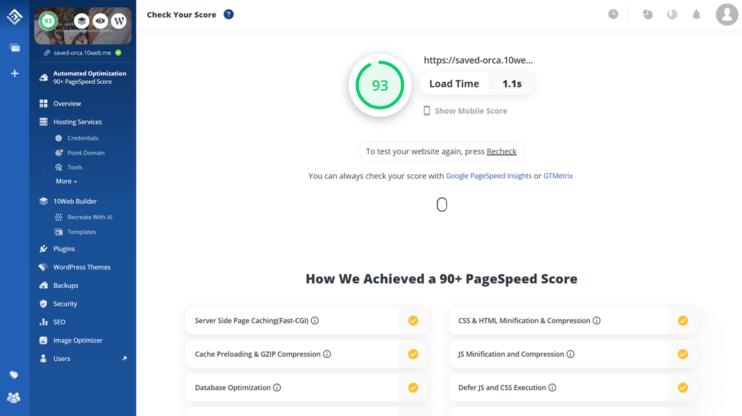
Tools to Measure web performance indicators
Google Search Console
Provides page experience metrics reports showing URLs that need improvement.
PageSpeed Insights
Analyzes real-world performance data and offers optimization recommendations.
Lighthouse
Generates detailed performance audits directly within Chrome.
Chrome DevTools
Helps developers diagnose performance bottlenecks.
GTmetrix
Provides additional speed testing and optimization insights.
Common page experience metrics Problems and Solutions
Many websites fail page experience metrics because of avoidable technical issues.
Slow Server Response
A slow hosting environment increases page loading times and negatively affects Largest Contentful Paint.
Solution:
- Upgrade hosting
- Use caching
- Implement CDN services
Oversized Images
Large images increase loading times and reduce website speed.
Solution:
- Compress images
- Use WebP format
- Enable lazy loading
Excessive JavaScript
Heavy JavaScript can delay user interactions.
Solution:
- Remove unused scripts
- Minify code
- Delay non-critical resources
Layout Shifts
Images and ads without predefined dimensions create visual instability.
Solution:
- Specify width and height attributes
- Reserve space for advertisements
- Use optimized fonts
How Page Experience metrics Affect Different Types of Websites
eCommerce Websites
Fast-loading product pages improve conversions and reduce cart abandonment.
Business Websites
Better page experience helps generate more leads and inquiries.
Blogs
Improved SEO performance helps attract more organic traffic.
SaaS Platforms
Responsive interfaces increase customer satisfaction and retention.
Educational Websites
Students enjoy faster access to learning resources and course materials.
Best Practices for Better Site Speed Metrics
Optimize Images
Compress files and use next-generation formats.
Use Fast Hosting
A reliable hosting provider reduces server response time.
Enable Browser Caching
Allows returning visitors to load pages faster.
Minify CSS and JavaScript
Reduces file size and improves loading performance.
Use Lazy Loading
Loads images only when needed.
Reduce Third-Party Scripts
Excessive scripts can slow down website speed.
Implement CDN
Content Delivery Networks distribute content closer to users.
Expert Tips to Improve performance optimization metrics Quickly
- Use premium hosting.
- Enable browser caching.
- Minify CSS and JavaScript files.
- Compress all images before uploading.
- Use a Content Delivery Network (CDN).
- Reduce third-party tracking scripts.
- Implement lazy loading.
- Optimize mobile performance first.
- Monitor Google Search Console regularly.
- Test pages monthly using PageSpeed Insights.
FAQ Section (SEO Boost)
What is a good page experience metrics score?
A good page experience metrics score includes an LCP under 2.5 seconds, INP below 200 milliseconds, and CLS under 0.1.
Do page experience metrics affect Google rankings?
Yes. page experience metrics are part of Google’s Page Experience signals and can influence SEO performance and search visibility.
Which tool measures Google performance signals ?
Google Search Console, PageSpeed Insights, Lighthouse, and Chrome DevTools are commonly used tools.
How often should I check Google performance signals ?
Website owners should review Google performance signals monthly and after major website updates.
Are Google performance signals important for mobile SEO?
Yes. Mobile users are particularly sensitive to slow loading pages and layout shifts, making user experience signals crucial for mobile SEO.
The SEO Impact of Core Web Vitals.
Google’s ranking systems increasingly prioritize user-focused experiences. While content quality remains essential, technical performance can provide a competitive advantage.
Websites with strong user experience signals often experience:
- Better SEO performance
- Improved crawl efficiency
- Higher engagement metrics
- Lower bounce rates
- Increased organic traffic
A website that loads quickly and responds smoothly creates positive signals for both users and search engines.
Conclusion
Site speed metrics have become one of the most important factors influencing website success. By focusing on Largest Content full Paint, Interaction to Next Paint, and Cumulative Layout Shift, website owners can improve page experience, website speed, user experience, and SEO performance simultaneously.
As a digital marketer, I regularly use Google Search Console and PageSpeed Insights to identify website performance issues. Improving loading speed and user experience has consistently helped websites achieve better engagement and search visibility.Whether you manage an eCommerce store, business website, blog, or SaaS platform, optimizing site speed metrics helps deliver a faster, more reliable, and user-friendly experience. As Google’s algorithms continue prioritizing user satisfaction, investing in site speed metrics optimization remains one of the smartest long-term SEO strategies for sustainable growth and higher search rankings