
Introduction
Website speed is no longer just a technical concern. It directly affects user experience, search engine rankings, conversions, and overall website success. Whether you run a blog, business website, eCommerce store, or digital product platform, understanding PageSpeed Insights is essential.
PageSpeed Insights is a free tool developed by Google that analyzes a webpage’s performance and provides suggestions for improvement. It helps website owners identify issues affecting loading speed and user experience.
Think ofGoogle PageSpeed Score as a health checkup for your website. It tells you what is working well, what needs improvement, and how to create a faster experience for visitors.
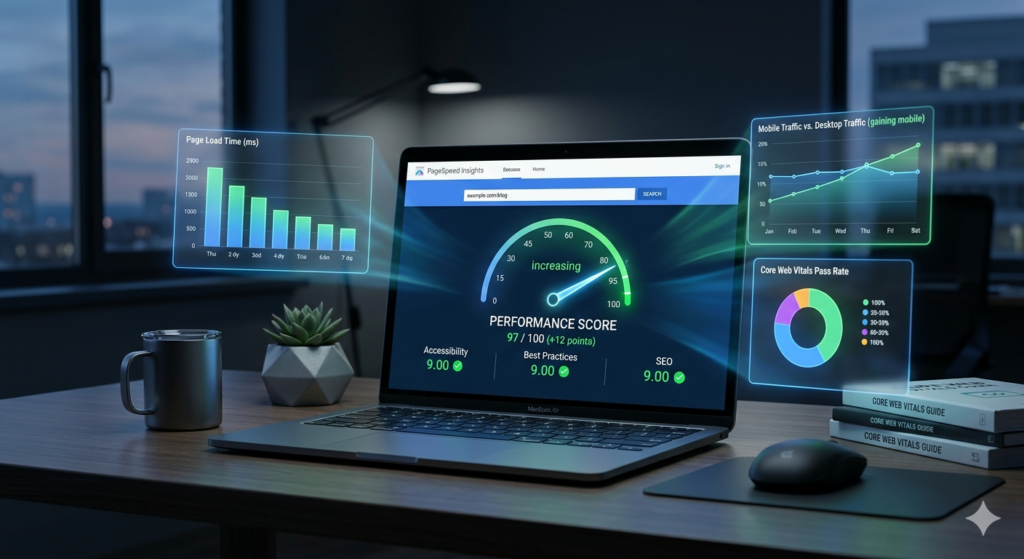
What Is Google PageSpeed Score?
Google PageSpeed Score is a web performance analysis tool that evaluates how quickly a webpage loads and becomes usable for visitors.
The tool analyzes both:
1. Field Data
Real-world performance data collected from actual users.
2. Lab Data
Simulated testing conducted in a controlled environment.
Together, these metrics provide a comprehensive picture of website performance.
Why Website Speed Optimization Matters for SEO
Search engines aim to deliver the best user experience. Fast websites generally provide better experiences than slow websites.
Benefits include:
- Better search rankings
- Improved user experience
- Lower bounce rates
- Higher engagement
- Increased conversions
- Better mobile usability
- Enhanced customer satisfaction
For website owners, Google PageSpeed Score acts as the foundation for technical SEO and website optimization.
How to Access Google PageSpeed Score
Simply visit:
Enter your webpage URL and click Analyze.
Within seconds, the tool generates a detailed performance report.
Understanding the Google PageSpeed Score
The Website Speed Optimization score ranges from 0 to 100.
Green (90-100)
Excellent performance.
Orange (50-89)
Needs improvement.
Red (0-49)
Poor performance.
Although the score is important, focusing only on the score can be misleading. The real goal should be improving user experience and Core Web Vitals.
Understanding Every Element in Google PageSpeed Score
1. Performance Score
This overall score summarizes the page’s speed and responsiveness.
It is calculated using several metrics including:
- Largest Contentful Paint
- Interaction to Next Paint
- Cumulative Layout Shift
- Speed Index
- Total Blocking Time
A higher score generally indicates better performance.
2. Core Web Vitals
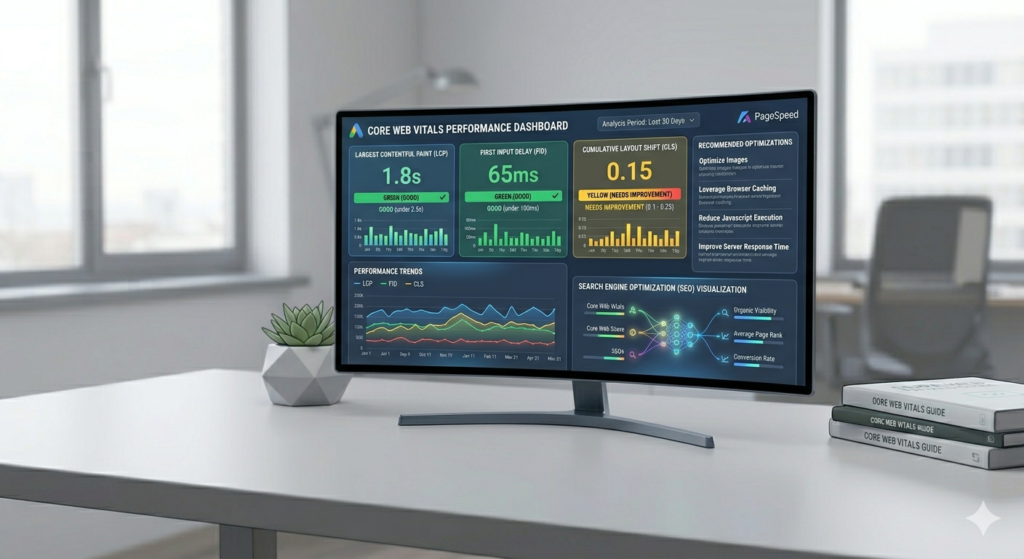
Core Web Vitals are Google’s key user experience measurements.
They form the backbone of modern SEO and website performance evaluation.
Largest Contentful Paint (LCP)
Measures how quickly the largest visible element loads.
Examples:
- Hero image
- Banner
- Main heading
Ideal Result:
Under 2.5 seconds
A slow LCP usually indicates:
- Large images
- Slow server response
- Render-blocking resources
Interaction to Next Paint (INP)
Measures responsiveness when users interact with a page.
Examples:
- Clicking buttons
- Opening menus
- Filling forms
Ideal Result:
Below 200 milliseconds
Poor INP may result from excessive JavaScript execution.
Cumulative Layout Shift (CLS)
Measures visual stability.
Examples of poor CLS:
- Buttons moving unexpectedly
- Images shifting content
- Ads loading late
Ideal Score:
Below 0.1
A stable layout improves trust and usability.
3. Accessibility
Accessibility evaluates how usable your website is for all visitors, including those using assistive technologies.
Checks include:
- Image alt text
- Color contrast
- Form labels
- Navigation structure
Improving accessibility enhances both user experience and SEO.
4. Best Practices
This section identifies technical issues that may affect security and performance.
Examples:
- HTTPS implementation
- Browser compatibility
- Safe coding practices
- Image optimization
A high score indicates adherence to modern web standards.
5. SEO Section
The SEO audit checks whether search engines can properly understand and index your website.
It reviews:
- Meta descriptions
- Title tags
- Mobile friendliness
- Crawlability
- Structured data basics
Although not a complete SEO audit, it provides valuable technical insights.
6. Diagnostics
Diagnostics provide detailed recommendations.
Examples include:
Reduce JavaScript Execution
Large scripts slow page interaction.
Minimize Main Thread Work
Reduces browser processing load.
Optimize DOM Size
Improves rendering efficiency.
Eliminate Render Blocking Resources
Allows content to display faster.
7. Opportunities
This section highlights improvements with estimated savings.
Examples:
- Image compression
- CSS optimization
- JavaScript reduction
- Lazy loading implementation
These recommendations often deliver the fastest performance gains.
Why Core Web Vitals Are the Backbone of Everything
Core Web Vitals connect nearly every aspect of website success.
SEO Rankings
Search engines use page experience signals as ranking factors.
User Experience
Visitors prefer fast, responsive websites.
Conversion Optimization
Faster websites generally convert more visitors.
Mobile Performance
Mobile users are particularly sensitive to slow loading pages.
Trust and Credibility
A stable website feels more professional and reliable.
Because Core Web Vitals affect rankings, engagement, and conversions simultaneously, they form the backbone of modern website optimization.
Common Reasons for Poor PageSpeed Scores
Unoptimized Images
Large images often cause performance issues.
Excessive Plugins
Too many plugins increase server load.
Slow Hosting
Poor hosting can negatively impact every performance metric.
Heavy JavaScript
Large scripts delay page interaction.
Unused CSS
Extra code slows rendering.
Multiple Third-Party Scripts
Tracking tools, chat widgets, and advertisements can reduce performance.
Quick Ways to Improve Your Score
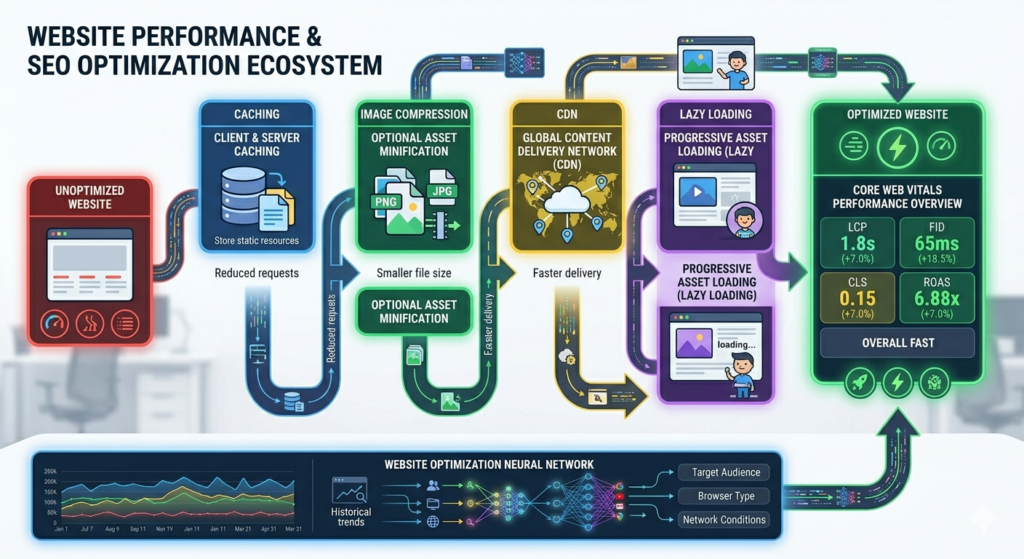
Compress Images
Use WebP format whenever possible.
Enable Caching
Store resources for faster repeat visits.
Use a CDN
Deliver content from servers closer to visitors.
Optimize Fonts
Reduce unnecessary font files.
Minify CSS and JavaScript
Remove unused code.
Upgrade Hosting
Faster servers improve overall performance.
Implement Lazy Loading
Load images only when needed.
PageSpeed Insights and it future in the World of Digital Marketing
PageSpeed Insights has become one of the most influential performance analysis tools in modern digital marketing. As user expectations continue to rise and attention spans shrink, website speed is no longer a technical detail—it is a core part of user experience, branding, and conversion strategy. PageSpeed Insights helps businesses understand how their websites perform in real-world conditions and provides actionable insights to improve loading speed and responsiveness.
At its foundation, PageSpeed Insights evaluates a website using a combination of lab data and field data. It measures important performance indicators such as First Contentful Paint, Largest Contentful Paint, Cumulative Layout Shift, and Interaction to Next Paint. These metrics reveal how quickly a page becomes visible, how stable it feels while loading, and how fast users can interact with it. For marketers, these numbers directly connect to engagement, bounce rate, and conversion performance.
In digital marketing, speed has become a ranking and revenue factor rather than just a technical concern. Search engines prioritize websites that load quickly and provide smooth experiences, especially on mobile devices. This means that a slow website can lose visibility even if it has strong content. PageSpeed Insights acts as a bridge between SEO strategy and technical optimization, helping marketers and developers align their efforts toward better performance outcomes.
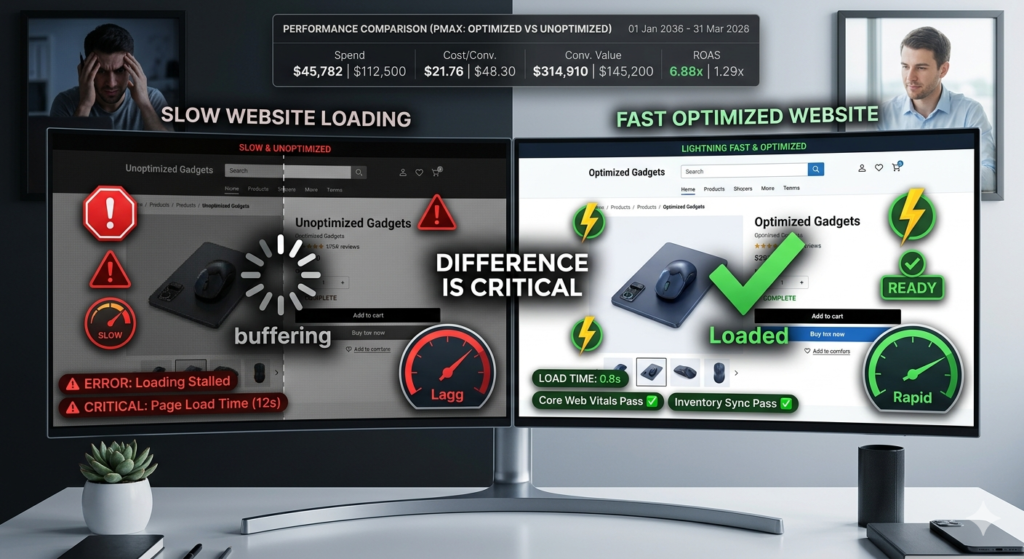
User behavior also plays a major role in why PageSpeed Insights matters. Studies consistently show that users abandon websites that take too long to load. Even a delay of a few seconds can significantly reduce conversions in e-commerce, lead generation, and content engagement. Because of this, businesses now treat website performance as part of their customer journey strategy, not just backend optimization.
The role of PageSpeed Insights is also expanding as digital marketing becomes more competitive. Websites are no longer simple pages—they are complex ecosystems with animations, videos, interactive elements, and dynamic content. Each of these adds load time and complexity. PageSpeed Insights helps identify bottlenecks and suggests improvements such as image compression, code optimization, caching strategies, and server performance enhancements.
Looking ahead, the future of PageSpeed Insights in digital marketing is closely tied to evolving search algorithms and user experience standards. As Google continues strengthening Core Web Vitals and introducing new performance metrics, speed optimization will become even more critical for search visibility. Websites that fail to meet these standards may struggle to compete, regardless of content quality.
Emerging technologies like AI-driven optimization, edge computing, and faster web frameworks will change how websites are built and delivered. However, this will also raise user expectations. As the internet becomes faster overall, users will expect near-instant loading experiences. PageSpeed Insights will remain essential in helping businesses meet these higher benchmarks consistently.
In the coming years, PageSpeed Insights is likely to become more intelligent and predictive. Instead of only reporting performance issues, it may offer automated optimization recommendations, real-time monitoring, and deeper integration with marketing platforms and content systems. This will allow marketers to track performance alongside traffic, conversions, and revenue in a single ecosystem.
For digital marketers, this shift means performance optimization will become an ongoing strategy rather than a one-time fix. Continuous monitoring and improvement will be necessary to stay competitive. PageSpeed Insights will serve as a guiding framework for making data-driven decisions that impact both SEO rankings and user experience.
In conclusion, PageSpeed Insights is no longer just a diagnostic tool—it is a central pillar of modern digital marketing strategy. As the digital landscape continues to evolve, its role will expand further, influencing how websites are built, optimized, and experienced by users around the world.

Frequently Asked Questions
What is Google PageSpeed Score?
PageSpeed Insights is a free Google tool that analyzes website performance on both mobile and desktop and provides suggestions to improve speed, user experience, and Core Web Vitals.
Is Google PageSpeed score important for SEO?
Yes, performance metrics like Core Web Vitals are ranking factors. However, user experience and content quality are equally important for SEO success.
What is a good PageSpeed score?
A score of 90 or above is considered good. However, focusing only on the score is not recommended—real user experience matters more.
Why is my website slow even after optimization?
This may be due to heavy scripts, poor hosting, unoptimized images, or third-party plugins affecting load time and performance.
How can I improve Core Web Vitals?
You can improve Core Web Vitals by optimizing images, using caching, reducing JavaScript, and choosing a fast hosting provider.
Does mobile performance matter more than desktop?
Yes, Google uses mobile-first indexing, so mobile performance is more critical for ranking and user experience.
Conclusion
PageSpeed Insights is one of the most valuable tools for website owners, bloggers, marketers, and businesses. It provides actionable insights into website speed, Core Web Vitals, accessibility, SEO, and overall performance. Instead of chasing a perfect score, focus on creating a fast, stable, and user-friendly experience. When combined with strong content, technical SEO, and quality hosting, Website Speed Optimization becomes a powerful foundation for long-term search visibility and website growth.
Pingback: 7 Powerful Core Web Vitals Metrics -Website Speed- SEO guide