
11 Powerful YouTube Description Tips for Beginners in 2026
A YouTube video description is more than a place to add a few sentences below your video. A well-written description helps viewers understand what your video is about, find useful resources, and decide whether the content is relevant to them.
For creators and businesses, YouTube description optimization can also support a broader YouTube SEO strategy by giving search engines and viewers additional context about the video.
If you are a beginner, you do not need a complicated formula. You need a clear topic, relevant keywords, useful information, and a description that accurately represents your video.
In this guide, you will learn 11 YouTube description tips and how to create an SEO-friendly description step by step.
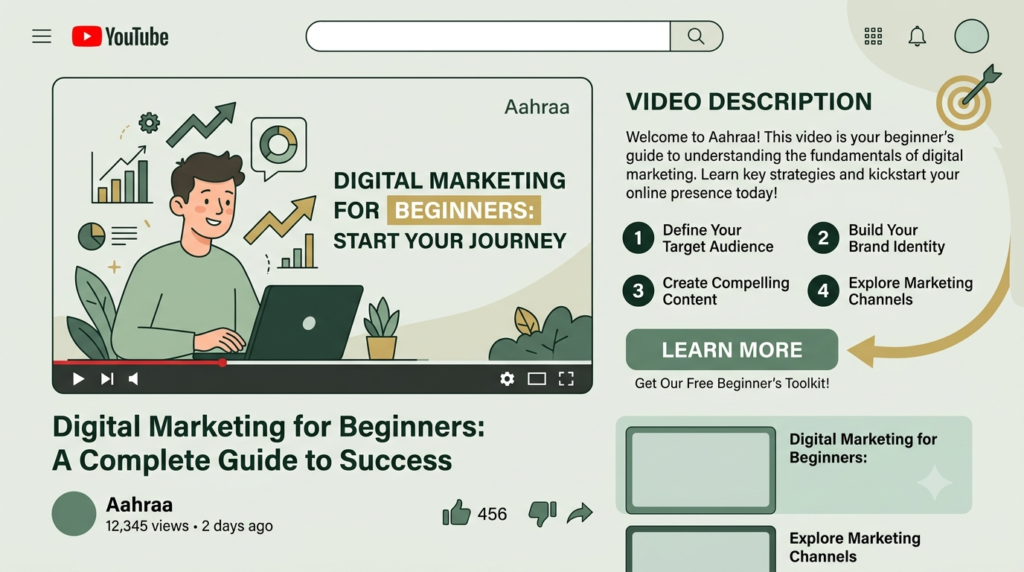
What Is a YouTube Video Description?
A YouTube video description is the text that appears below a published video. It explains the video’s topic and can provide additional information such as:
- A summary of the video
- Important keywords
- Links to your website
- Related videos or playlists
- Product or service information
- Calls to action
- Contact or business information
- Helpful resources
A good description should primarily help the viewer understand what they will get from the video.
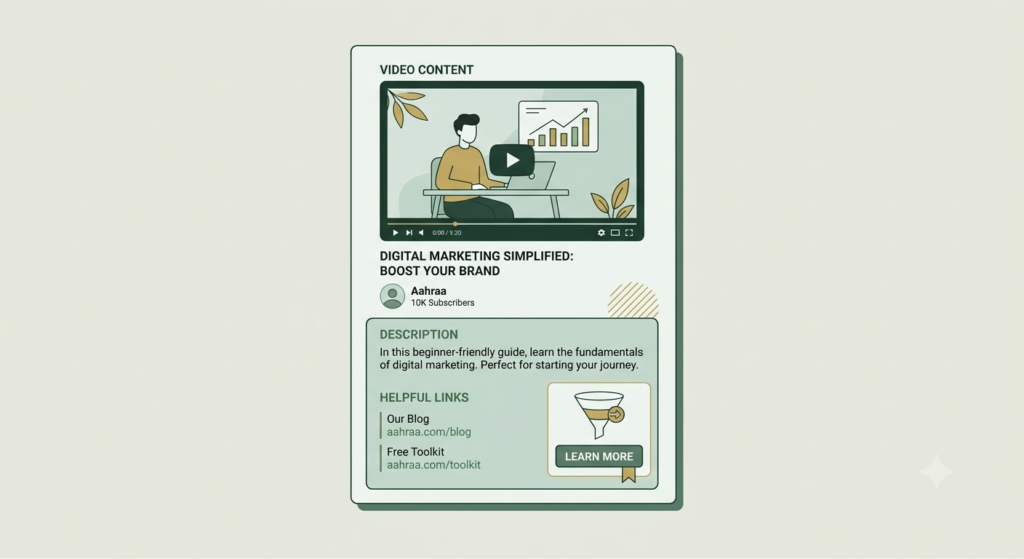
Why YouTube Description Optimization Matters
YouTube needs context about your video. Your title, description, spoken content, captions, thumbnail, and other signals work together to communicate the subject of the video.
A useful description can also help viewers quickly understand whether the video matches their search or interest.
However, adding keywords repeatedly is not a good strategy. Your description should sound natural and provide genuine information.
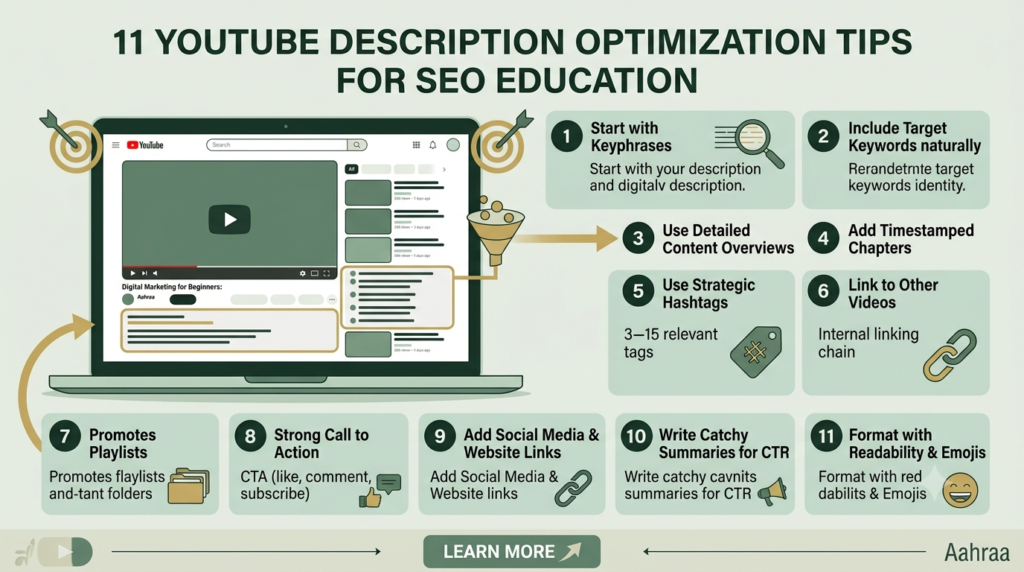
11 Powerful YouTube Description Tips
1. Start With a Clear Video Summary
The first few lines should immediately explain what the viewer will learn.
For example:
“Learn how to conduct YouTube keyword research as a beginner. This guide explains how to find relevant topics, evaluate keywords, and use them naturally in your YouTube content.”
The viewer should understand the video’s purpose without reading the entire description.
2. Use Your Main Keyword Naturally
Include your primary keyword where it makes sense.
If your keyword is YouTube video description, you might write:
“This YouTube video description guide explains how beginners can create useful, SEO-friendly descriptions.”
Do not repeat the keyword unnecessarily. Natural language is more important than achieving an artificial keyword count.
3. Explain What the Viewer Will Learn
Tell people what they can expect from the video.
You can use a short list such as:
- How YouTube descriptions work
- How to structure a description
- Where to add keywords
- How to add useful links
- How to create a strong call to action
This makes the description easier to scan.
4. Include Related Keywords
Your description can naturally include related terms such as:
- YouTube description optimization
- YouTube description tips
- YouTube SEO
- SEO YouTube descriptions
- YouTube video optimization
Use them only when they fit naturally into the explanation.
Related terminology helps create a clearer topical context without keyword stuffing.
5. Write for Humans First
A common beginner mistake is writing a description that sounds like a list of keywords.
Avoid something like:
“YouTube SEO, YouTube descriptions, YouTube description tips, YouTube SEO tips, SEO YouTube descriptions…”
Instead, write a useful paragraph that naturally discusses the topic.
Your description should be easy for a real viewer to understand.
6. Add Important Links
If your video refers to useful resources, add the relevant links to the description.
For example, you might include:
- Your website
- A related blog
- A relevant YouTube playlist
- A digital product
- A resource mentioned in the video
Keep links organized so viewers can understand what each one is for.
7. Add a Clear Call to Action
A call to action tells viewers what they can do next.
Examples include:
- Subscribe for more YouTube SEO guides.
- Read our complete YouTube optimization guide.
- Visit our website for more resources.
- Watch the related video below.
Don’t overload the description with multiple competing calls to action. Choose the most relevant next step.
8. Use Timestamps for Longer Videos
For longer videos, timestamps can make navigation easier.
For example:
00:00 Introduction
01:15 What is YouTube SEO?
03:20 Keyword research
05:45 Writing the title
08:10 Creating the description
10:30 Final checklist
Timestamps are particularly useful for tutorials, courses, interviews, and detailed guides.
Make sure the timestamps accurately correspond to the video sections.
9. Keep Your Description Relevant to the Video
Your description should accurately represent what viewers will find in the video.
Do not add unrelated keywords simply because they have search volume.
For example, if your video is about YouTube keyword research, don’t fill the description with unrelated terms such as Instagram marketing, Facebook ads, or website design unless those subjects are genuinely discussed.
Relevance creates a better experience for both viewers and your channel.
10. Create a Repeatable Description Template
A template can save time when publishing multiple videos.
A simple structure could be:
Opening summary
Explain the video topic in 2–3 sentences.
What you’ll learn
List the main points covered.
Useful resources
Add relevant links.
Timestamps
Add chapters when appropriate.
Call to action
Tell viewers what to do next.
About the channel
Briefly explain what your channel provides.
You can save this structure and customize it for every new video.
11. Review Your Description Before Publishing
Before clicking Publish, check your description carefully.
Use this quick checklist:
- Is the video topic clear?
- Is the primary keyword used naturally?
- Does the description accurately represent the video?
- Are important links working?
- Is the call to action clear?
- Are timestamps correct?
- Is the text easy to read?
- Have unnecessary keywords been removed?
- Does the description provide useful information?
This simple review can prevent many common mistakes.
How to Write a YouTube Description Step by Step
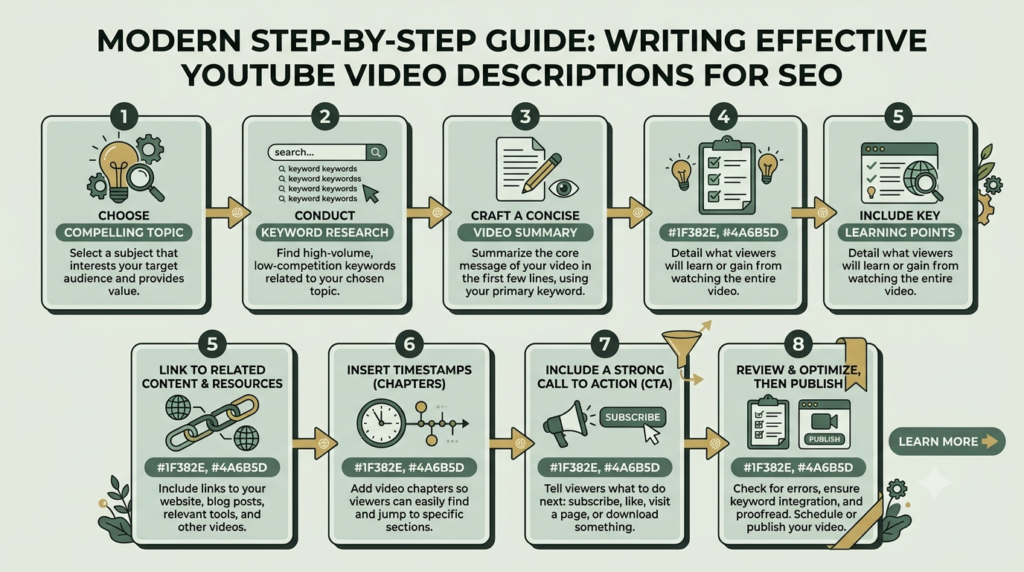
Here is a simple process you can repeat for every video.
Step 1: Identify the video’s main topic.
Step 2: Select the primary keyword from your keyword research.
Step 3: Write a 2–3 sentence introduction explaining the video.
Step 4: Add the main points viewers will learn.
Step 5: Include relevant related keywords naturally.
Step 6: Add useful links.
Step 7: Add timestamps if the video is long enough to benefit from them.
Step 8: Add one clear call to action.
Step 9: Read the description as if you were a viewer.
Step 10: Correct spelling, links, formatting, and unnecessary repetition before publishing.
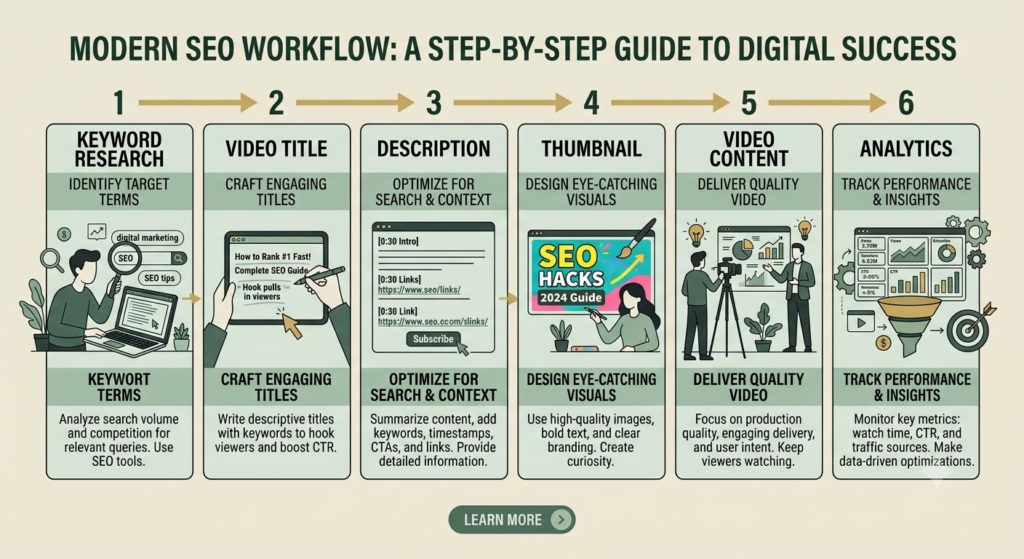
YouTube Description Optimization and SEO
A description should be considered one part of your overall YouTube SEO system rather than a standalone ranking trick.
Your broader structure can look like this:
Keyword Research → Video Topic → Title → Description → Thumbnail → Video Content → Analytics
For example, if your target topic is YouTube keyword research, your title could communicate the main topic, your description could explain what viewers will learn, and the video itself should deliver that information.
This creates consistency between the viewer’s search, the title, the description, and the actual video.
How to Optimize Your Description Without Keyword Stuffing
There is no need to repeat your primary keyword dozens of times.
Instead:
- Mention the main topic naturally.
- Use related terminology where relevant.
- Explain the subject clearly.
- Avoid irrelevant keywords.
- Write useful information for viewers.
- Make sure the description matches the actual video.
Think of the description as supporting context, not a place to manipulate search results.
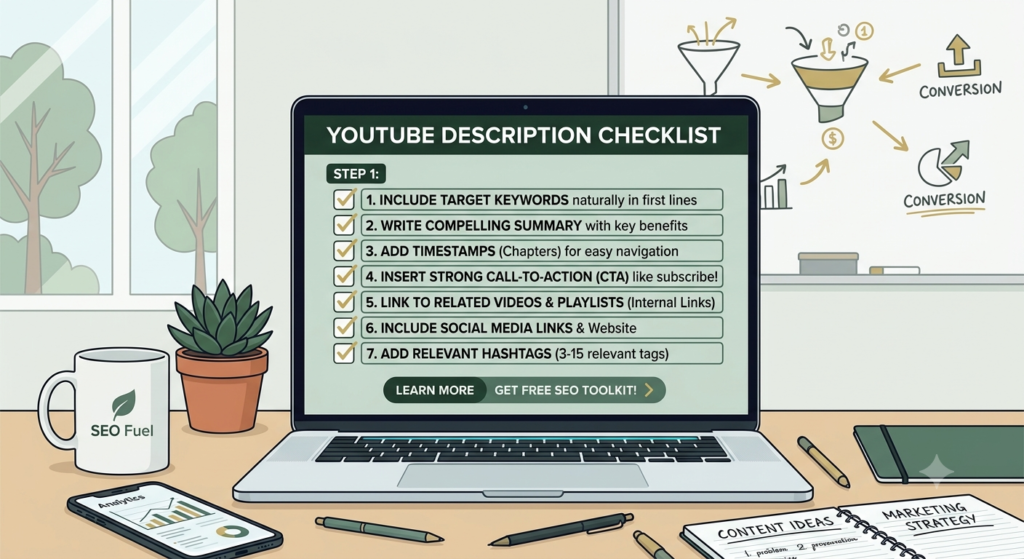
100/100 YouTube Description Optimization Checklist
Before publishing, ask:
☐ Main topic is clear
☐ Primary keyword is naturally included
☐ Related keywords are relevant
☐ Opening lines explain the video
☐ Main learning points are included
☐ Useful links are added
☐ Links have been tested
☐ Timestamps are accurate when used
☐ CTA is clear
☐ Description matches the video
☐ No keyword stuffing
☐ Spelling and formatting are correct
Remember that an SEO plugin score such as Rank Math’s 100/100 is a useful checklist, but it is not the same thing as guaranteed YouTube search performance. Focus first on relevance, usefulness, and a good viewer experience.
Conclusion
A strong YouTube video description helps communicate the purpose and context of your video while giving viewers useful information and next steps.
For beginners, the process can remain simple: explain the video clearly, use your main keyword naturally, include relevant supporting terms, add useful links, provide timestamps when appropriate, and finish with a clear call to action.
Most importantly, make sure your description matches the actual video. When your keyword research, title, description, video content, and thumbnail all support the same topic, you create a stronger and more consistent YouTube content structure.
Start with one video, use the checklist above, and improve your description process as you publish more content.