
11 Powerful YouTube Thumbnail Tips for Beginners in 2026
A YouTube thumbnail is often the first visual a viewer notices before deciding whether to watch a video. A clear, relevant, and attractive thumbnail can communicate the topic quickly and help your video stand out among other results and recommendations.
For beginners, creating an effective thumbnail does not require advanced graphic-design skills. You can create professional thumbnails using simple tools such as Canva by following a consistent structure.
In this guide, you will learn 11 practical YouTube thumbnail tips, recommended thumbnail dimensions, design principles, common mistakes, and a simple process for creating and optimizing thumbnails.
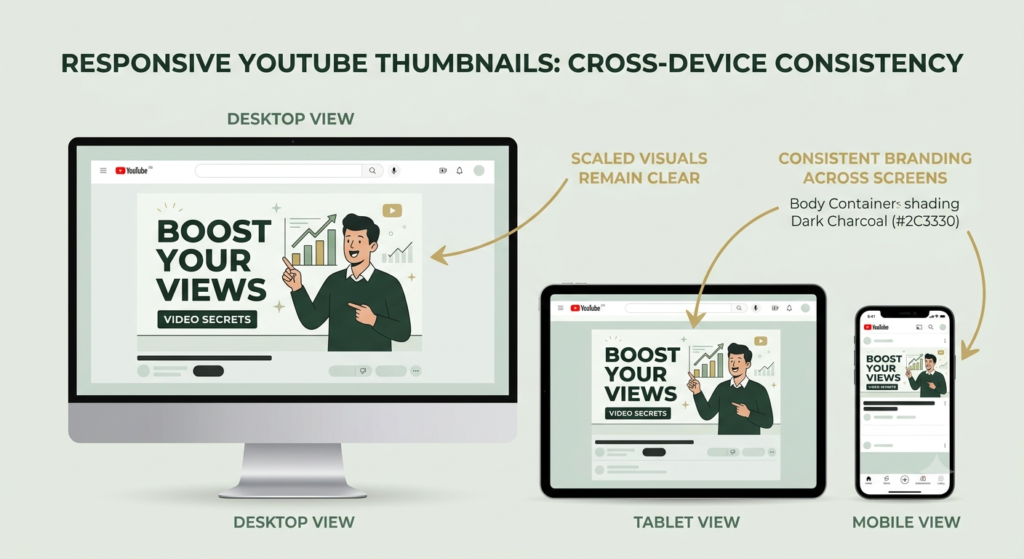
What Is a YouTube Thumbnail?
A YouTube thumbnail is the preview image associated with a video. It appears in places such as YouTube search results, recommendations, channel pages, playlists, and other browsing areas.
Think of the thumbnail as the visual introduction to your video.
A strong thumbnail should help viewers understand the subject quickly without trying to explain the entire video.
For example, if your video teaches YouTube keyword research, the thumbnail could contain a short phrase such as:
“Find Better YouTube Keywords”
The title can provide additional detail while the thumbnail communicates the main idea visually.
Recommended YouTube Thumbnail Size
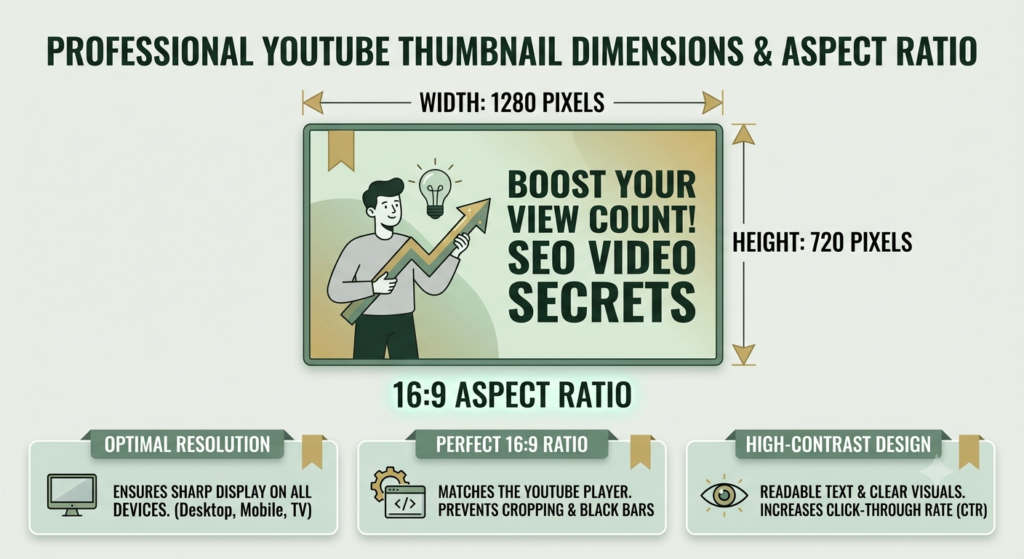
For a standard YouTube video thumbnail, a practical design specification is:
- Recommended size: 1280 × 720 pixels
- Aspect ratio: 16:9
- Minimum width: 640 pixels
- File formats: JPG, GIF, or PNG
- File size: Keep the final file within YouTube’s current upload requirements
Always check the latest official YouTube specifications because platform requirements can change.
External reference: YouTube Help – Add custom thumbnails
Why YouTube Thumbnail Optimization Matters
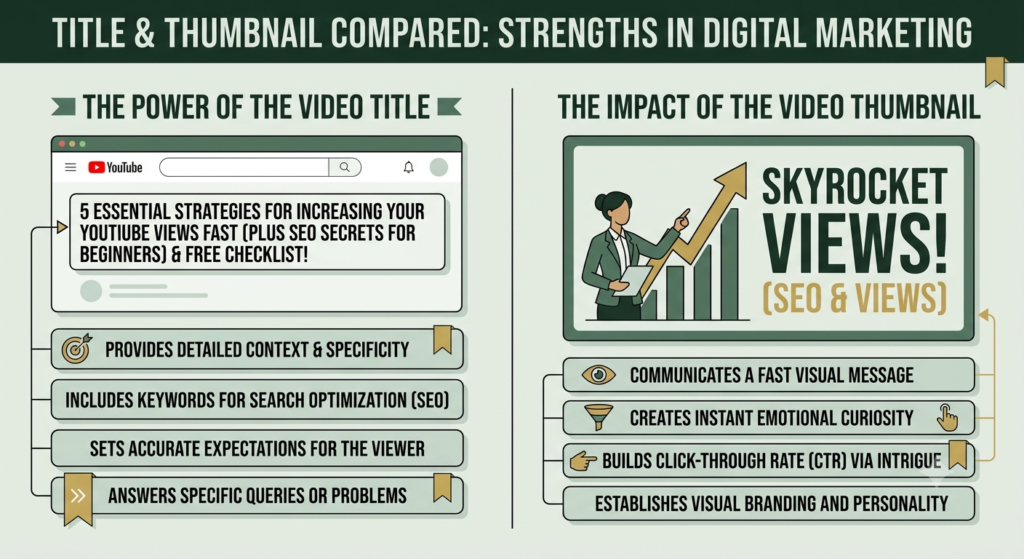
Your thumbnail works together with your video title and topic.
For example:
Title: 11 Powerful YouTube Keyword Research Strategies for Beginners
Thumbnail:
“Find Better Keywords”
The title provides specific information while the thumbnail provides a quick visual message.
A thumbnail should not promise something that the video does not deliver. Creating misleading thumbnails may attract an initial click but can create a poor viewer experience.
11 Powerful YouTube Thumbnail Tips
1. Keep the Main Message Simple
Do not try to place your entire video title on the thumbnail.
Use a short phrase that communicates the central benefit or topic.
Instead of:
“11 Powerful YouTube Thumbnail Optimization Tips for Beginners in 2026”
use something shorter such as:
“Better YouTube Thumbnails”
The viewer can read the full title separately.
2. Make Text Easy to Read
Thumbnail text needs to remain readable even when the image is displayed at a small size.
Use:
- Large text
- Clear fonts
- Strong contrast
- Short phrases
- Adequate spacing
Avoid using several different fonts or filling every available space with text.
3. Use the 16:9 Layout
Design your thumbnail in the correct aspect ratio.
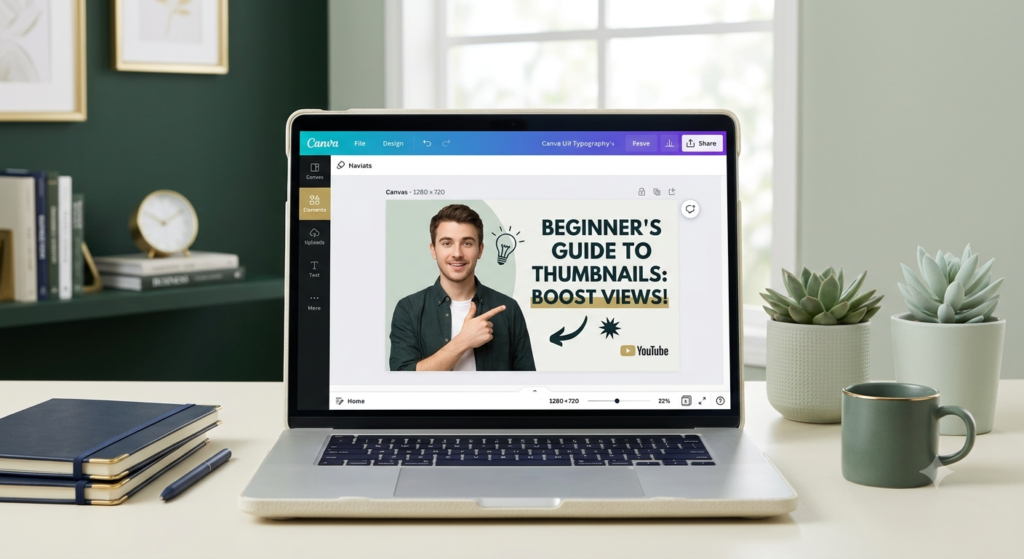
A 1280 × 720 px Canva design is a practical starting point for standard YouTube videos.
Using the correct dimensions helps prevent unnecessary cropping or distortion.
4. Create Strong Visual Contrast
Contrast helps important elements stand out.
You can create contrast through differences in:
- Light and dark areas
- Text and background
- Image and surrounding space
- Large and small elements
The goal is not to make the design complicated. The goal is to make the important element immediately visible.
5. Focus on One Main Visual Idea
A thumbnail becomes confusing when it contains too many competing elements.
Choose one primary visual idea.
For example, a video about YouTube keyword research could use:
- A search icon
- A keyword list
- A YouTube-related visual
- A laptop screen
You do not need all four. Choose the visual that communicates the topic most clearly.
6. Make the Thumbnail Match the Title
Your YouTube thumbnail optimization strategy should work together with your title.
The title and thumbnail should complement each other rather than repeat exactly the same words.
For example:
Title: How to Write Better YouTube Video Titles
Thumbnail:
“Get More Attention”
Together they provide more information than either element alone.
7. Use Consistent Branding
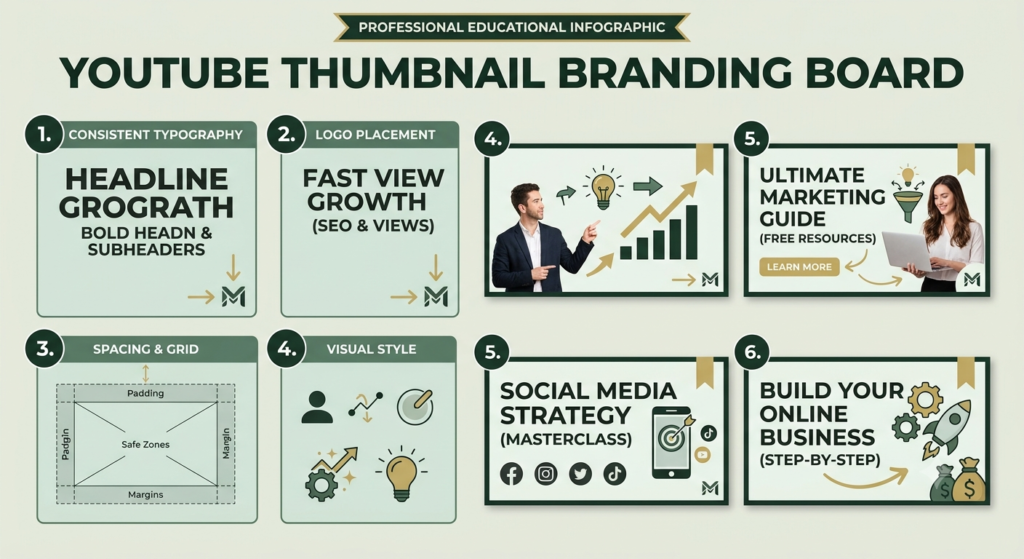
If you publish regularly, create a recognizable visual style.
Your Aahraa thumbnails can maintain consistent:
- Typography
- Brand colors
- Logo placement
- Visual structure
- Design style
Consistency can make your content easier to recognize across your channel.
However, branding should not overpower the main topic.
8. Design for Mobile Viewers
Many viewers encounter YouTube thumbnails on relatively small screens.
Before publishing, reduce the thumbnail size and check whether the main message is still readable.
Ask yourself:
Can I understand the topic in one or two seconds?
If the answer is no, simplify the design.
9. Use High-Quality Images
Avoid blurry, stretched, or heavily compressed images.
Use a clear main image and make sure important visual details are large enough to remain recognizable.
If you use photographs, choose an image that supports the subject of the video rather than simply filling space.
10. Create Curiosity Without Misleading Viewers
A good thumbnail can create curiosity.
For example:
“3 Mistakes You’re Making”
may encourage someone to learn what those mistakes are.
But the video should actually explain the three mistakes.
Avoid exaggerated visual claims that are unrelated to the video’s content. Your thumbnail should attract the right viewer, not simply generate an unnecessary click.
11. Test and Improve Your Thumbnail Strategy
If your channel has access to YouTube’s relevant testing features, use available performance data to understand how different thumbnail approaches perform.
You can also review your analytics and compare patterns across videos.
Look for questions such as:
- Which visual styles perform well?
- Are simple thumbnails working better?
- Which topics receive more viewer interest?
- Does a particular design style consistently attract attention?
Use the results to improve future thumbnails rather than assuming one design will work for every video.
How to Make a YouTube Thumbnail in Canva
Canva makes the design process simple for beginners.
Step 1: Create the Canvas
Create a custom design using:
1280 × 720 pixels
Step 2: Choose a Simple Layout
Keep one main visual area and one text area.
Step 3: Add Your Main Image
Use a clear image that relates directly to your video.
Step 4: Add Short Text
Use a short phrase instead of copying the complete video title.
Step 5: Apply Your Brand Style
Use your Aahraa typography and brand colors consistently.
Step 6: Check Mobile Readability
Zoom out or preview the thumbnail at a small size.
Step 7: Export
Download the finished thumbnail in an appropriate image format and upload it through YouTube Studio.
Common YouTube Thumbnail Mistakes
Avoid these common beginner problems:
- Too much text
- Tiny fonts
- Poor contrast
- Blurry images
- Too many colors
- Too many visual elements
- Misleading images
- Repeating the entire title
- Inconsistent branding
- Designing only for desktop screens
A simpler thumbnail is often easier to understand.
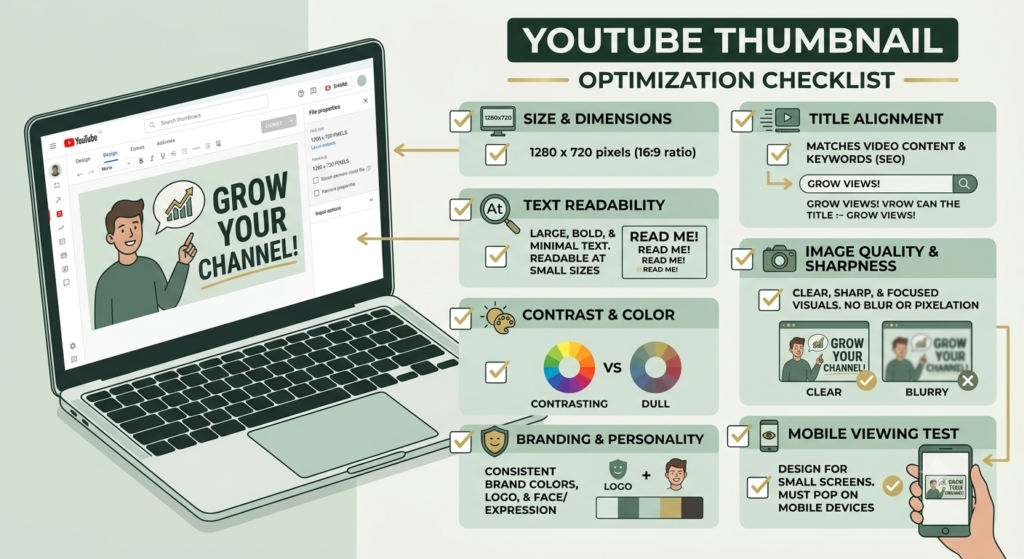
YouTube Thumbnail Optimization Checklist
Before publishing, check:
☐ Thumbnail is 1280 × 720 pixels
☐ 16:9 aspect ratio is maintained
☐ Main topic is immediately understandable
☐ Text is short and readable
☐ Strong visual contrast is present
☐ One main visual idea is clear
☐ Thumbnail matches the video title
☐ Thumbnail accurately represents the video
☐ Image quality is good
☐ Design works at a small size
☐ Aahraa branding is consistent
☐ No unnecessary elements are included
☐ Final image has been checked before upload
How to do YouTube Thumbnails SEO
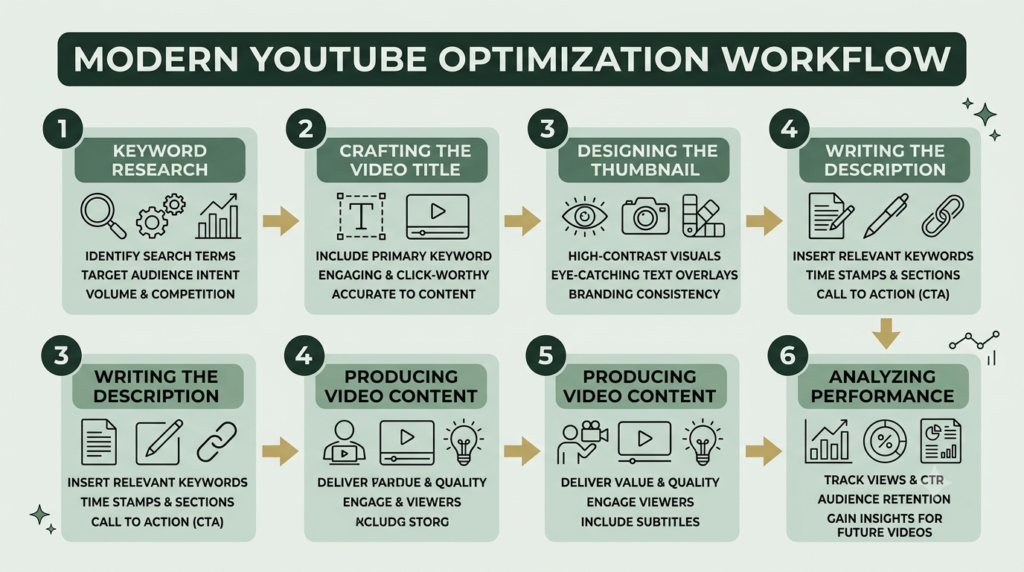
A thumbnail is only one part of your overall YouTube optimization system.
Your content structure can work like this:
Keyword Research → Video Topic → Title → Thumbnail → Description → Video Content → Analytics
Your keyword research identifies the topic.
Your title communicates the topic clearly.
Your thumbnail provides visual context.
Your description adds supporting information.
Your video delivers the promised content.
Your analytics help you understand viewer behavior.
This connected approach is more useful than treating the thumbnail as an isolated SEO task.
Conclusion
A successful YouTube thumbnail SEO does not need to be complicated. It needs to be clear, relevant, readable, visually distinctive, and consistent with the video.
For beginners, start with the recommended 1280 × 720 pixel, 16:9 format, use one main visual idea, keep text short, maintain strong contrast, and make sure the thumbnail matches the title and actual video.
You can use Canva to create a repeatable design system and maintain consistent Aahraa branding across your YouTube content.
Most importantly, remember that the thumbnail should help the right viewer understand what your video offers. Combine thoughtful thumbnail design with strong keyword research, useful titles, accurate descriptions, and valuable video content to build a consistent YouTube SEO strategy.