
7 Powerful Ways of Selling Digital Products Online in 2026
Selling digital products online can be a practical way to turn knowledge, creativity, skills, templates or expertise into a digital business. eBooks, planners, templates, checklists, courses, printables, spreadsheets and design resources can all be delivered electronically without physical inventory or shipping.
But creating a product is only the beginning.
The real challenge is deciding where to sell it, how to present it, how to attract the right customers and how to turn visitors into buyers.
This Complete Beginner’s Guide to selling digital products online in 2026 explains seven practical selling methods, compares major digital product selling platforms, explains pricing and checkout, and shows how to build a simple system that can grow over time.

What Does Selling Digital Products Online Mean?
Selling digital products online means offering downloadable, accessible or electronically delivered products through a website, marketplace, storefront or other online platform.
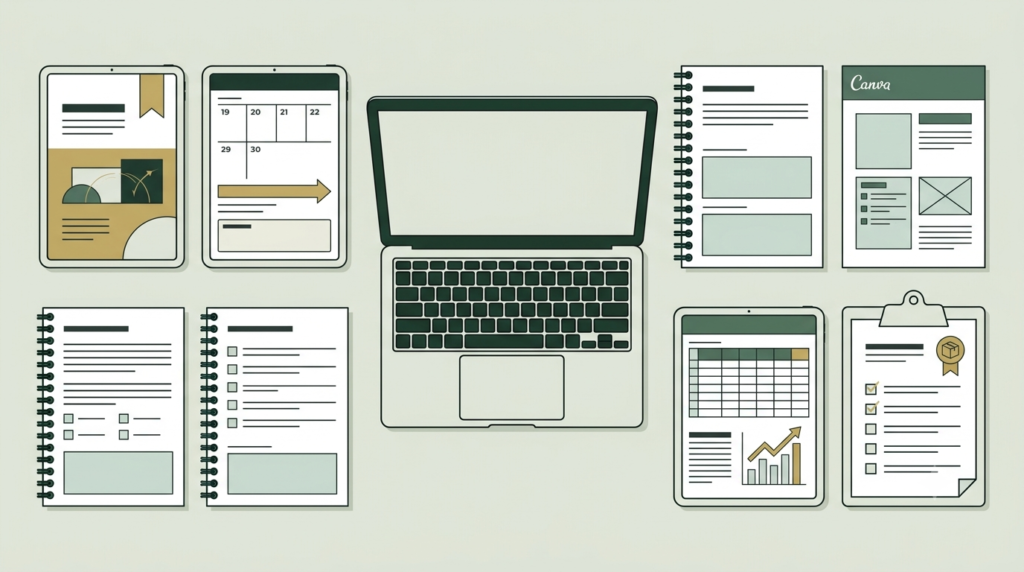
Popular digital products include:
- eBooks
- PDFs and guides
- Planners and workbooks
- Canva templates
- Social media templates
- Notion templates
- Spreadsheets
- Printables
- Digital artwork
- Fonts and graphics
- Presets
- Online courses
- Recorded workshops
- Audio products
- Memberships
- Business templates
- Marketing resources
- Software and digital tools
The most important principle is simple:
People do not buy a digital file merely because it exists. They buy a solution to a problem or a desired outcome.
A savings challenge helps someone organize saving.
A social-media template saves content-creation time.
An SEO checklist gives a beginner a structured process.
That problem-solution connection should guide the entire selling strategy.
7 Powerful Ways of Selling Digital Products Online
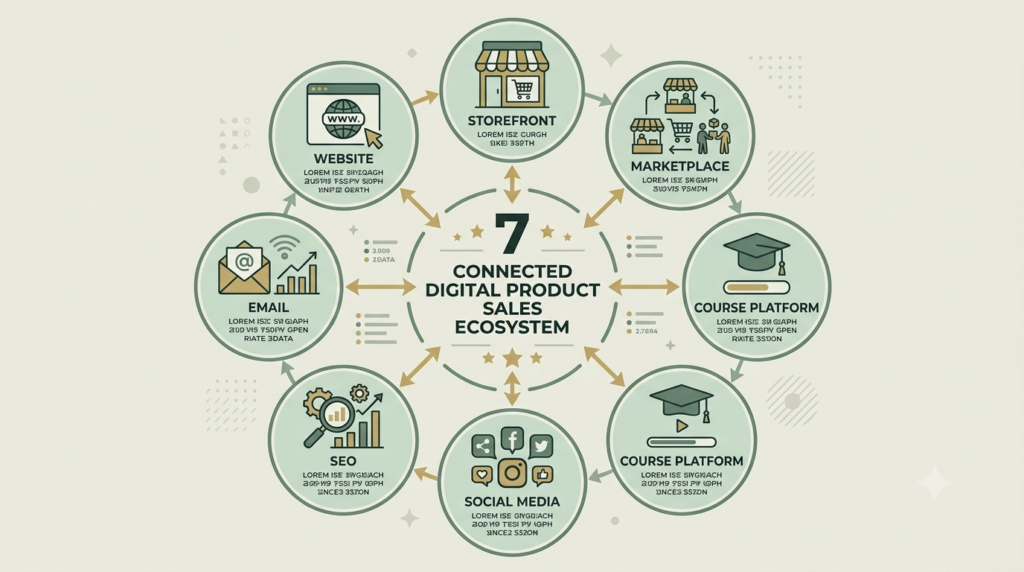
1. Sell Through Your Own Website
Selling from your own website gives you the greatest control over your brand, product presentation, content and customer journey.
A website can contain:
- Product pages
- Checkout
- Blog articles
- FAQs
- About page
- Contact information
- Email signup
- Customer reviews
- Related products
For example, a digital marketing website could sell SEO templates, social-media planners, startup marketing checklists and other resources.
How to do it
- Create your product.
- Set up a product page.
- Add product images or mockups.
- Explain the benefits.
- Display the price clearly.
- Add a checkout button.
- Configure digital delivery.
- Test the complete purchase process.
- Publish supporting content.
- Send traffic to the product page.
Platforms such as WooCommerce can be used to sell downloadable products from a WordPress website.
Important advantage: your website becomes the central home for your digital-product business.
2. Use a Digital Product Storefront
If you do not want to build a complete ecommerce website, a dedicated digital-product storefront can simplify the process.
Examples include:
- Payhip
- Gumroad
- Lemon Squeezy
- Sellfy
- Ko-fi
- Stan
- Beacons
These services generally provide some combination of product pages, checkout, payment processing and digital delivery.
For beginners, this can reduce technical work.
What to compare
Before choosing a platform, check:
- Transaction fees
- Monthly subscription
- Payment methods
- Country availability
- Payout methods
- Digital delivery
- Tax handling
- Discount codes
- Affiliate functionality
- Customer management
- Product limits
Never choose a platform solely because someone calls it “the best.”
Choose according to your product and business requirements.
3. Selling Digital Products Online Through Marketplaces
Marketplaces can put your product in front of people who are already searching for digital resources.
Examples include:
- Etsy
- Creative Market
- Creative Fabrica
- Design Bundles
- Envato Market
- UI8
- Adobe Stock
- Motion Array
Marketplaces are particularly relevant to templates, graphics, illustrations, fonts, design assets, patterns and other creative products.
How marketplace Selling Digital Products Online works?
Create a listing containing:
- Search-friendly title
- Relevant description
- Product previews
- Appropriate keywords or tags
- Clear licensing information
- Correct product category
- Price
- Delivery information
The marketplace handles part of the discovery process, but you still need a strong listing.
Important
Always check each marketplace’s current rules concerning licensing, AI-generated content, commercial rights, exclusivity, taxes and seller eligibility.
4. Sell Courses and Educational Products
If your product teaches a skill, a course platform may be more suitable than a basic download store.
Popular options include:
- Teachable
- Thinkific
- Podia
- Kajabi
- Udemy
- Skillshare
You can sell:
- Video courses
- Text lessons
- Workshops
- Training programs
- Downloadable course resources
- Membership content
For example, instead of selling only an SEO checklist, you could eventually create a beginner SEO course containing lessons, worksheets and templates.
This approach requires more content creation, but it can create a deeper customer experience.
5. Use Social Media as a Sales Channel
Social media can introduce your Selling Digital Products Online to potential customers before they ever reach your product page.
Useful channels include:
- YouTube
- TikTok
- WhatsApp Business
The goal should not be to publish “Buy my product” repeatedly.
Instead, create content around the problem your product solves. That how Selling Digital Products Online play vital roles.
For a savings planner, create content such as:
- How to start saving money
- Five beginner saving mistakes
- Simple monthly budgeting tips
- A savings challenge
- How to track spending
Then introduce the relevant product.
This creates a simple journey:
Helpful content → Interest → Product page → Checkout → Purchase.
6. Use SEO and Content to Generate Long-Term Traffic
SEO can help people discover your Selling Digital Products Online when they are actively searching for information.
Suppose you sell an SEO audit template.
Instead of only promoting the template, publish useful articles such as:
- How to Perform an SEO Audit
- Beginner SEO Checklist
- Common Website SEO Problems
- How to Check On-Page SEO
Each article can link naturally to the relevant Selling Digital Products Online.
This creates a content-to-product pathway.
A simple SEO structure
Search query
↓
Helpful blog article
↓
Relevant internal link
↓
Product page
↓
Checkout
This is especially useful when you want to reduce dependence on paid advertising.
7. Build an Email-Based Selling System
Email marketing gives you a direct communication channel with people who have voluntarily subscribed.
Start with a useful free resource.
For example:
Free SEO Checklist
Then create a short sequence:
Email 1: Deliver the free resource.
Email 2: Explain a common problem.
Email 3: Give a practical solution.
Email 4: Introduce the related product.
Email 5: Explain what the customer receives.
Email 6: Answer common objections.
Email 7: Give a clear CTA.
The objective is not to pressure people into buying.
The objective is to help them understand whether your product is appropriate for their needs.
Best Platforms Selling Digital Products Online
There is no single platform that is guaranteed to produce the highest sales.
Your results depend on product-market fit, audience, traffic, pricing, product quality, search demand, conversion rate and platform suitability.
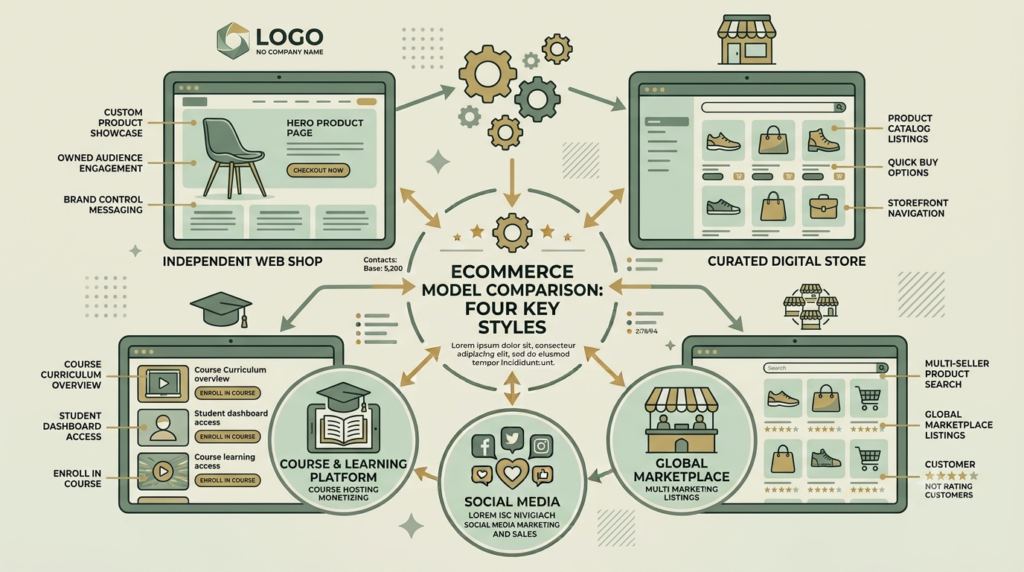
Here is a practical comparison:
| Platform type | Examples | Suitable for |
|---|---|---|
| Own website | WooCommerce, Shopify | Brand control |
| Digital storefront | Payhip, Gumroad | Beginners and downloads |
| Marketplace | Etsy | Printables and digital downloads |
| Creative marketplace | Creative Market, Envato | Design assets |
| Course platform | Teachable, Thinkific | Courses |
| Creator storefront | Ko-fi, Stan, Beacons | Social-media creators |
| Education marketplace | Udemy, Skillshare | Courses and education |
| India payment/store options | Razorpay, Instamojo | Indian sellers |
Which Platform Can Sell the Most?
There is no reliable universal ranking showing that one platform will sell the most for every digital-product seller.
Instead, think about where your customers already search.
If you sell printables
Consider marketplaces such as Etsy.
If you sell design assets
Consider Creative Market, Creative Fabrica, Design Bundles or Envato.
If you sell courses
Consider Teachable, Thinkific, Udemy or similar education platforms.
If you want your own brand
Consider WooCommerce or Shopify.
If you want a simple digital storefront
Consider Payhip, Gumroad or Lemon Squeezy after comparing current fees and features.
For many beginners, a practical model is:
Own website + one storefront/marketplace + organic traffic channels.
This avoids depending entirely on one platform.
How to Choose the Right Platform for Selling Digital Products Online?
1. Where is my audience?
Find out where your potential customers already search.
2. What type of product am I selling?
A course and a printable have different requirements.
3. What are the fees?
Calculate the real amount you keep after transaction and platform fees.
4. Can customers pay easily?
Check payment methods available to your target market.
5. Can I deliver the product automatically?
Automation saves time.
6. Do I control my customer relationship?
This becomes increasingly important as your business grows.
7. Can I move or expand later?
Avoid building your entire business around a platform without understanding its terms.
Selling Digital Products Online and it Pricing.
There is no universal correct price.
Consider:
- Product depth
- Customer problem
- Time saved
- Quality
- Uniqueness
- Audience
- Competitor pricing
- Platform fees
- Support required
A simple product ladder might look like:
Free resource → ₹99–₹199 → ₹299–₹499 → ₹999+ premium product
These are examples rather than fixed pricing rules.
Test your offer rather than assuming that a lower price will automatically produce more sales.
A higher-value bundle can sometimes make the offer easier to understand because customers receive several related resources together.
Selling Digital Products Online Step by Step
Step 1: Choose one audience
Avoid trying to sell to everyone.
Step 2: Identify one problem
Research what your audience actually needs.
Step 3: Create one useful product
Start small enough that you can finish it.
Step 4: Select one main platform
Do not open 15 stores on day one.
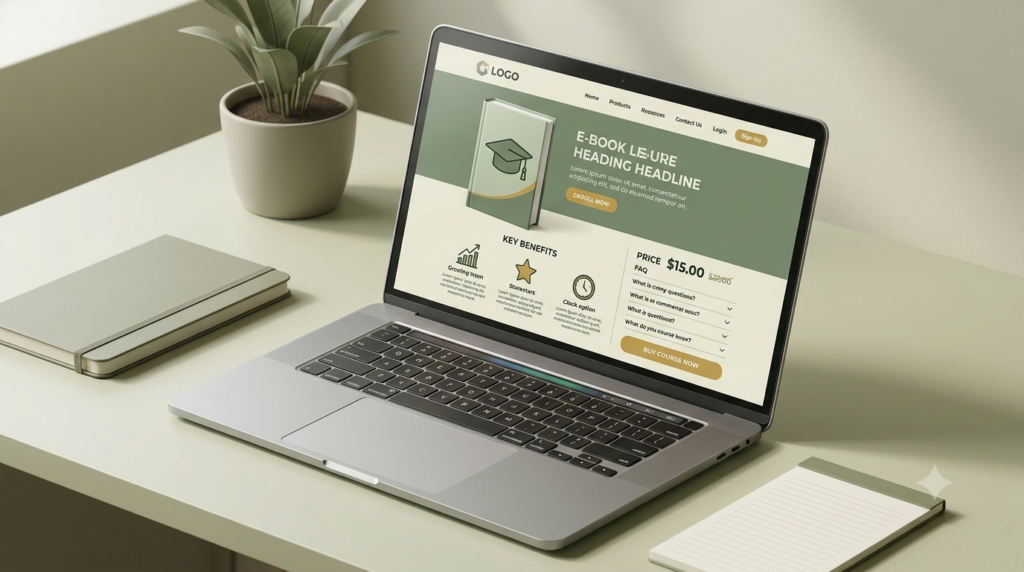
Step 5: Build your product page
Include:
- Clear headline
- Product preview
- Benefits
- What’s included
- Price
- FAQ
- Delivery information
- CTA
Step 6: Test checkout
Complete a test purchase before promoting the product.
Step 7: Create traffic
Use SEO, Pinterest, social media, email or marketplace discovery.
Step 8: Measure
Track:
Visitors → Product views → Checkout → Purchases
Step 9: Improve
If visitors are low, improve distribution.
If product views are high but purchases are low, examine the offer, positioning, pricing, trust signals and checkout. This is a very powerful tips for Selling Digital Products Online.
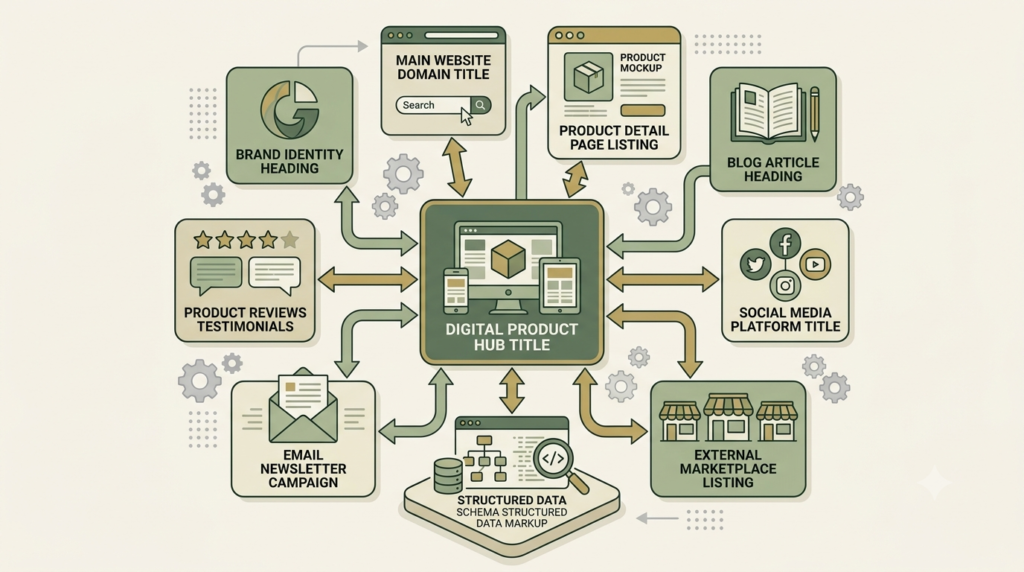
How Selling Digital Products Online Becomes the Backbone of Your Online Entity
Selling Digital Products Online should not exist as an isolated PDF.
It can become the central entity connecting your:
Brand → Website → Product → Product page → Blog → Social profiles → Marketplace → Email → Reviews → Structured data
For example, your website establishes your brand.
Your product page describes the actual product.
Your blog answers questions related to the problem.
Your social profiles distribute that content.
Your marketplace listing creates another discovery point.
Reviews and testimonials can provide trust.
Structured data can help search engines understand entities such as your organization, products, articles and breadcrumbs.
This creates a connected digital ecosystem rather than a collection of unrelated pages.
The real objective is:
Search relevance + useful content + technical SEO + good user experience + conversion.
30-Day Beginner Selling Plan
Week 1 — Product
- Select one problem
- Finish one product
- Create product mockups
- Decide price
- Write product description
Week 2 — Store
- Select selling platform
- Upload product
- Configure payment
- Configure digital delivery
- Test checkout
- Publish product page
Week 3 — Traffic
Create:
- 5 Pinterest pins
- 5 Instagram posts
- 3 Facebook posts
- 1 SEO blog
- 1 free resource
Week 4 — Improve
Review:
- Website traffic
- Product-page visits
- Clicks
- Checkout activity
- Sales
- Customer questions
Then improve the weakest part of the journey.
One Clear CTA
Ready to build your digital-product journey?
Explore useful digital products from Aahraa and choose a resource designed to help you take your next practical step.
Explore Aahraa Digital Products.
Frequently Asked Questions
1. What is the easiest way to selling digital products online?
Start with one useful product, one simple selling platform and one clear audience. A storefront can handle checkout and digital delivery while your website and social channels generate traffic.
2. Which platform is best for selling digital products online?
There is no universal best platform. Etsy may suit certain downloadable products, creative marketplaces may suit design assets, course platforms may suit education, and WooCommerce or Shopify may suit sellers who want more control.
3. Can I sell digital products from my own website?
Yes. WooCommerce, Shopify and other ecommerce solutions can support digital products. Your website can become the central hub for your brand, content and products.
4. Can I sell a PDF as a digital product?
Yes. PDFs are commonly used for eBooks, planners, workbooks, checklists, guides and educational resources.
5. Can I sell on multiple platforms?
Often yes, but always check the individual platform’s terms, licensing requirements and exclusivity rules.
6. Do I need a website?
No. A marketplace or digital storefront can provide a product page and checkout. However, an owned website can provide greater control as your business grows.
7. How can I sell without paid advertising?
Use SEO, Pinterest, educational content, social media, email marketing, marketplace discovery and partnerships where appropriate.
8. Why are people visiting my product page but not buying?
Review the product positioning, benefits, previews, price, trust signals, CTA and checkout process. Also check whether the traffic is coming from people who actually need the product.
9. How many products should a beginner create?
Start with one strong product. Learn from its traffic and conversion data before creating a large catalogue.
10. Can SEO guarantee digital product sales?
No. SEO can help qualified people discover your content and products, but sales also depend on the product, audience, offer, trust, pricing and conversion experience.

Conclusion
Selling digital products online is not simply about uploading a file and waiting for customers.
A sustainable system connects:
Product → Platform → Product Page → Traffic → Trust → Checkout → Customer → Improvement
Start with one problem, one product and one primary platform. Build useful content around the problem, measure what happens and improve based on real data.
The objective is not to be everywhere at once.
The objective is to build a simple digital-product system that people can discover, understand, trust and purchase.